Lead to bid
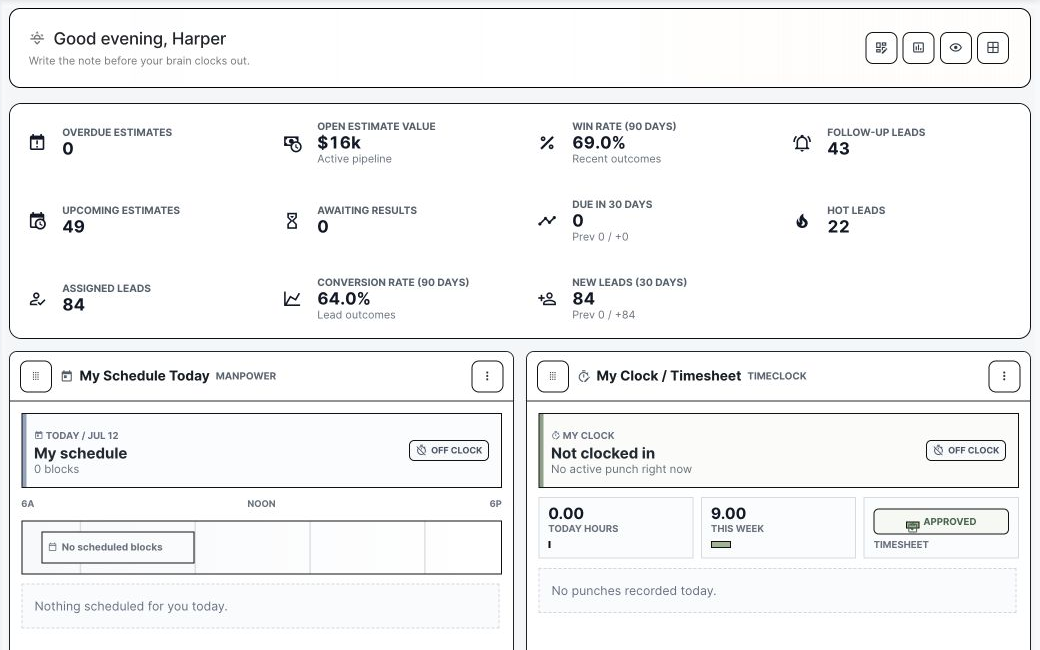
Track who owns the opportunity, what follow-up is due, which files exist, and when it should become an estimate.
Simple software for the work contractors already do: leads, bids, jobs, service tickets, documents, files, time, crews, invoices, and customer follow-up. The point is not to make the software the job. The point is to make every part of the job easier to run.
BuildDaily is not trying to make construction more complicated. It gives the office and field simple places to manage the work that already exists.
Track who owns the opportunity, what follow-up is due, which files exist, and when it should become an estimate.
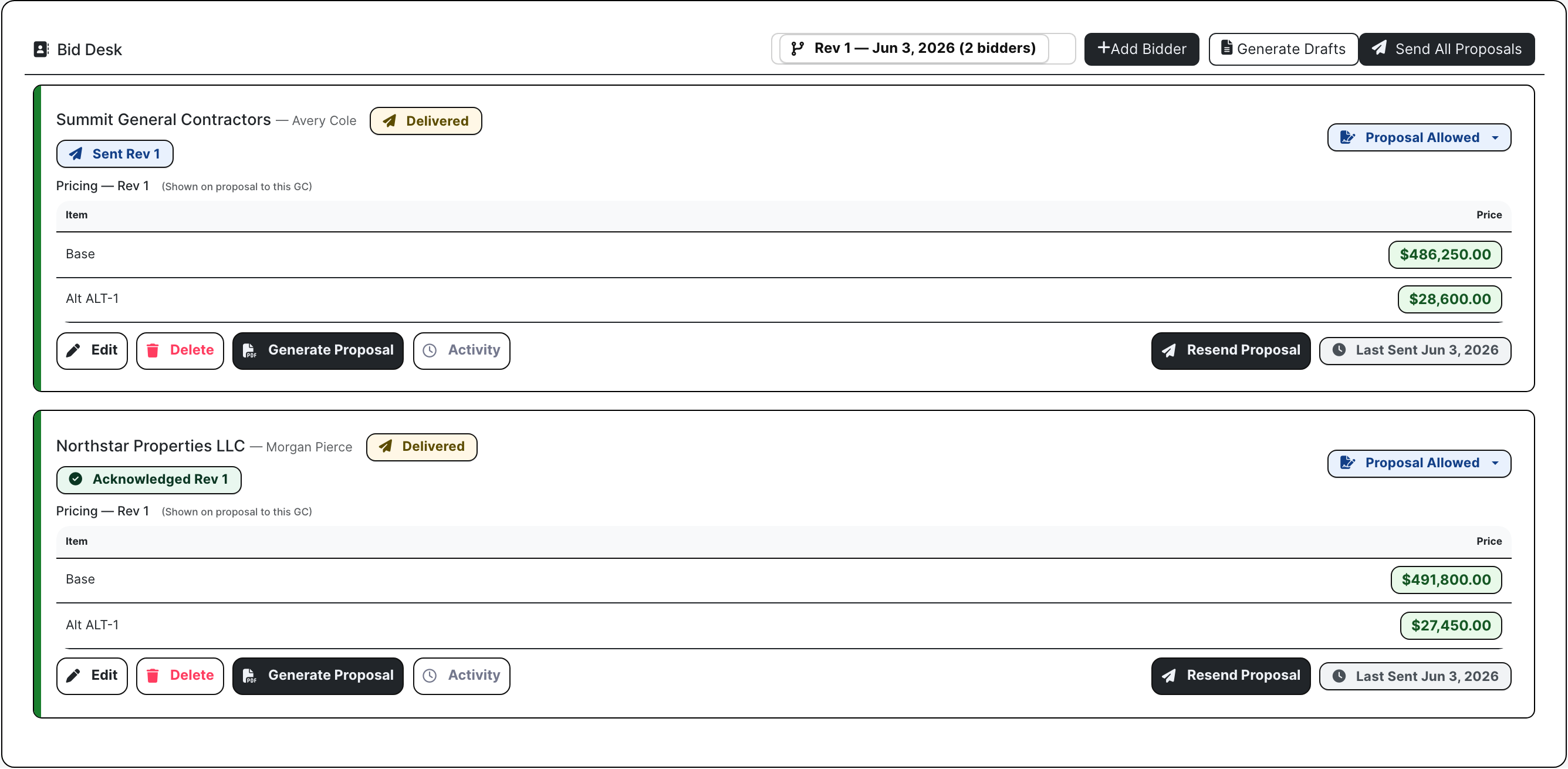
Keep bid files, RFPs, addenda, RFIs, bidders, proposals, and bid results close when awarded work becomes a project.
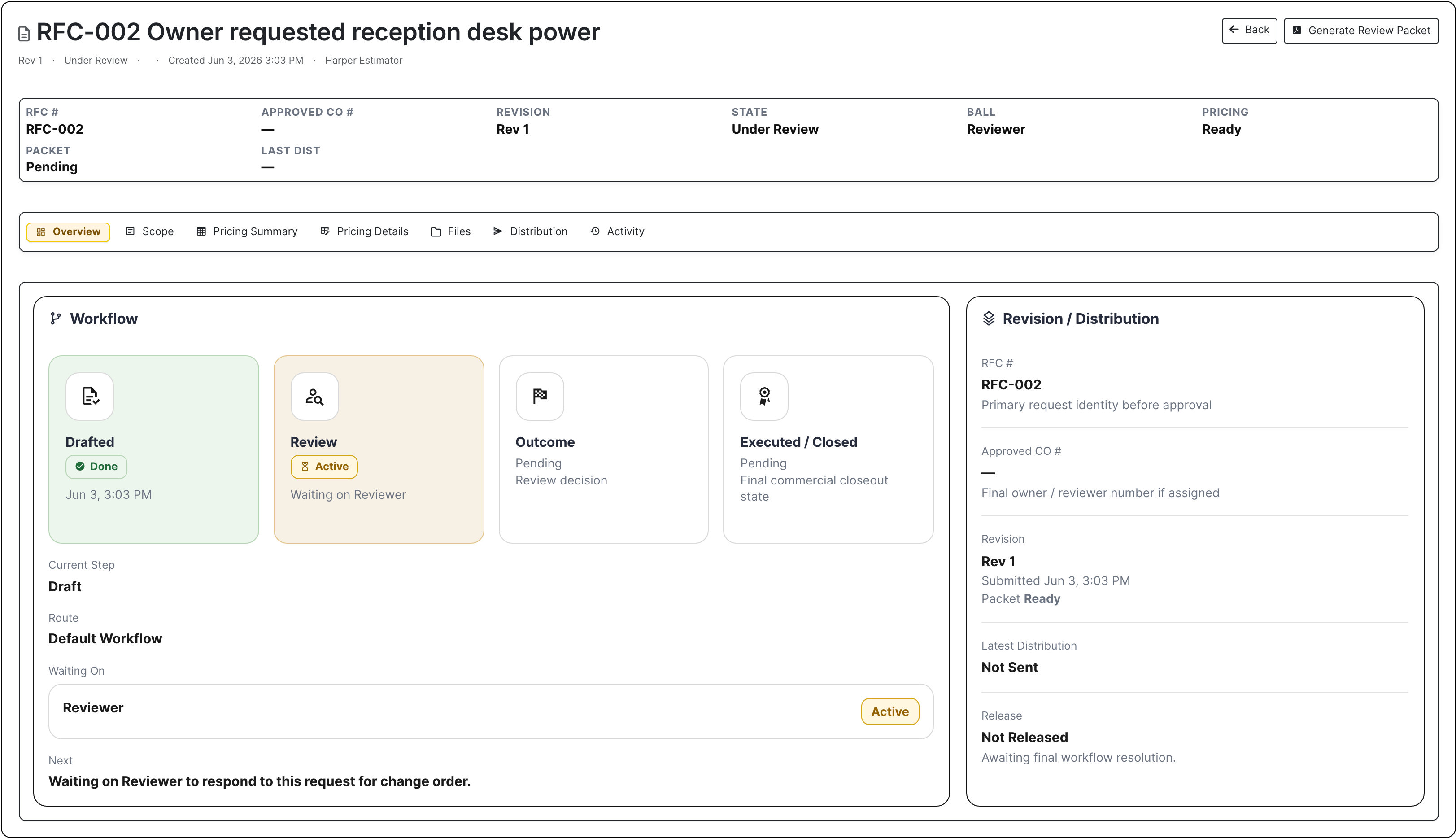
Manage RFIs, submittals, change orders, T&M tickets, daily reports, drawings, specs, files, and closeout from the job.
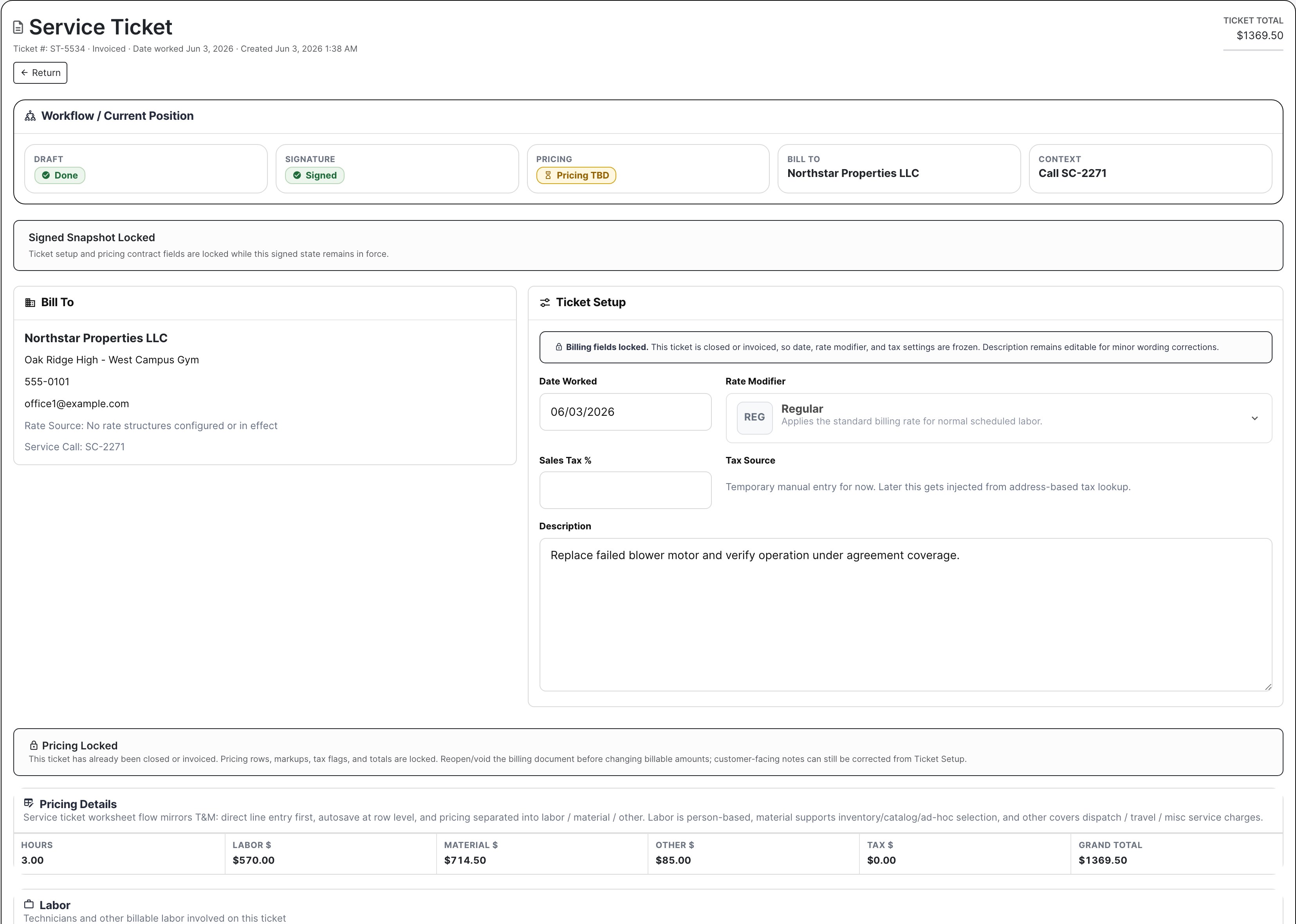
Move a call through dispatch, ticket work, line items, customer signature, billing review, invoice, and payment link.
Use templates, envelopes, public signing, countersignature, reminders, and executed package downloads.
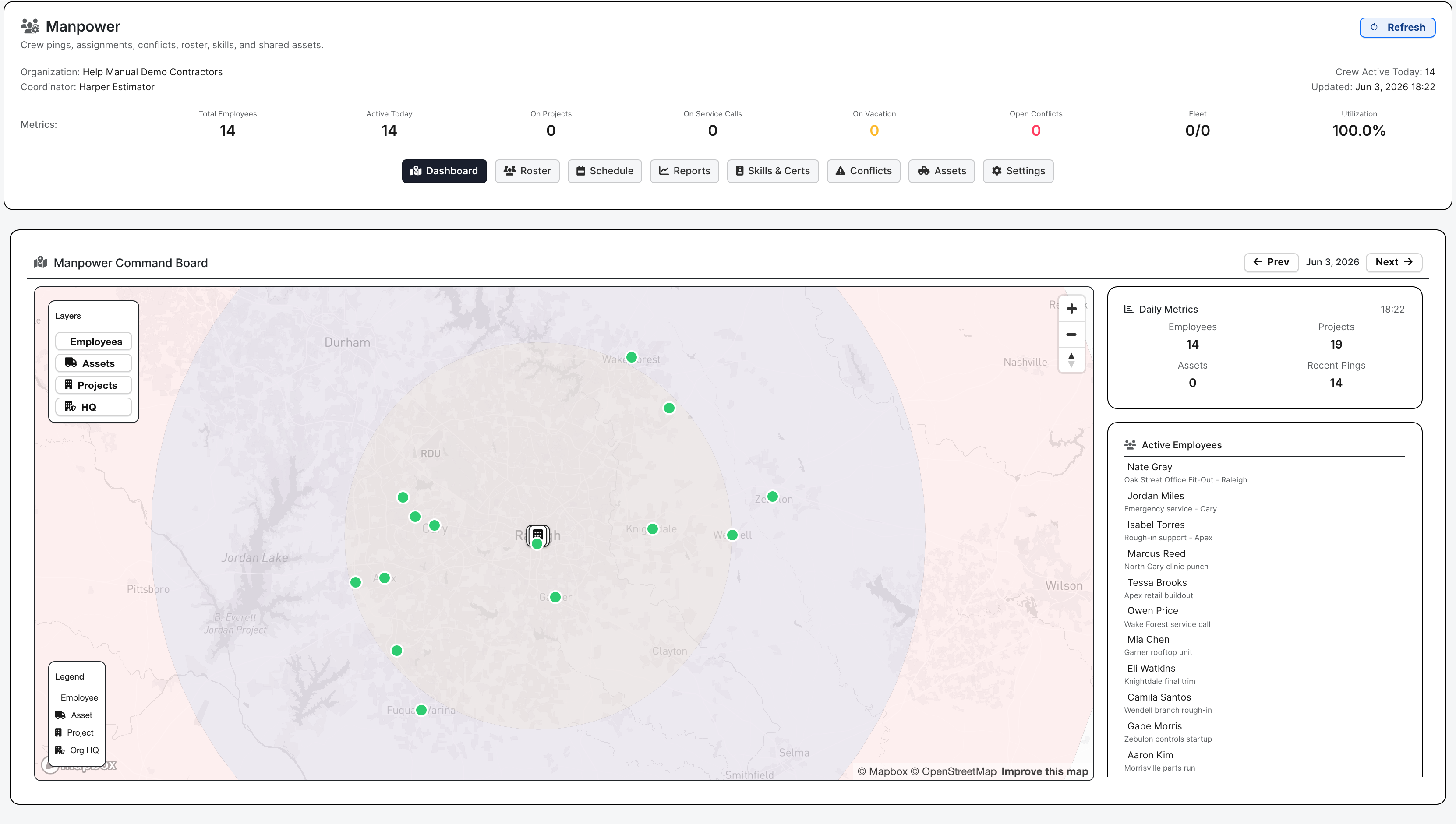
Review time, PTO, expenses, employee files, manpower assignments, assets, skills, certifications, and conflicts.
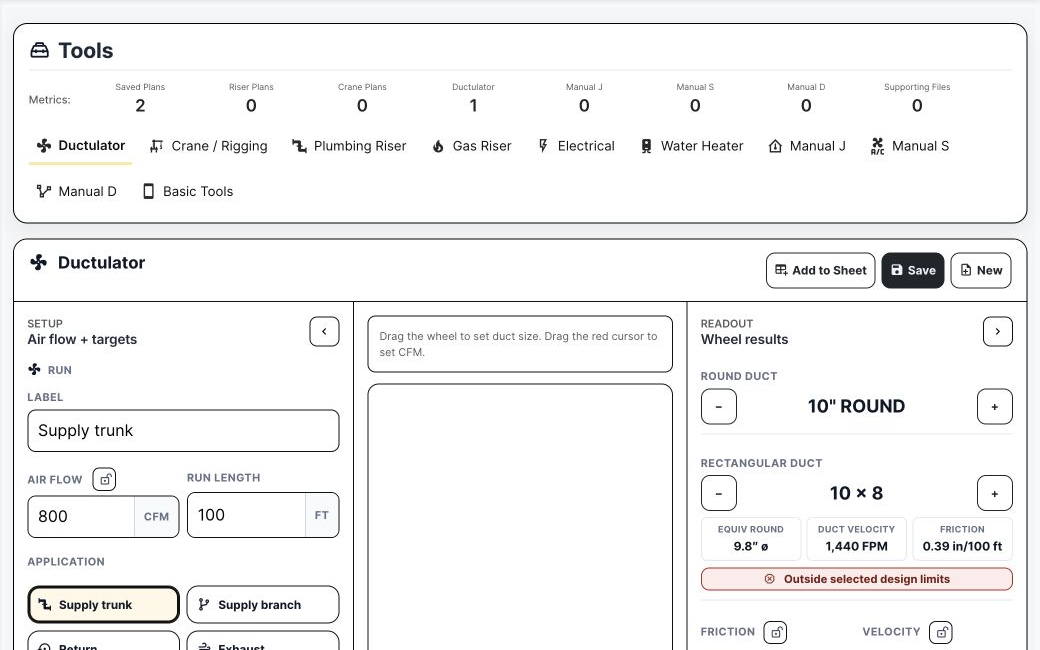
These are real BuildDaily screens with demo records. They show the action a contractor would actually take.
The software should answer practical questions quickly. Who owns it? What is missing? Is it ready to bid, approve, sign, dispatch, invoice, staff, or close?
| Contractor work | What usually makes it harder | How BuildDaily simplifies it |
|---|---|---|
| Lead follow-up Before there is an estimate. |
Notes live in someone's inbox and nobody knows whether the next call happened. | Lead owner, stage, source, files, location, activity, follow-ups, communications, and estimate handoff stay visible. |
| Bid setup Before the job is won. |
Bid files, vendor quotes, addenda, RFIs, and proposals split across folders and email. | Estimate pages hold files, RFP groups, bidders, addenda, RFIs, alternates, takeoff, Bid Desk, and bid results. |
| Project work After award. |
Field proof, drawing changes, owner review, and price backup get separated. | Project pages keep RFIs, submittals, change orders, T&M tickets, daily reports, drawings, specs, files, and closeout together. |
| Service billing After the tech leaves. |
Billing waits on notes, parts, totals, warranty treatment, customer signature, or invoice wording. | Tickets carry dispatch, technician work, line items, files, signature, billing review, invoice email, payment link, and A/R context. |
| Labor review Before payroll. |
Hours, PTO, expenses, receipts, crew plans, assets, and certifications are checked late. | Timeclock, HR, expenses, manpower, roster, assets, skills, certifications, licenses, and conflicts stay close to the work. |
Vendors, reviewers, owners, customers, signers, and subcontractors can do their part without an internal login.
Bidders review RFP files, download packages, respond, no-bid, and upload quotes.
RFIs, submittals, change orders, and pay applications can go outside for a response or decision.
Signers open the envelope, review the packet, sign, decline, and receive the executed package.
Invoice emails can include Stripe-backed pay-now links when online payments are enabled.
Contractors should know what they can use today and where BuildDaily is still growing.
CRM, leads, estimating, projects, service, documents, files, timeclock, manpower, analytics, support, notifications, and outside links.
Visual Takeoff has active workspace, sheet, layer, assembly, spec, OCR, training, and model tooling. Present it carefully by trade and use case.
Accounting has useful direction, but it should not be sold as a finished replacement for a contractor's financial close.
That is the fastest way to judge BuildDaily: use work your team already knows and see whether it gets easier to manage.