BuildDaily

Timeclock / HR

Time, PTO, expenses, and HR backup before payroll gets messy

Timeclock/HR is the workforce desk for getting labor and people paperwork ready before payroll, reimbursement, or compliance review. Employees clock and code time to projects, service calls, estimates, or overhead work; foremen and payroll reviewers clean up the week; managers see who is off; and HR/accounting keep expense backup, receipts, safety records, policies, and employee files attached to the people who own them.

Workforce Workflow

How time and HR work move from field entry to review

Employees code time to the work that caused it

The first job is not just clocking in. Field employees need to say whether the hours belong to a project, service call, estimate, overhead work, or a break so payroll and job costing are not rebuilt from memory on Friday.

  • Clock in, clock out, and manage breaks
  • Code hours to project, service, estimate, or overhead targets
  • Review the weekly timesheet before it is submitted
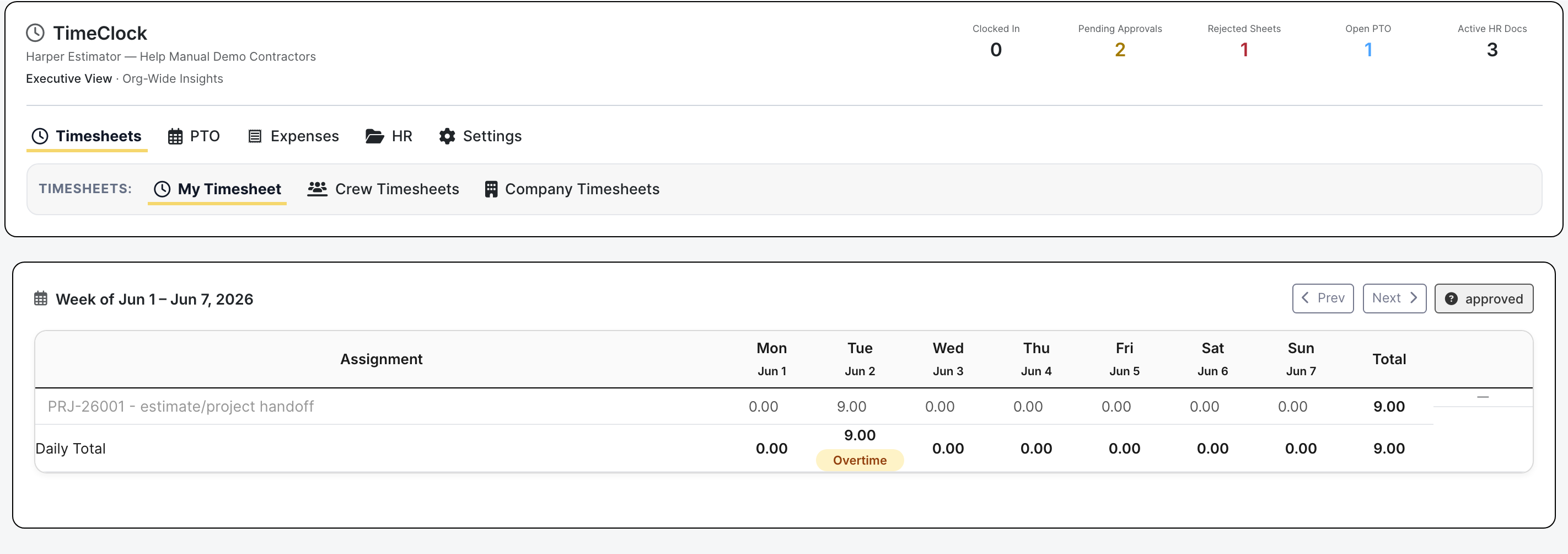
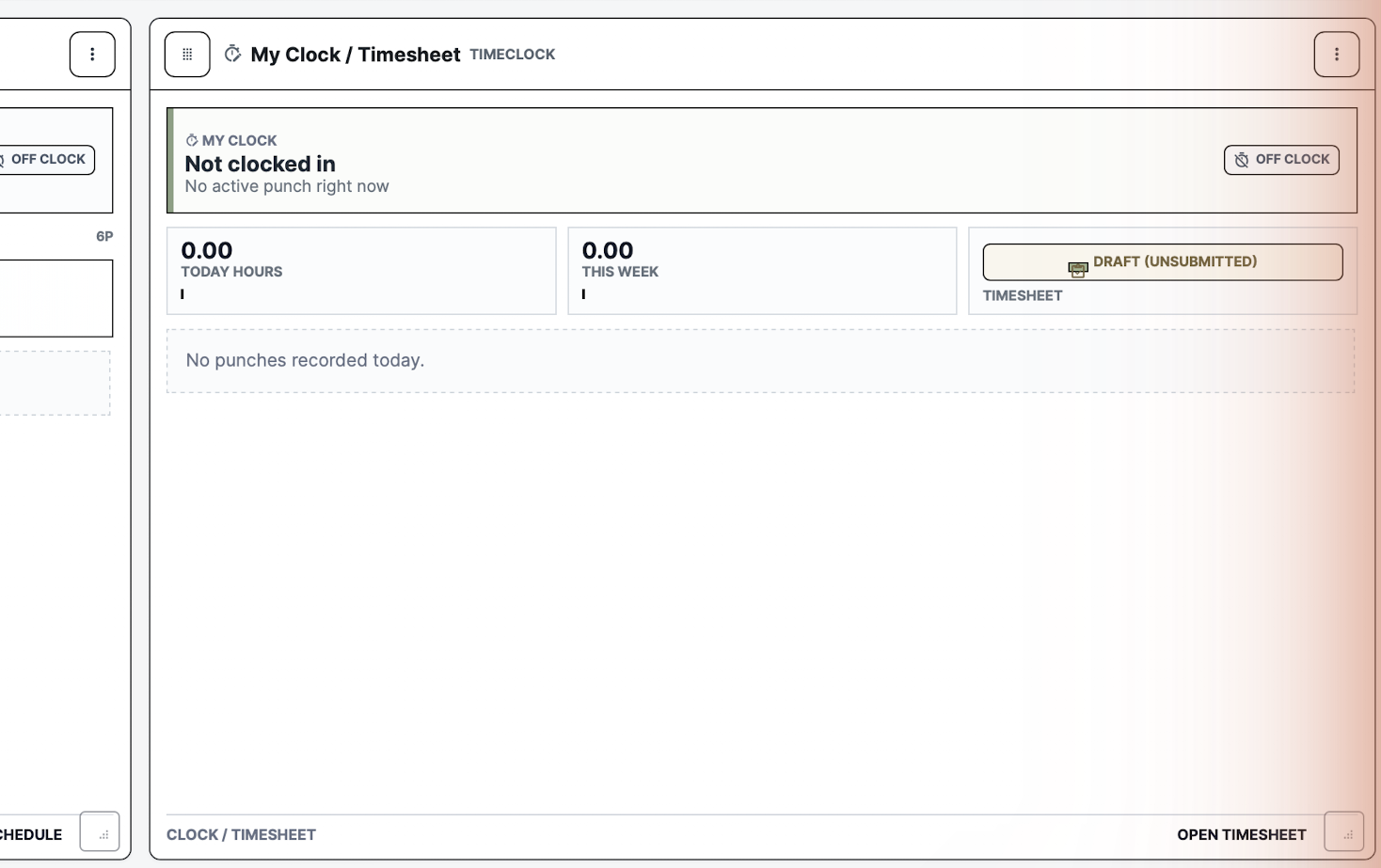
Timeclock dashboard
The employee dashboard keeps clock state and timesheet context together.

Foremen and payroll reviewers clean up the week before export

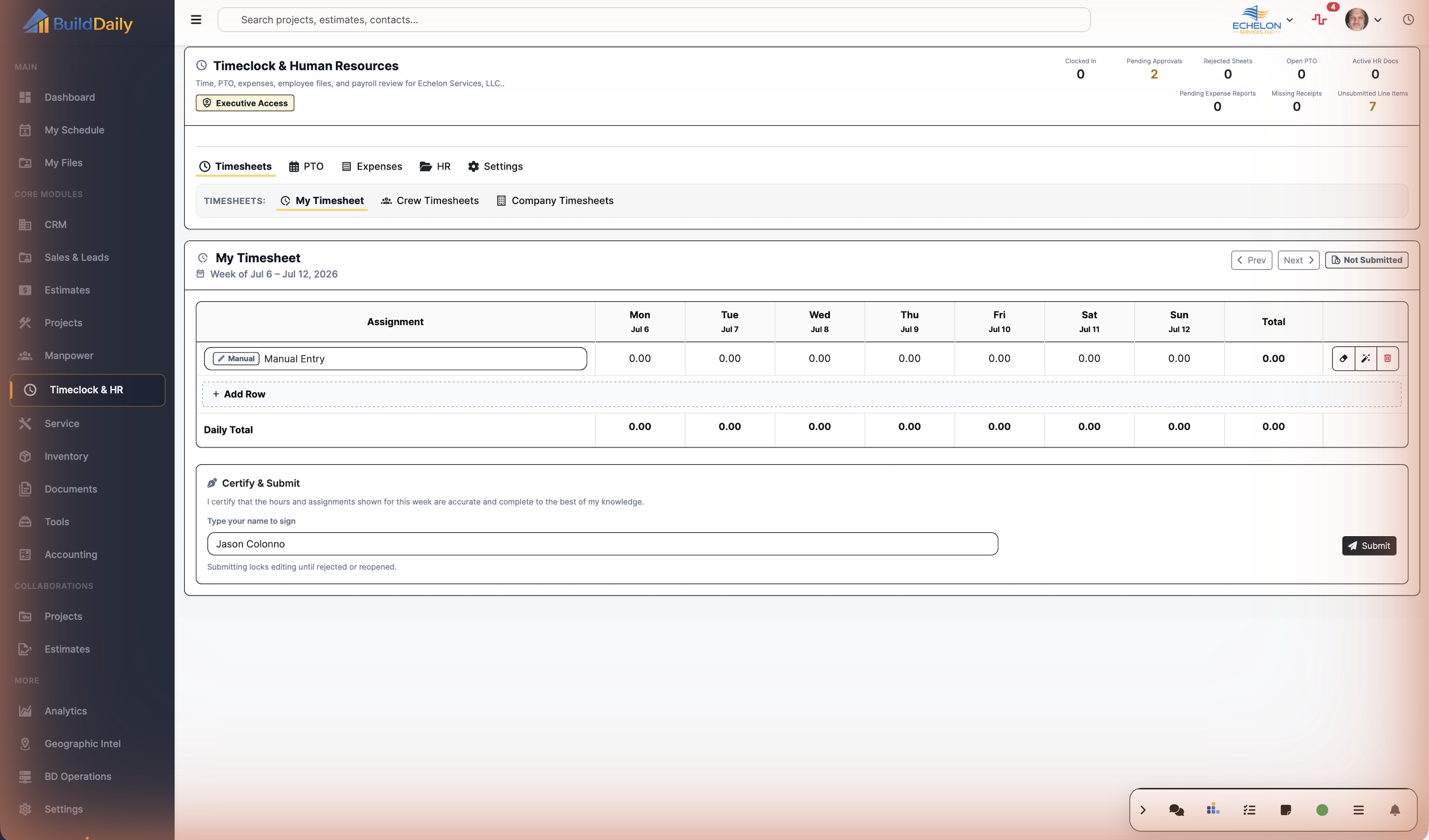
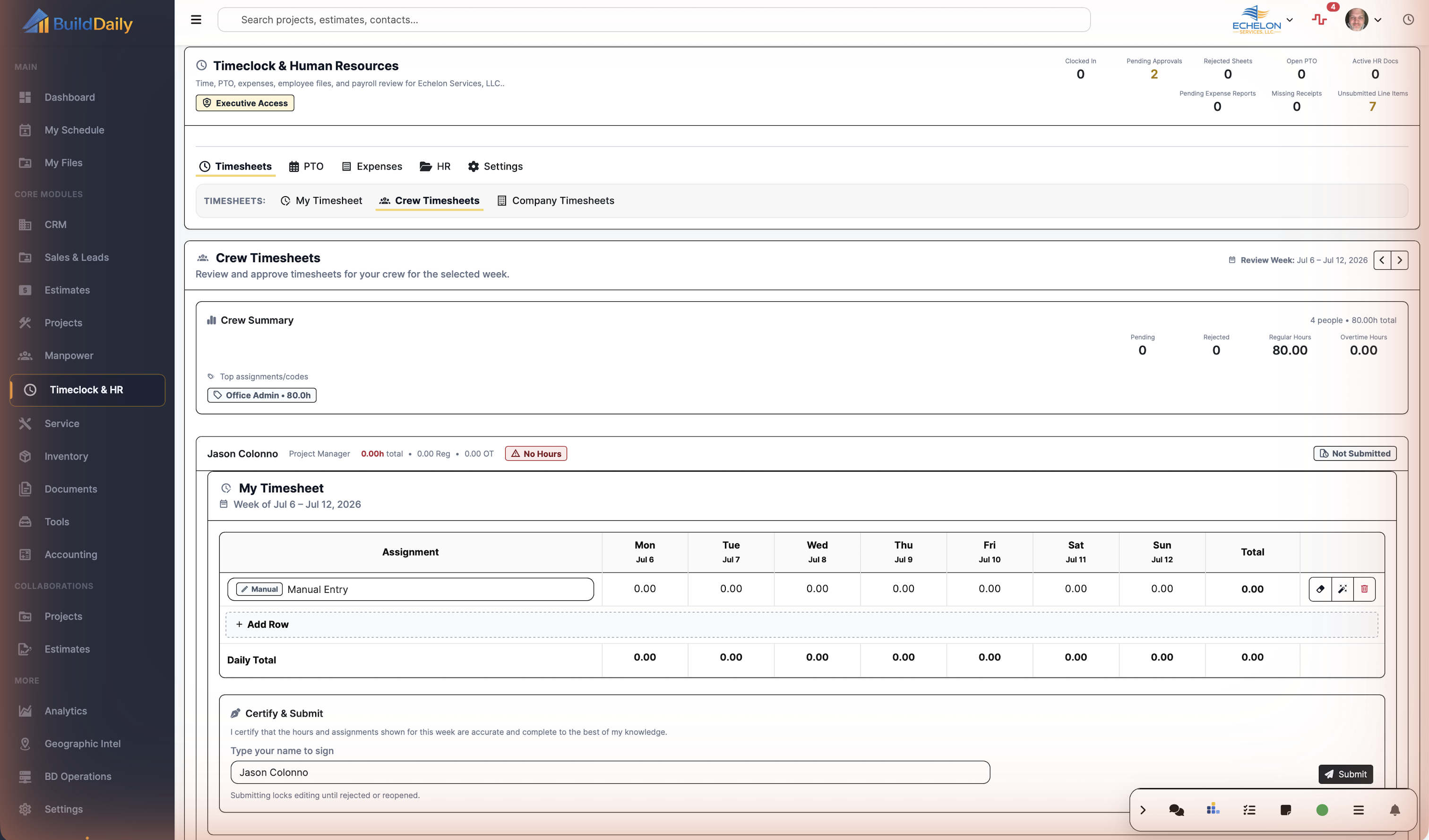
Company and crew timesheets give reviewers a place to catch missing rows, wrong job codes, rejected sheets, daily overtime pressure, and submitted hours before payroll turns a field mistake into a pay problem.

  • Review crew and company timesheets by week
  • Edit rows, add rows, delete bad rows, and correct coding
  • Certify, reopen, approve, reject, or bulk approve when the record is ready
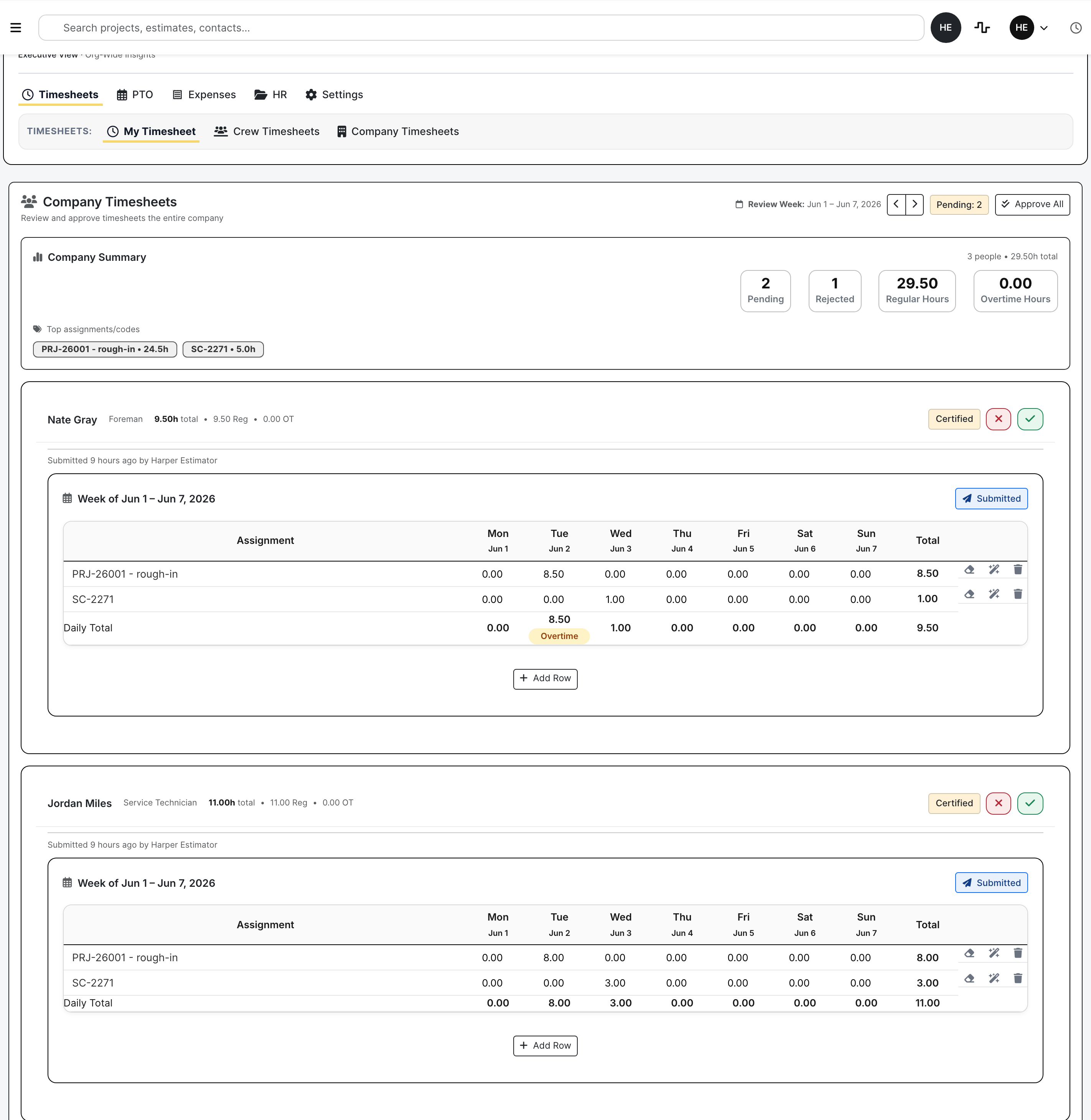
Company timesheets
The company view is built for reviewer action, not passive time totals.

PTO shows who is unavailable before the schedule is guessed

Time off is not a side note for contractors. Managers need the dates, status, paid/unpaid split, approver trail, and balance ledger while they decide whether the crew plan still works.

  • Request, approve, deny, or cancel PTO
  • Review people-off calendar context
  • Use balance history before approving paid time
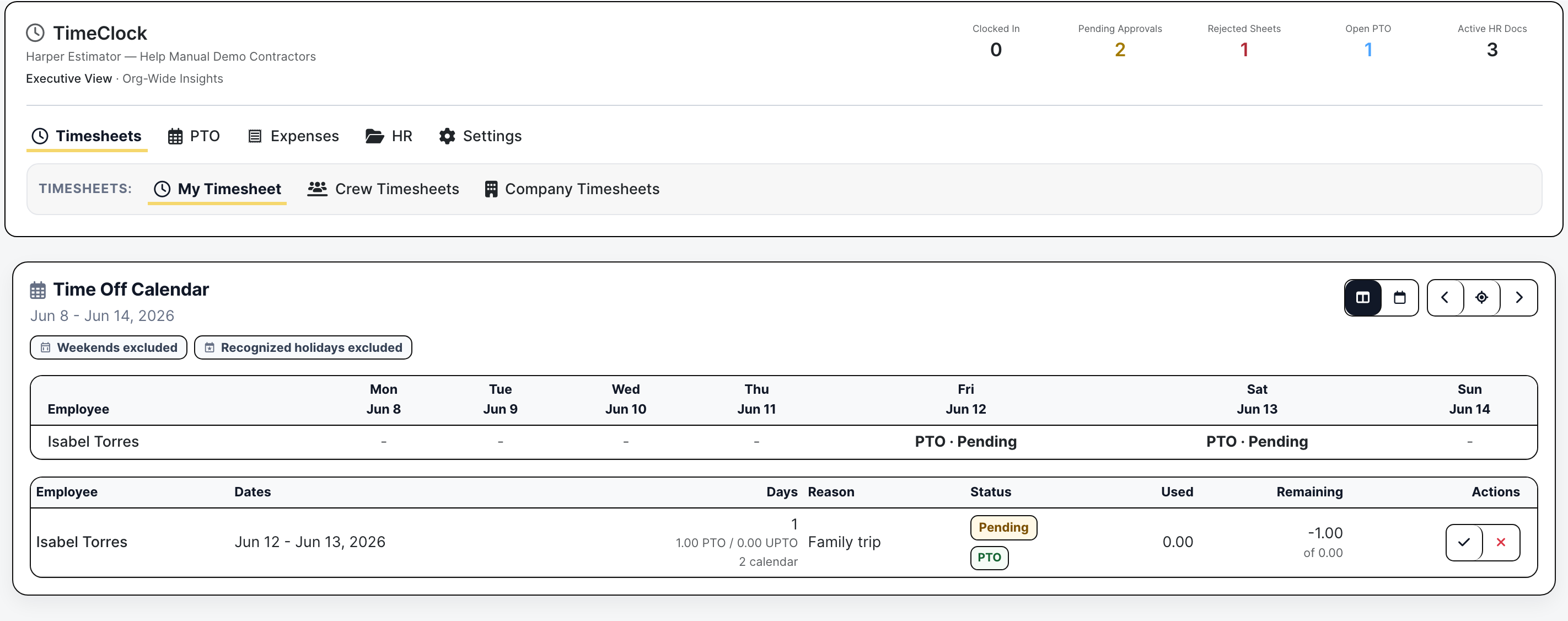
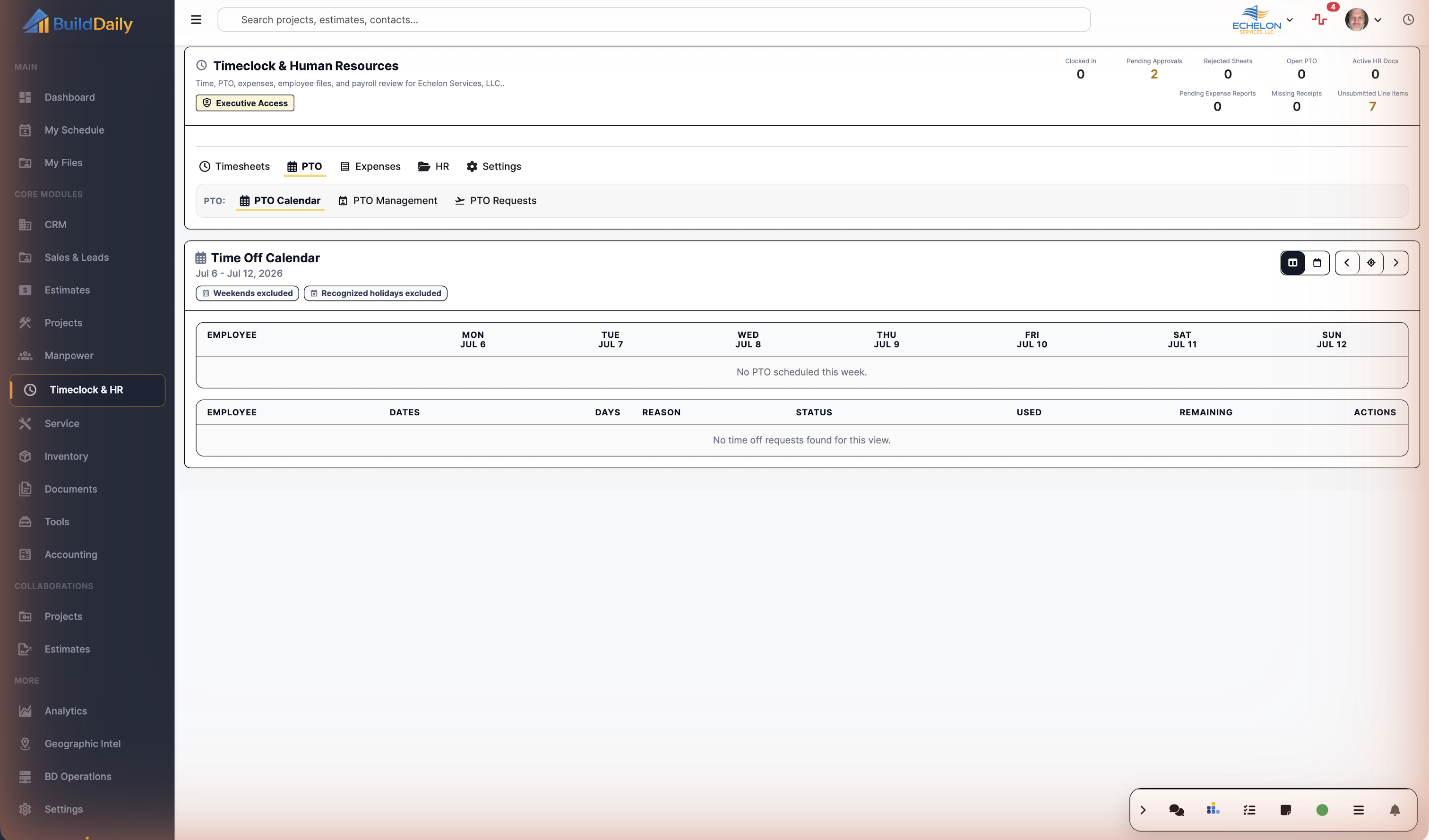
PTO calendar
The PTO screen turns time off into a workforce decision.

Expenses turn receipts into review work, not a month-end hunt

Reimbursements and company-card rows carry employee, merchant, amount, receipt state, job or overhead coding, and review status so accounting can see what is missing before closing the month.

  • Track reimbursement and company-card activity
  • See missing receipts and review pressure by employee
  • Build report packets, import card CSVs, and manage issued cards
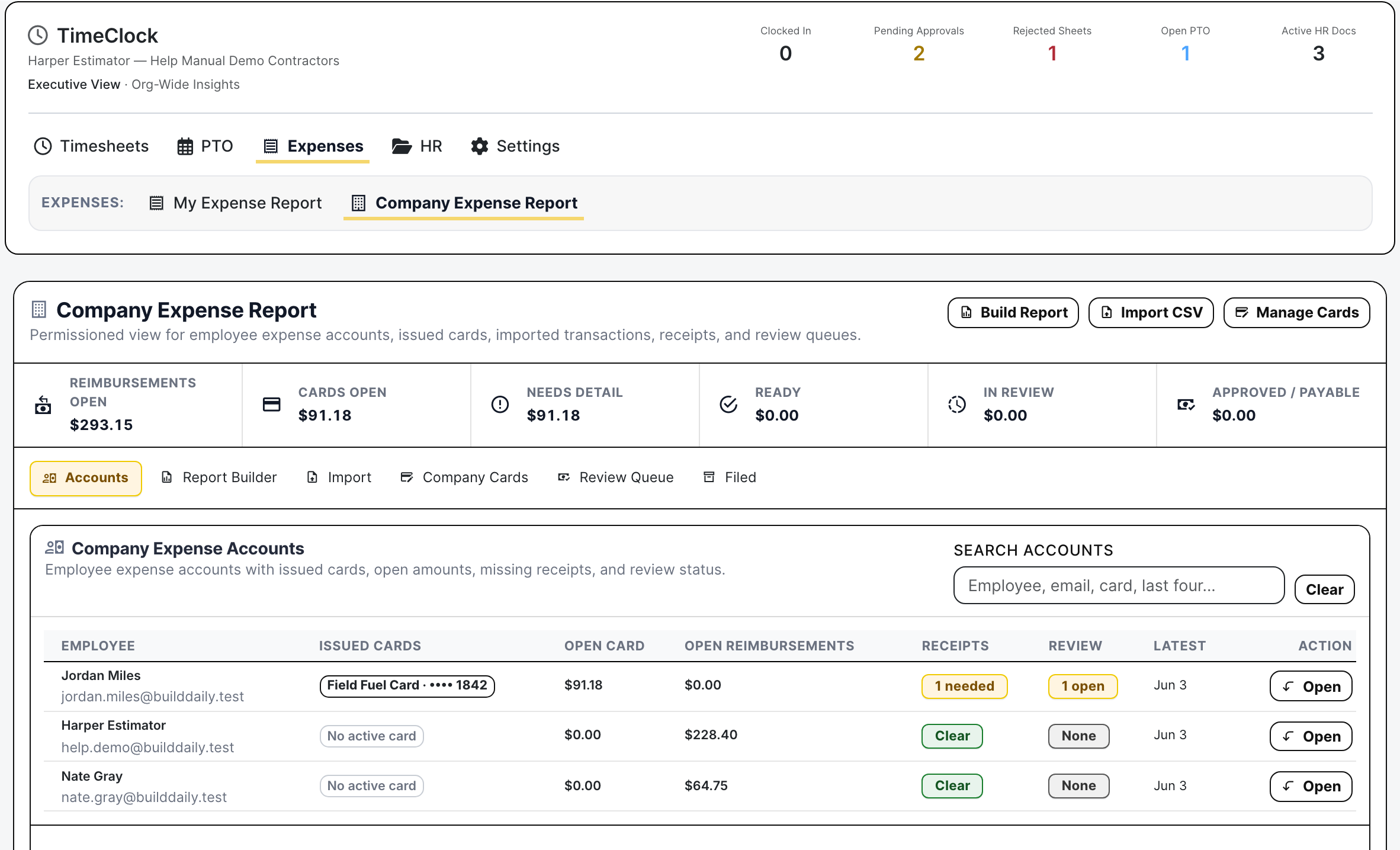
Company expense accounts
Expense accounts make receipt and card cleanup visible before accounting has to chase it.

HR library keeps the current policy in the field

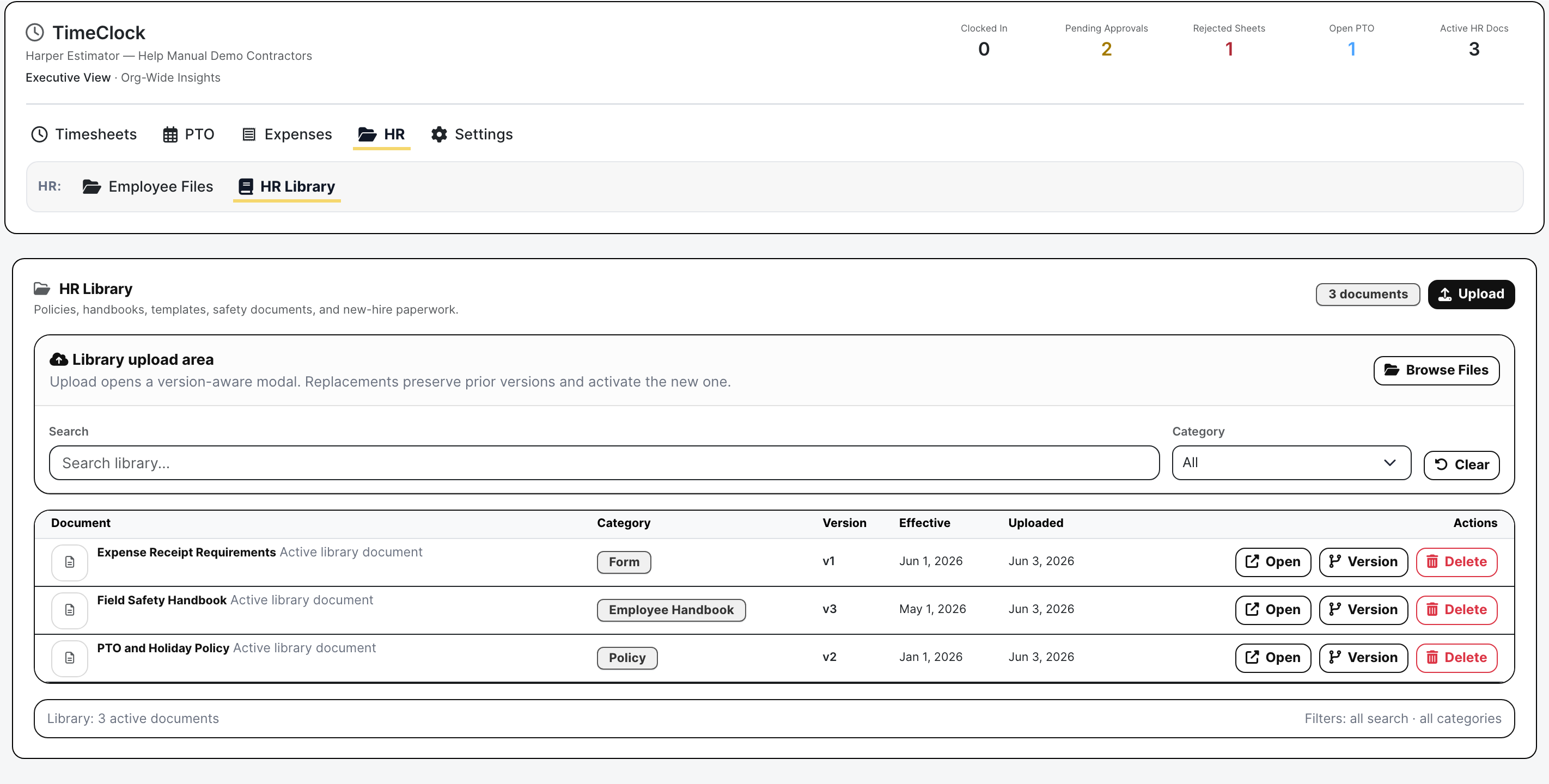
Handbooks, PTO policies, safety documents, receipt rules, and new-hire paperwork need version control and an obvious place to live. The HR library keeps the current document, category, version, effective date, and replacement action together.

  • Publish current policies and forms
  • Track category, version, and effective date
  • Replace documents without losing prior context
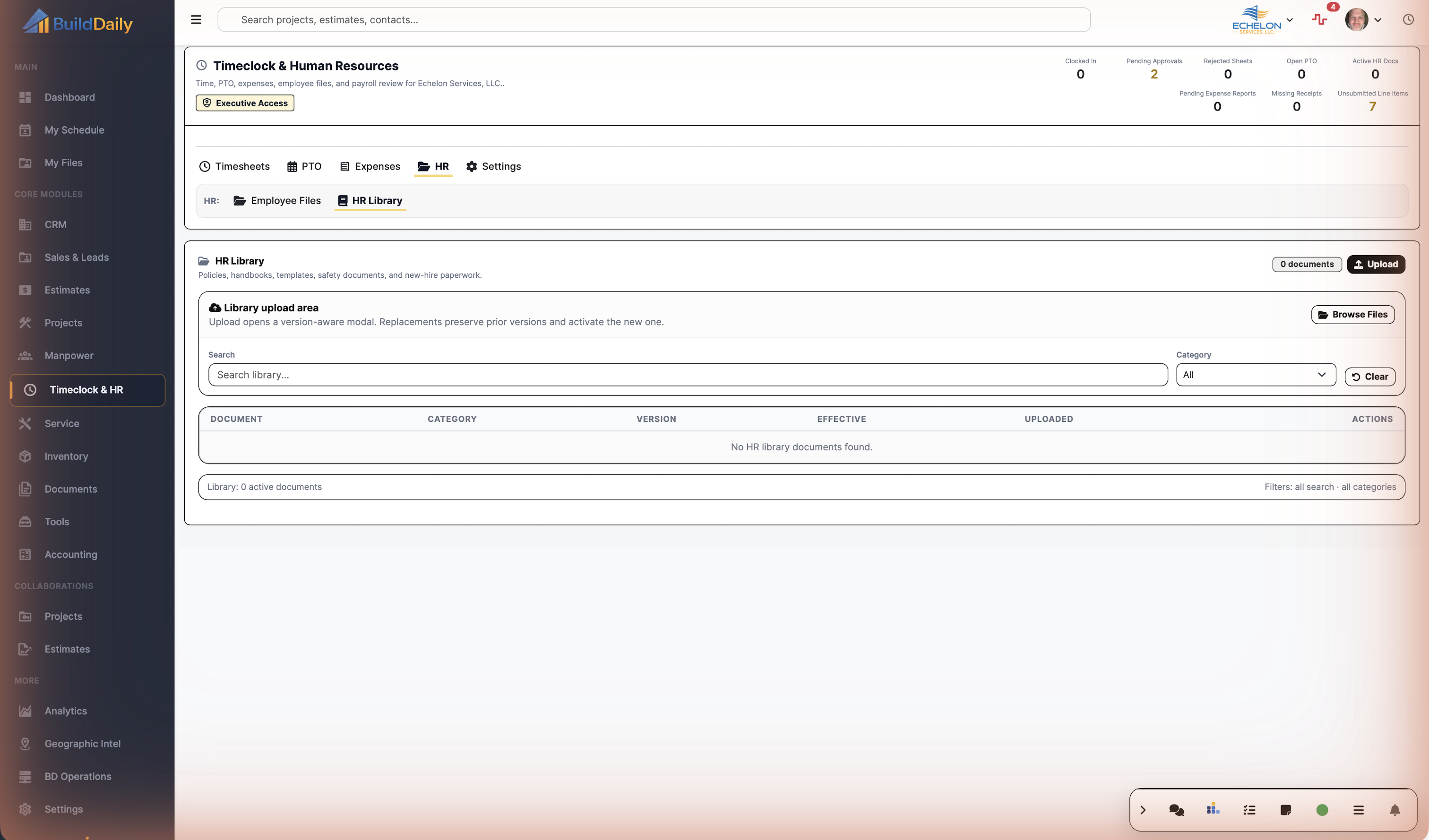
HR library
The library is the source of current workforce paperwork.

Employee files separate visible records from HR-private backup

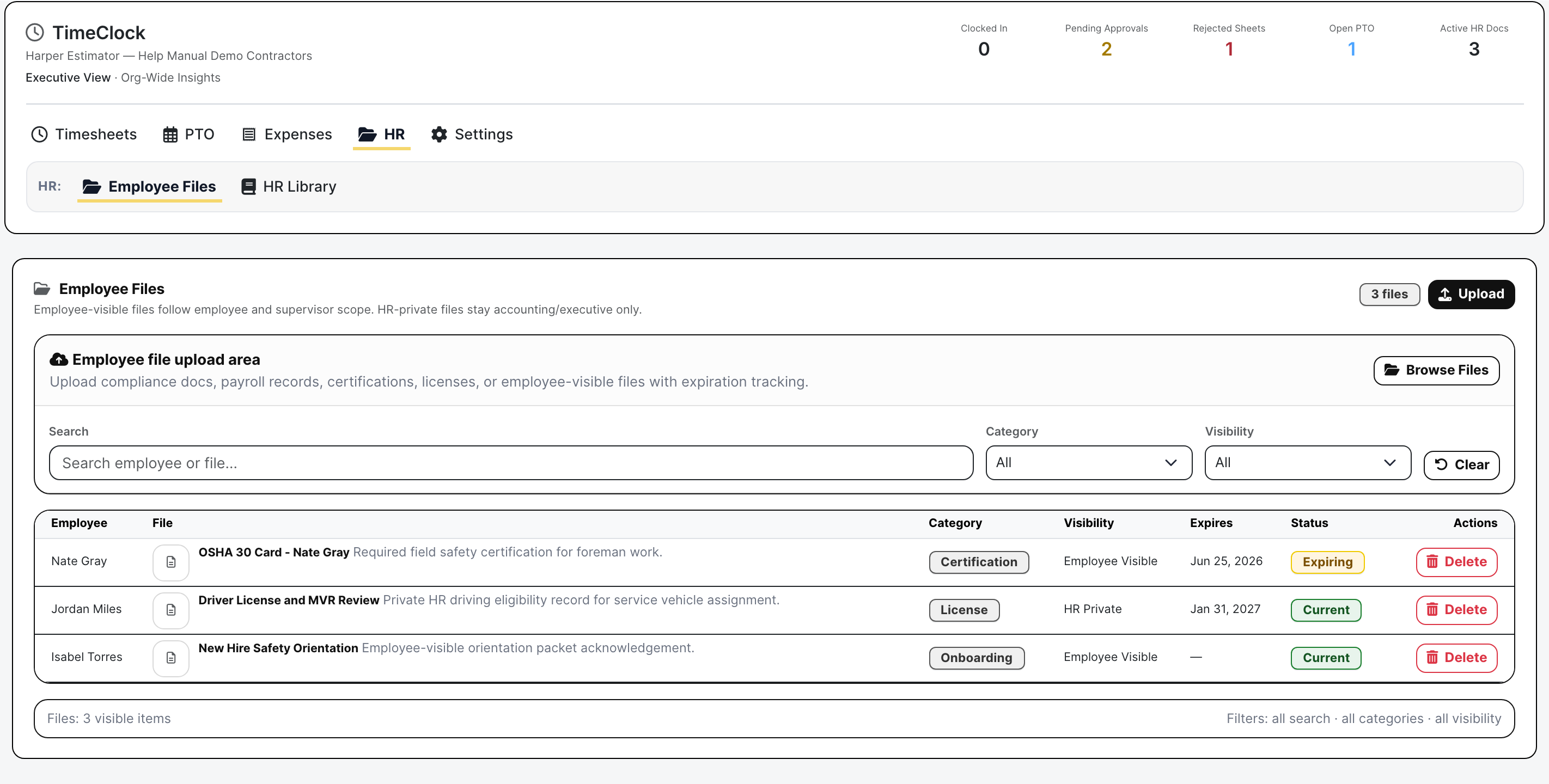
Certifications, licenses, onboarding packets, payroll records, and HR-private documents do not all belong in the same public pile. Employee Files keep visibility, expiration, category, and status clear by person.

  • Store employee-visible and HR-private records
  • Track certifications, licenses, onboarding, and compliance files
  • Surface current, expiring, expired, missing, or archived status
Employee files
Employee records stay attached to the worker and show expiration pressure.

Timeclock / HR Proof

Actual Timeclock and HR screens with demo workforce data

Timeclock dashboard with clock status and employee timesheet context
The employee starts from current clock state and the week that will turn into payroll review.
Company timesheets with certified employee rows and reviewer actions
Company review shows who is pending, who was rejected, the hours by job/service code, and the approve/reject controls before payroll is trusted.
PTO calendar with pending time off request and balance context
PTO is reviewed against dates, balance history, paid/unpaid treatment, and who else is off that week.
Company expense accounts with card, reimbursement, receipt, and review totals
Expense accounts show open reimbursements, issued cards, missing receipts, review pressure, and reporting/import controls in the same review desk.
HR library with handbook policy and receipt requirement documents
The HR library keeps current handbooks, policies, forms, effective dates, versions, and upload/replacement actions available to the workforce.
Employee files with certification license onboarding visibility and expiration state
Employee files separate HR-private backup from employee-visible records and make expiring certifications visible before they surprise the office.

Roles

Who owns this work

Capture time

Employees clock in/out, start/end breaks, choose the right work target, and build timesheets without paper cards.

Review before payroll

Managers review my/company/crew timesheets, edit grids, add/delete rows, certify, reopen, approve, reject, and bulk approve.

Keep HR-adjacent records close

PTO, HR files, employee files, expenses, receipts, safety records, user requests, and report packets live in the same workforce area.

Coverage

Workforce questions contractors have to answer

Contractor needs BuildDaily does it
Clock status Yes
Shows whether employees are clocked in and gives them a place to start, stop, break, and review their week.
Job and service coding Yes
Lets time be assigned to projects, service work, estimates, or overhead so labor does not arrive as uncoded hours.
Crew and company review Yes
Gives foremen, HR, and payroll reviewers weekly grids with submitted, certified, approved, rejected, and reopened states.
Timesheet corrections Yes
Supports row edits, add/delete row cleanup, certification, reopening, approval, rejection, and bulk approval before payroll review.
PTO and people off Yes
Shows pending time off, paid/unpaid days, approver state, calendar pressure, and balance-ledger context.
Expense cleanup Yes
Tracks reimbursement and company-card totals, missing receipts, open employee accounts, imports, report packets, and review state.
HR library Yes
Keeps current policies, handbooks, forms, safety documents, receipt rules, versions, effective dates, and upload/replacement actions together.
Employee files Yes
Stores worker records with category, visibility, expiration, and status so HR-private and employee-visible documents stay separated.
Safety and requests Yes
Keeps safety reports and employee requests near the Timeclock/HR workspace instead of spreading them through email.
Admin controls Yes
Exposes settings, report queues, target search, card management, import/export actions, and role-scoped views where the role allows it.

Review Rhythm

A week of labor and people paperwork

1

The employee records the day

Hours are clocked and coded while the work is still fresh, with breaks and work targets captured before the week becomes a reconstruction project.

2

The foreman or reviewer checks the week

Crew and company views show submitted sheets, certified sheets, rejected sheets, row-level coding, daily totals, and actions for approving or sending work back.

3

PTO is handled with the labor plan in mind

Time-off requests are reviewed against dates, balance, paid/unpaid treatment, and who else is away before the schedule is assumed to be covered.

4

Expenses move from receipt to accounting task

Reimbursement and company-card activity is grouped by employee with missing receipts, open dollars, review state, card assignment, report building, and import controls visible.

5

HR keeps workforce paperwork attached to people

Policies live in the library, while certifications, licenses, onboarding acknowledgements, and HR-private backup stay on employee file rows with visibility and expiration status.

6

Payroll and accounting get fewer surprises

The operational point is simple: labor, PTO, receipts, and employee records are reviewed before they become payroll disputes, uncoded job costs, or month-end cleanup.

Timeclock / HR Areas

The workforce desk by operating task

Timesheets

My Timesheet Employee clock state, breaks, target coding, weekly rows, and submission context.
Crew Timesheets Foreman review for the people they supervise.
Company Timesheets Org-wide weekly review with pending, certified, rejected, approve, reject, reopen, and bulk-approval actions.

PTO

PTO Requests Employee requests with dates, paid/unpaid days, status, comments, and approver trail.
PTO Calendar People-off context by week so labor coverage is visible before work is assigned.
PTO Management Admin review, balance adjustments, ledger history, reports, and request handling.

Expenses

My Expense Report Employee reimbursement and company-card rows with receipt and coding cleanup.
Company Expense Report Employee expense accounts, issued cards, missing receipts, open totals, review queues, CSV import, card management, and report packet controls.

HR

HR Library Current policies, handbooks, templates, safety documents, categories, versions, and effective dates.
Employee Files Certifications, licenses, onboarding records, employee-visible files, HR-private files, expiration, and status.
Safety and Requests Safety reports and employee requests kept close to workforce records and HR follow-up.

Controls

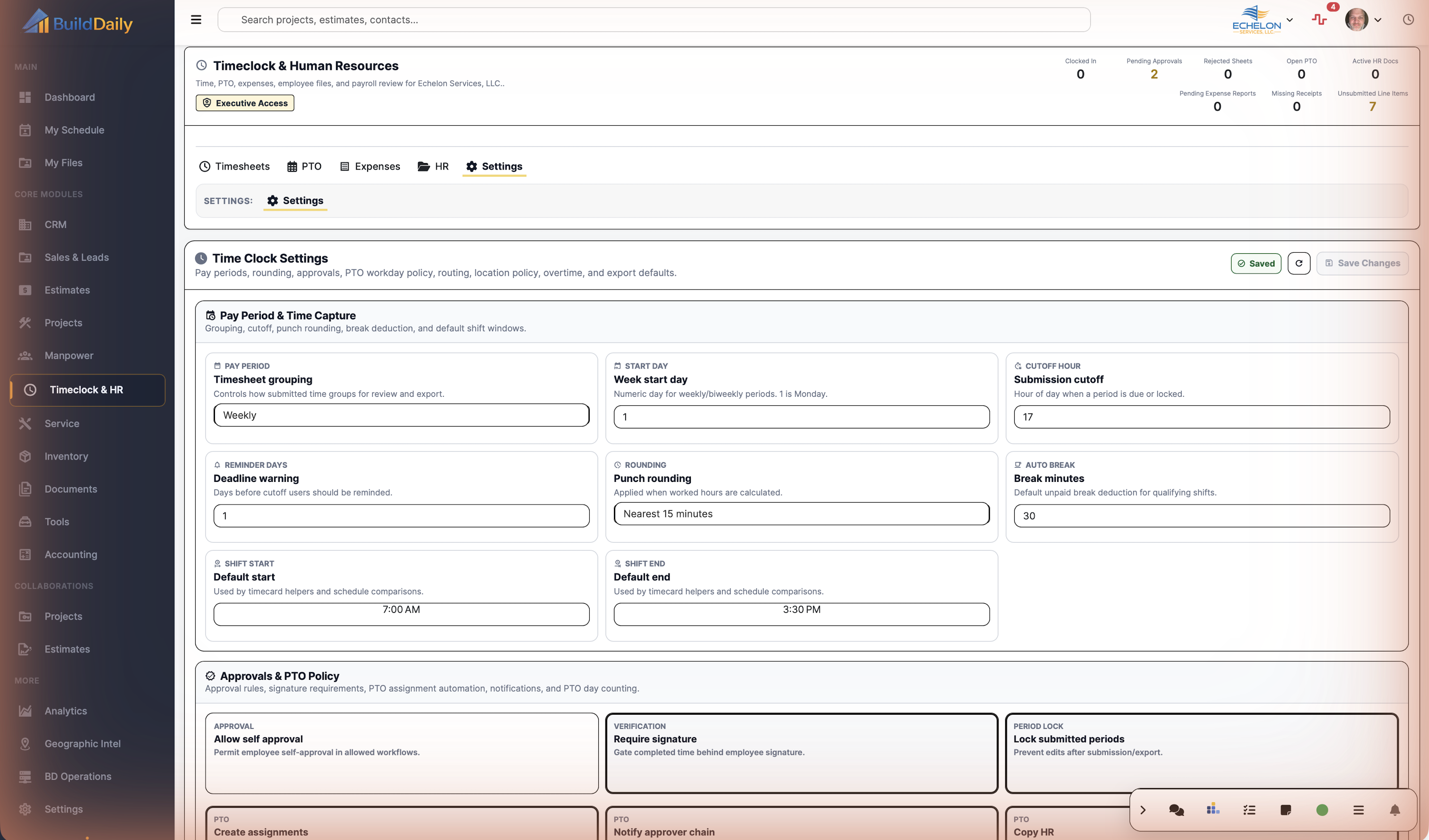
Settings Role-gated configuration for Timeclock/HR behavior.
Target Search Project, service, estimate, and overhead lookup used when coding labor or expenses.
Report and export actions PTO reports, expense packets, card CSV import, and review/report queues where available.

Field Reality

What changes during the week and how Timeclock/HR keeps it reviewable

Payroll week cleanup

  • Employees code time to the job, service call, estimate, or overhead bucket.
  • Foremen review crew sheets and send bad rows back before payroll sees them.
  • Payroll reviewers approve the company week when submitted hours and job coding are clean.

PTO coverage decision

  • The employee requests time off with dates and paid/unpaid treatment.
  • Managers check calendar pressure and balance history.
  • Approval or denial happens with the labor plan in view, not after the crew is already short.

Receipt and card follow-up

  • Employee expense rows carry merchant, amount, card or reimbursement lane, receipt state, and job/overhead coding.
  • Accounting sees open employee accounts, missing receipts, and review pressure.
  • Reports, imports, and card management stay in the same review desk.

HR readiness

  • Current policies and forms are kept in the HR library with version and effective-date context.
  • Employee files identify certifications, licenses, onboarding, private records, and expiring status.
  • Safety reports and employee requests stay close to the workforce record.

Walk through Time, PTO, expenses, and HR backup before payroll gets messy

We can walk through the module around the way your company actually handles the work.

Request access