BuildDaily
BuildDaily Workflows

Pick the part of the job you want easier to manage.

Start with the work in front of you: a lead to follow up, a bid to send, a project issue to price, a service ticket to bill, a crew schedule to clean up, or a document that needs a signature. BuildDaily gives each workflow a simple place to manage the next step.

BidCRM, leads, estimates, RFPs, proposals
JobProjects, RFIs, submittals, COs, schedule
ServiceCalls, dispatch, tickets, PM, payment links
CrewTimeclock, PTO, manpower, assets, skills
OfficeFiles, documents, portals, analytics, Friday
Start Here

What do you want easier to run?

Choose the work area that is making the day harder. BuildDaily is organized so the next step is visible without building another spreadsheet.

Work to simplify How BuildDaily helps Open
Follow up and bid. Keep customers, contacts, lead follow-up, bid files, vendor RFPs, planrooms, addenda, RFIs, alternates, proposals, competitors, and bid results in one path.
Run the job. Manage project setup, files, RFIs, submittals, change orders, T&M tickets, drawings, specs, schedules, daily reports, safety, punch, pay apps, portals, and closeout.
Dispatch service and get it billed. Move calls through dispatch, Work On tickets, labor/material lines, signatures, equipment history, agreements, PM schedules, billing review, invoice packets, payment links, and A/R follow-up.
Schedule people and review time. Keep clock entries, timesheets, approvals, PTO, expenses, manpower schedules, maps, roster, certifications, assets, equipment files, conflicts, and utilization together.
Get outside people to act. Send the right link for document signing, countersignature, client portals, subcontractor portals, vendor planrooms, file packets, reviews, and uploads.
See what needs attention. Use executive boards, lead and estimate health, project risk, service load, manpower conflicts, geographic views, notifications, Friday assistance, support tickets, and accounting rollout planning.
Real Screens

Screens from loaded bid, job, service, workforce, and analytics records.

The screenshots show the pages a contractor would actually open: proposal sending, project records, payment links, lead geography, manpower planning, and executive readouts.

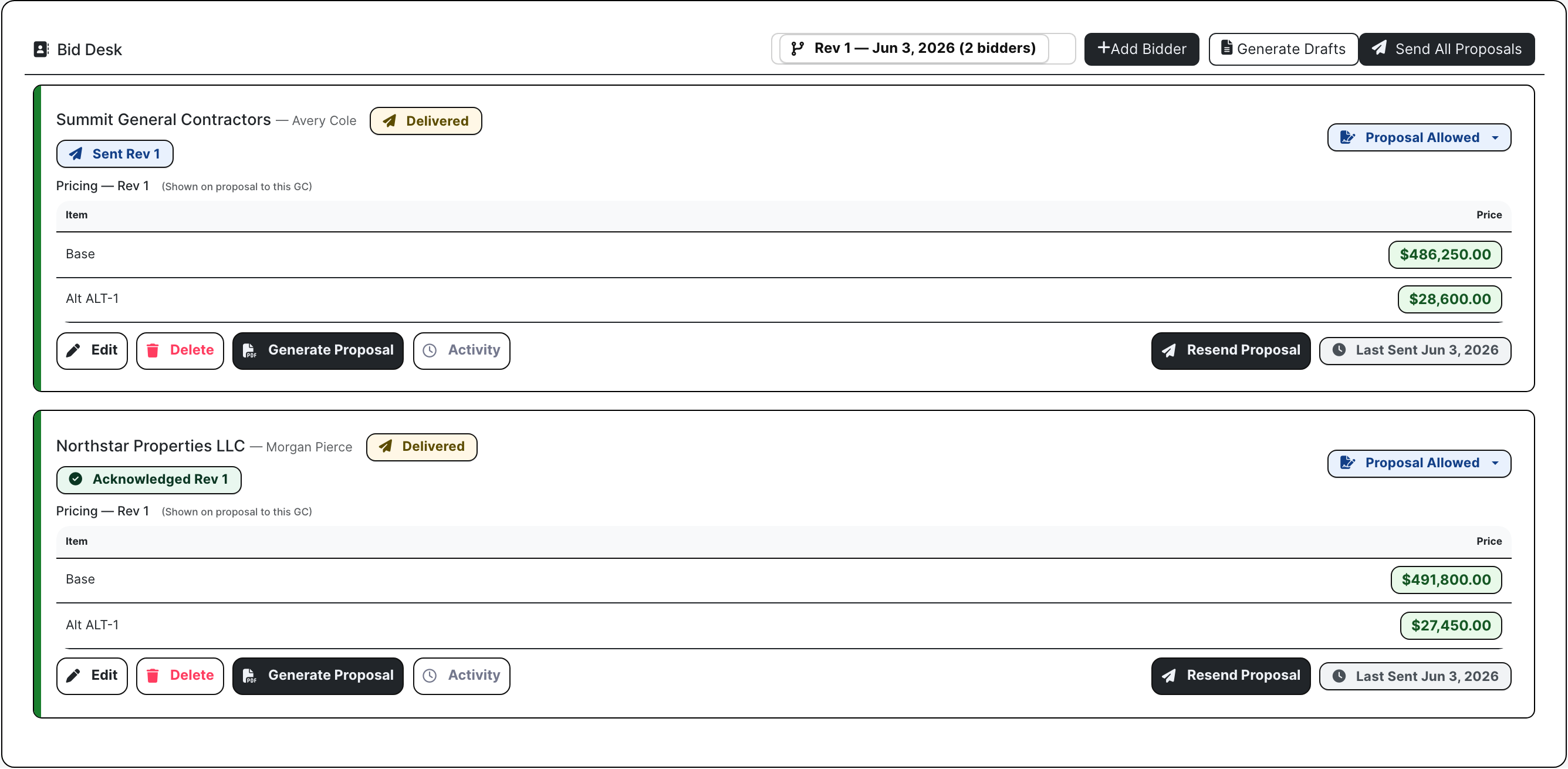
Estimate bid desk proposals
Estimating sends customer proposals from the bid record, while vendor RFPs, quotes, addenda, alternates, and results stay attached.
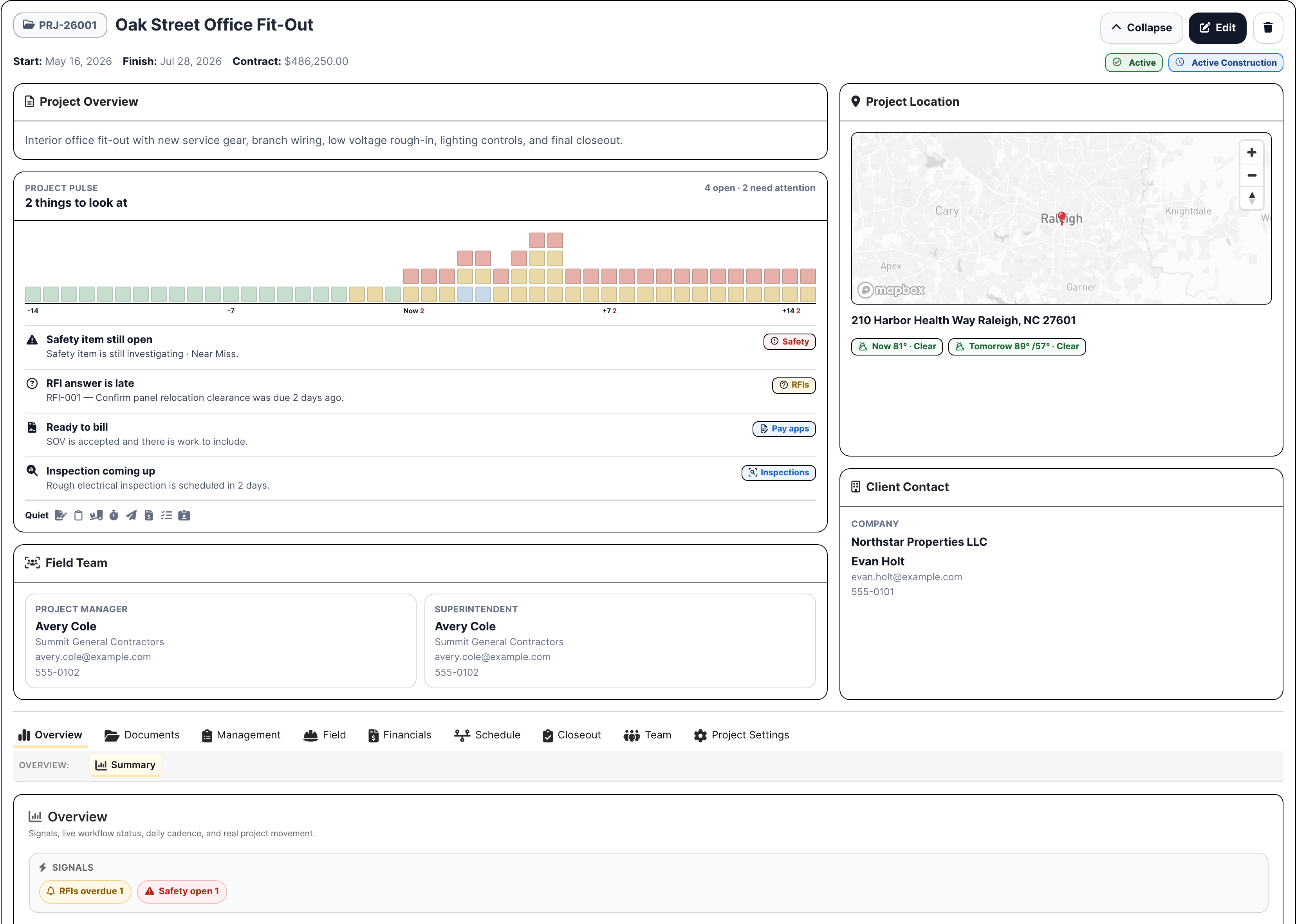
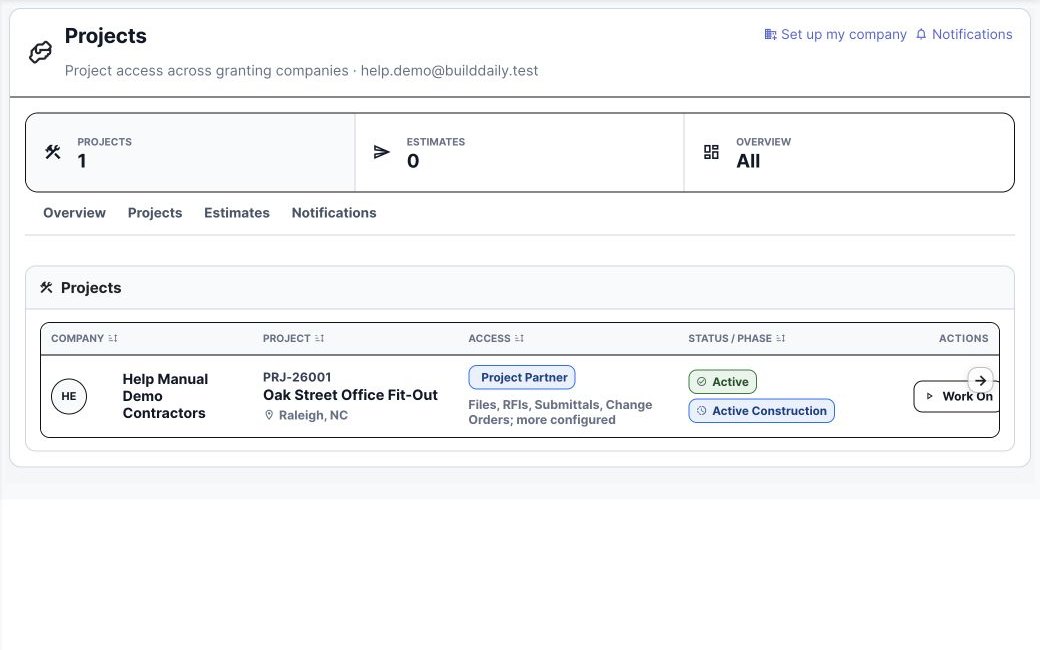
Project work page overview
The project page keeps documents, management logs, field activity, financials, schedule, closeout, and team context in one job view.
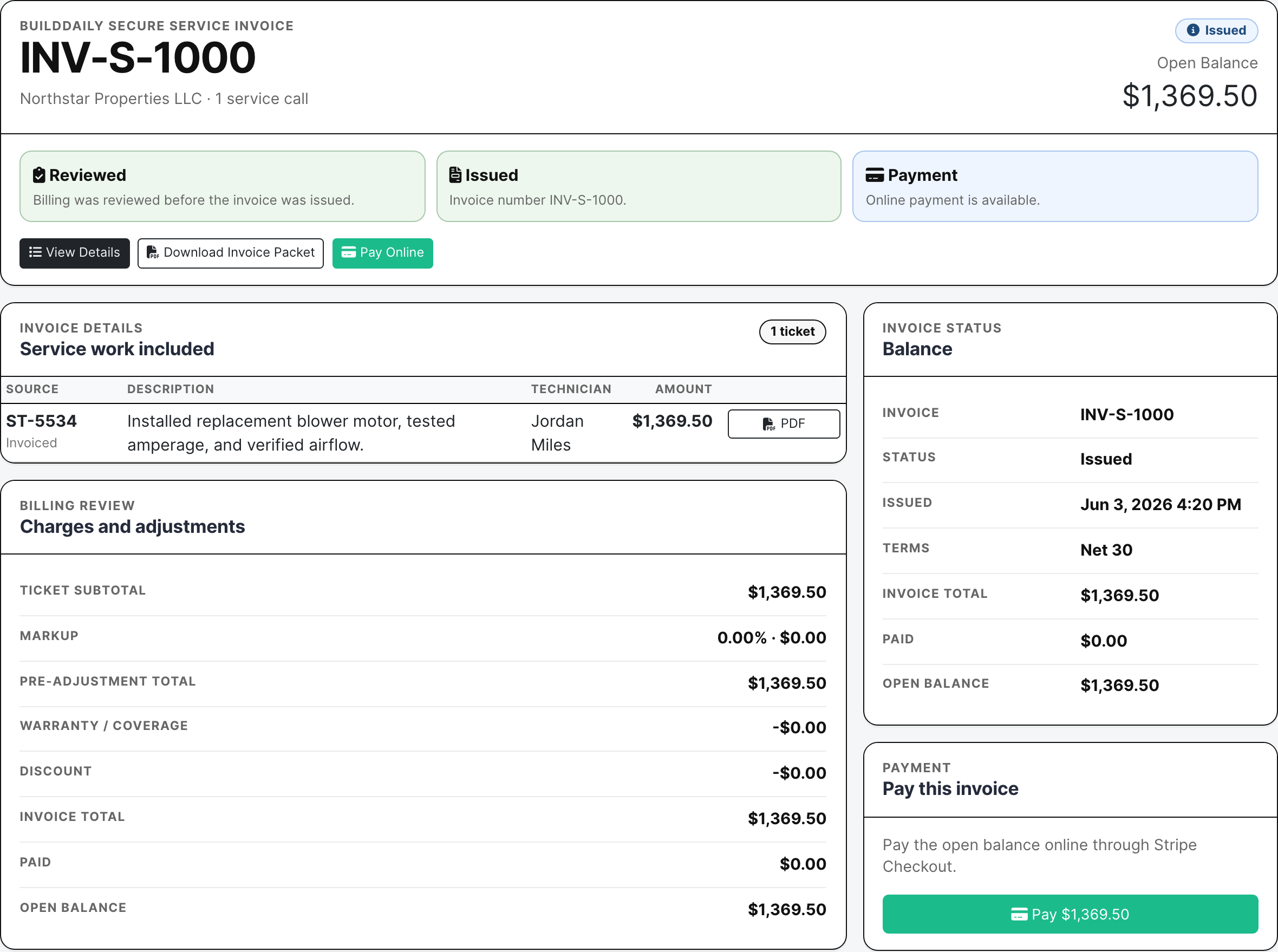
Public service invoice payment link
Service invoices can carry a no-login invoice link with packet download, open balance, and Stripe-backed Pay Online action.
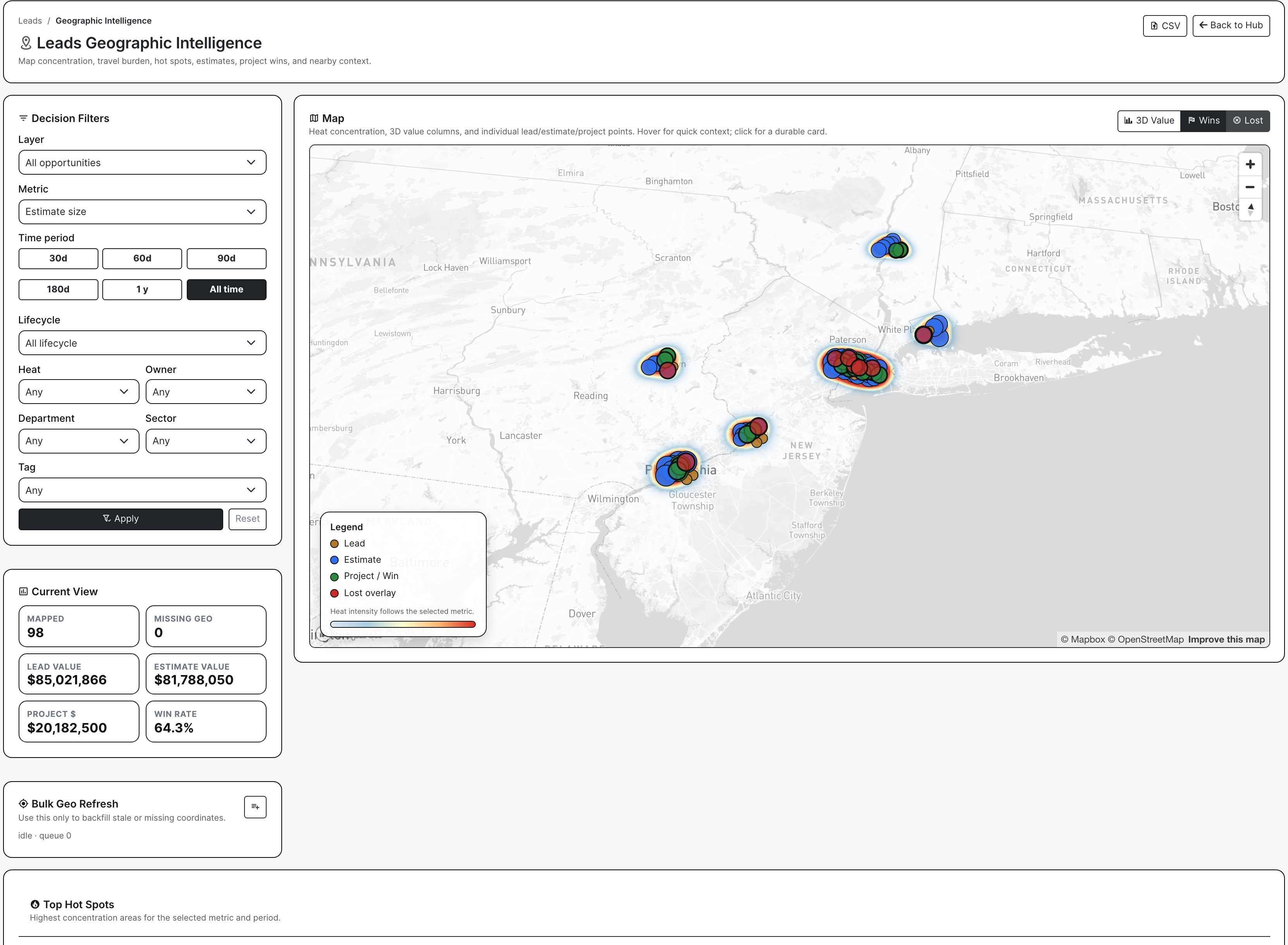
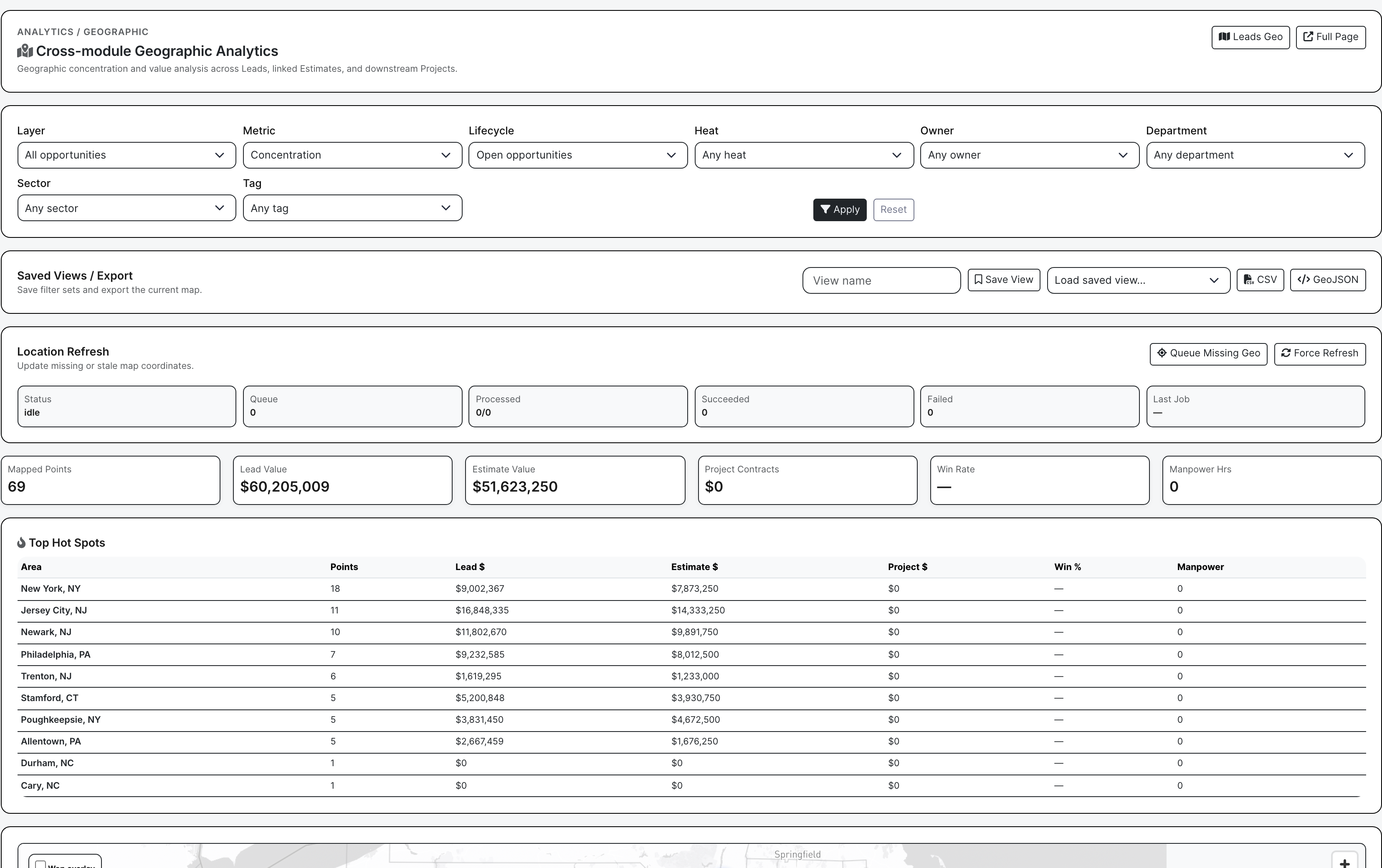
Lead geographic intelligence map
Leads include geographic intelligence so sales can see where pursuit value, wins, losses, and travel burden are concentrated.
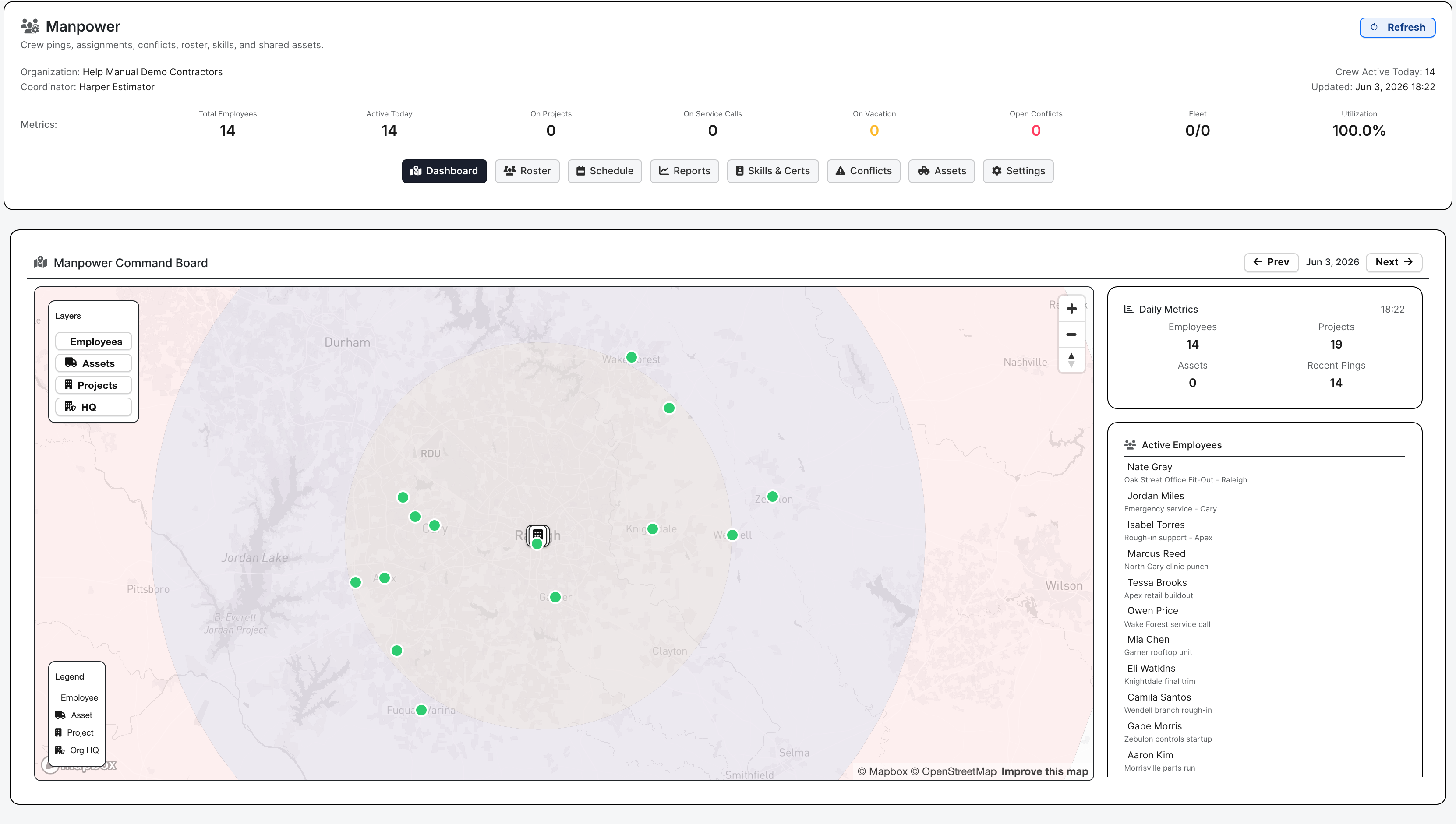
Manpower dashboard and map
Manpower shows workforce planning, map context, active employees, schedule load, assets, skills, and conflicts.
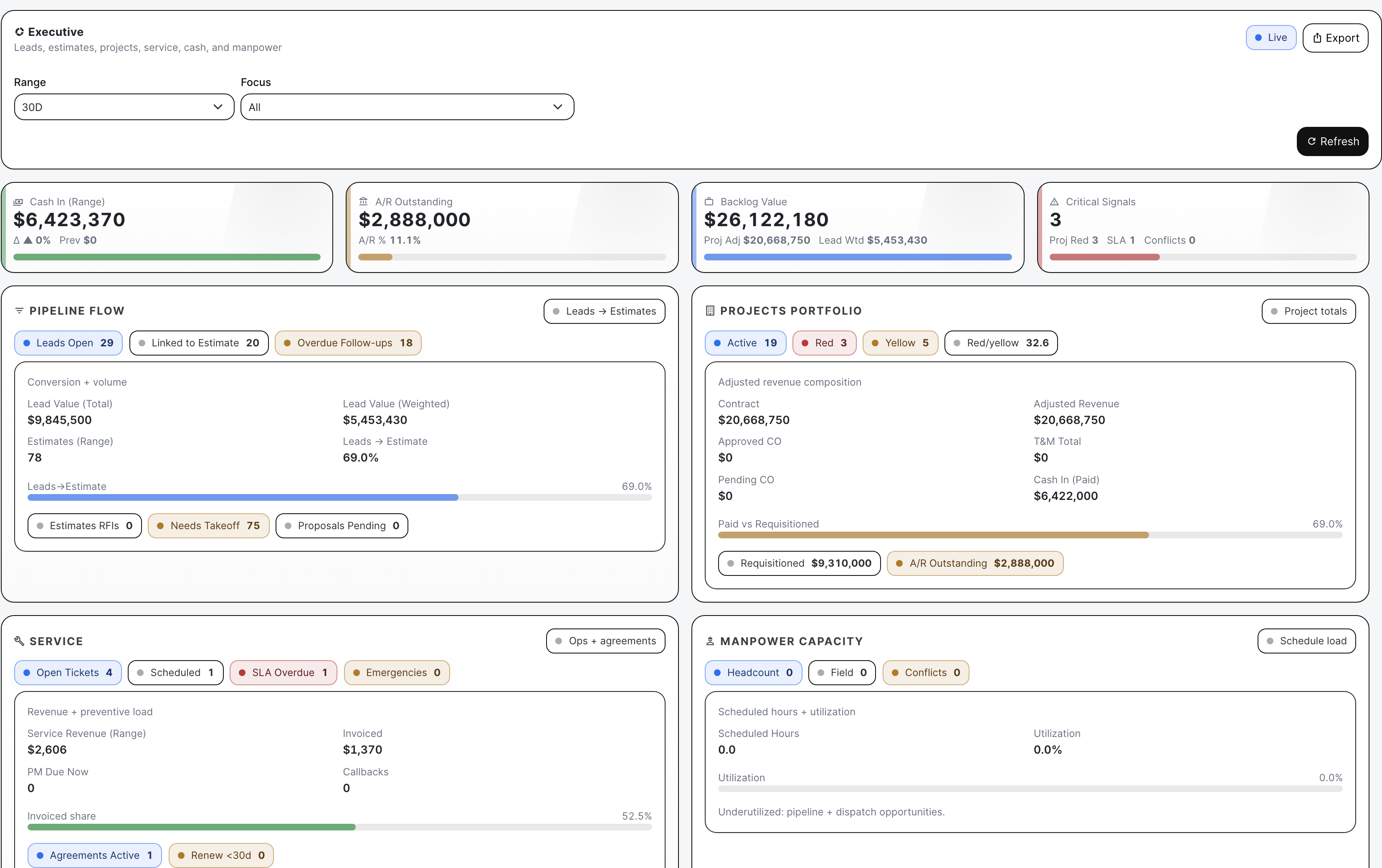
Analytics executive board
Analytics shows what is overdue, where backlog sits, and which leads, jobs, tickets, or crew plans need a look.
Work Areas

Open the page for the work you are doing.

Each area gives the team a simple place to manage the next step, whether the work is a bid, job, service ticket, crew schedule, file, signature, or invoice.

Preconstruction

Qualify the work, build the bid, and send the proposal.

CRM, Leads, and Estimating give sales and preconstruction one place for contacts, locations, follow-ups, files, RFPs, vendor quotes, alternates, bid letters, proposals, competitor notes, and bid results.

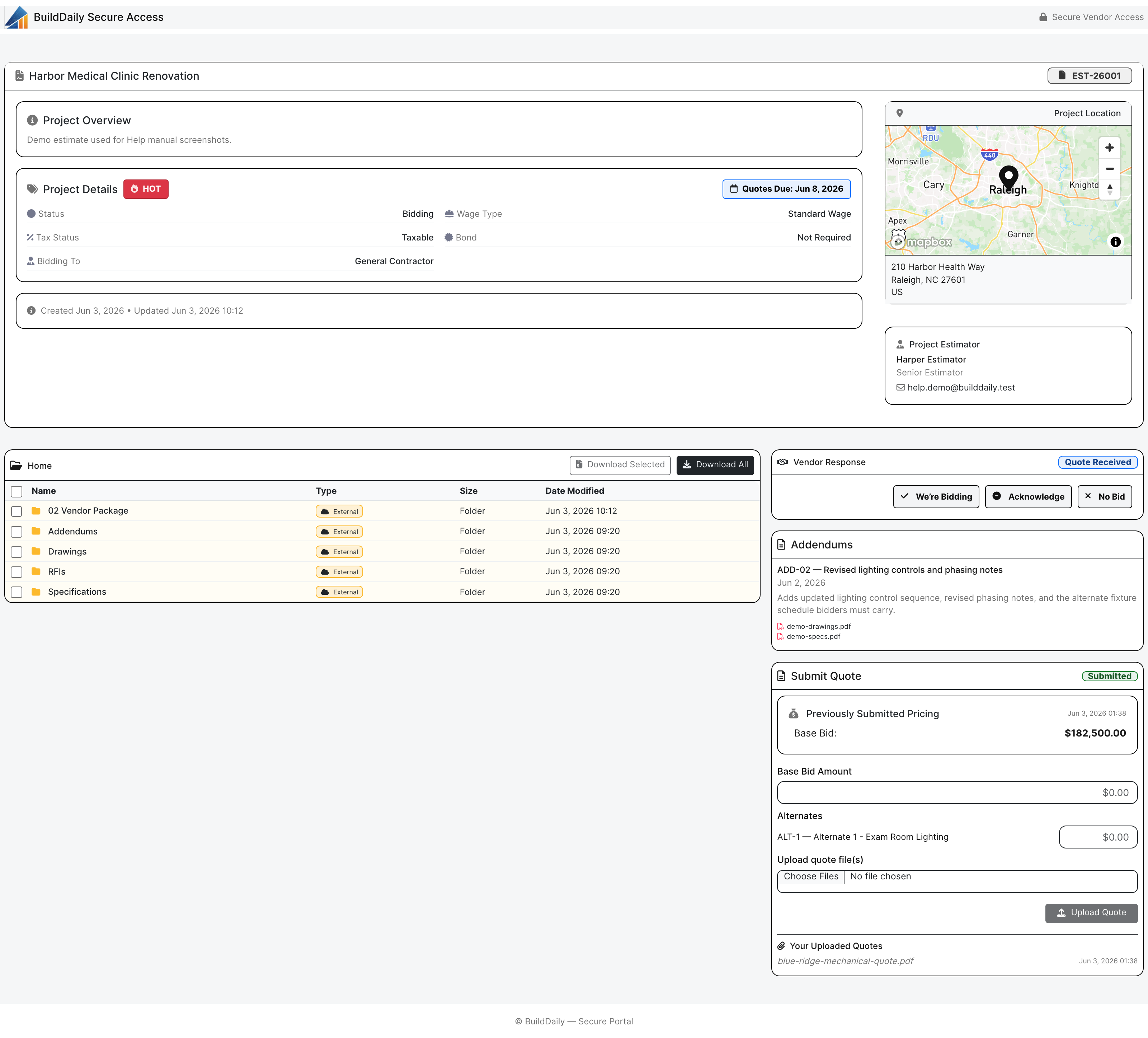
  • Public vendor RFP planrooms let subs quote without becoming internal users.
  • Bid letters turn scope, inclusions, exclusions, clarifications, and alternates into proposal PDFs.
  • Won estimates convert into projects with customer, location, contacts, files, and bid context intact.
Public estimating RFP planroom
Project Work

Run the job from the project page.

Projects give PMs, PEs, supers, billing, and owner reviewers one place for RFIs, submittals, change orders, T&M tickets, drawings, specs, schedules, daily reports, safety, pay apps, files, and closeout.

  • Public review links bring owners, architects, vendors, and subs into the right record without handing out internal access.
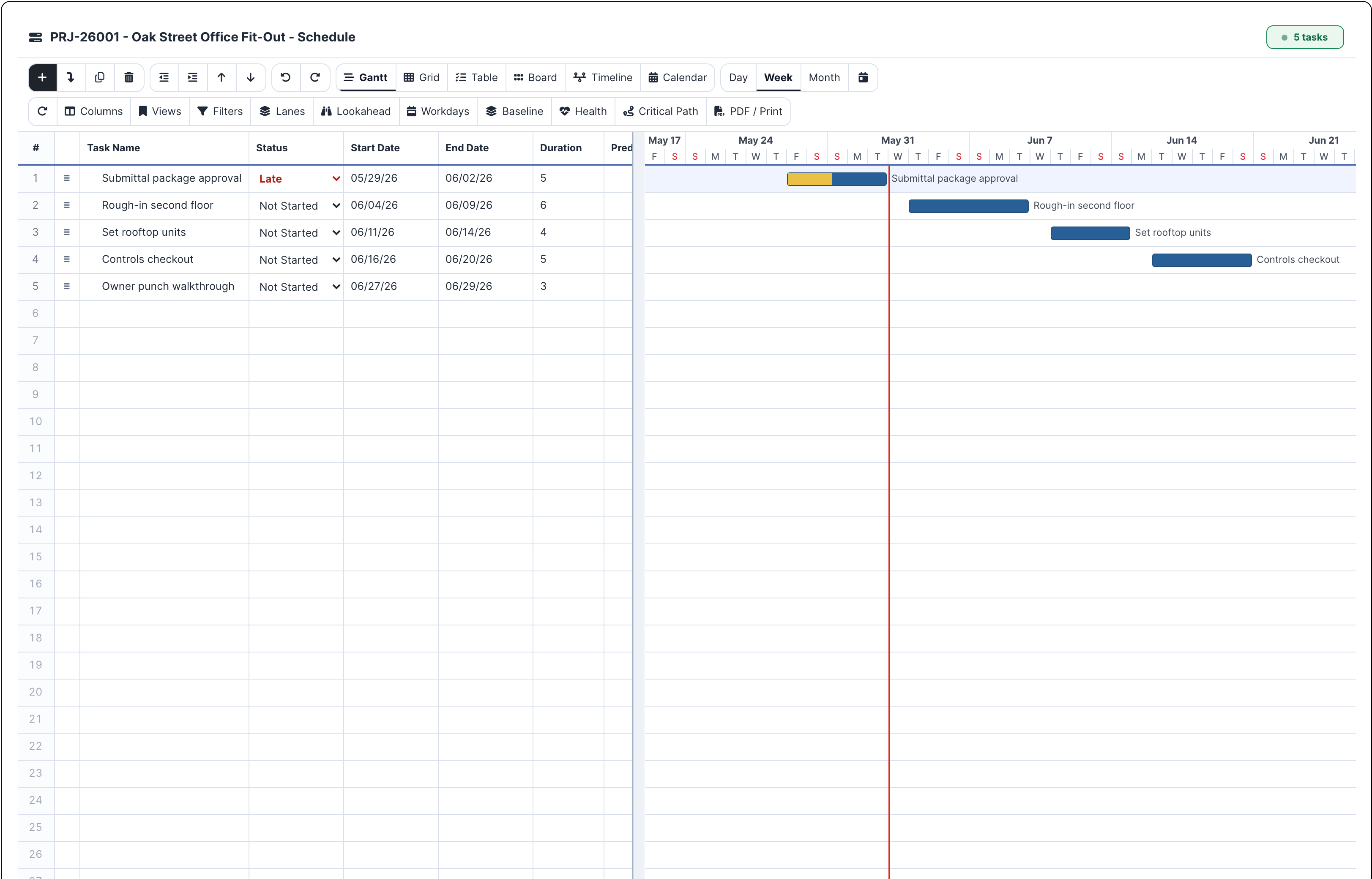
  • Project schedules combine task grids, Gantt views, lookaheads, critical path, calendars, and PDF/print controls.
  • Closeout and warranty packets are built from the records and files already collected on the job.
Project schedule with Gantt view
Service

Take the call, dispatch the tech, finish the ticket, bill it, and collect.

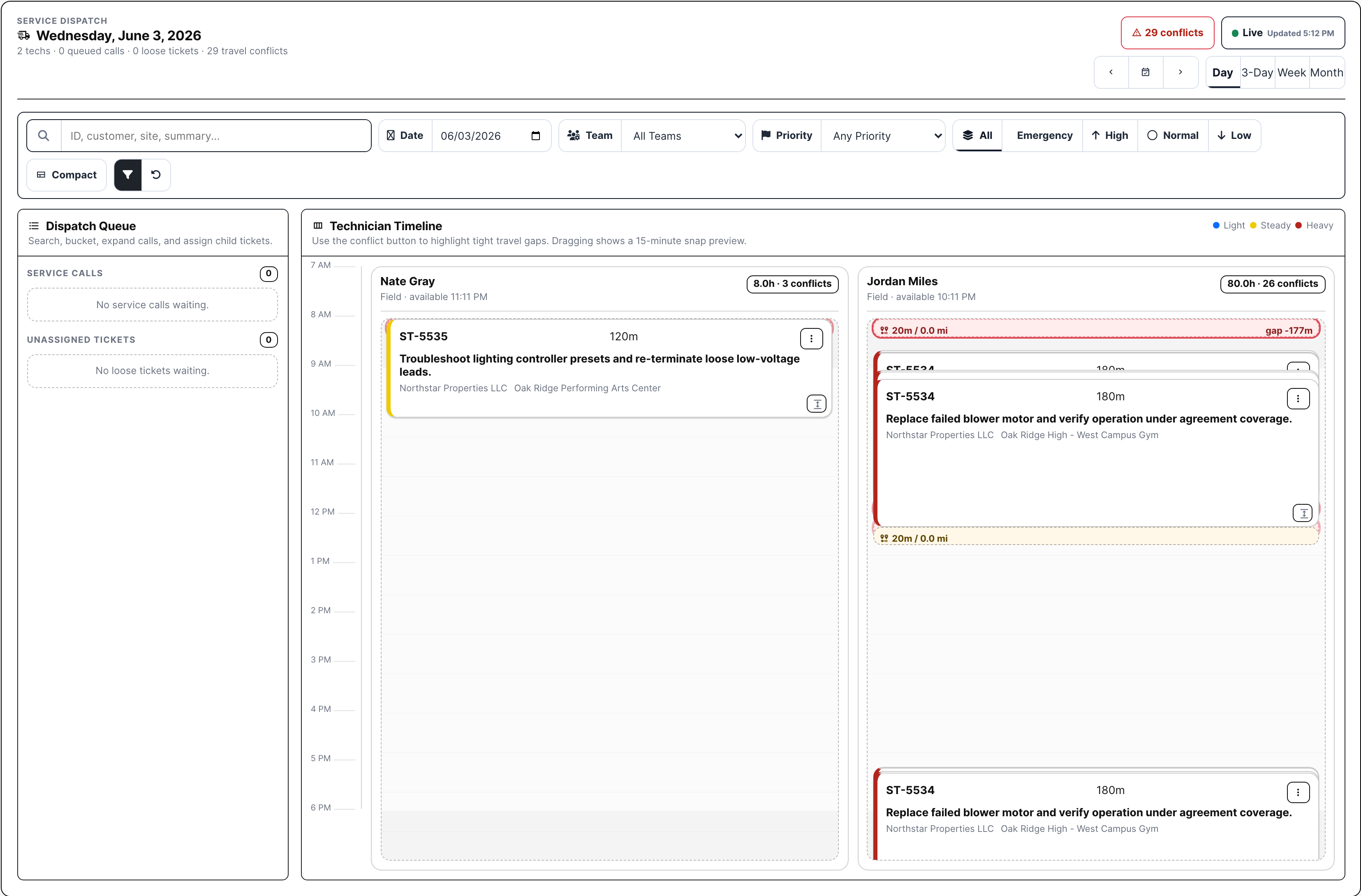
Service gives the team one place for the customer call, site, equipment, dispatch, technician work, labor/material lines, customer signature, agreement terms, PM schedule, billing review, invoice email, and payment link.

  • Work On tickets capture field completion, files, line items, signature, and billing readiness in the same workspace.
  • Service agreements connect coverage, rates, PM obligations, document signature state, and invoice timing.
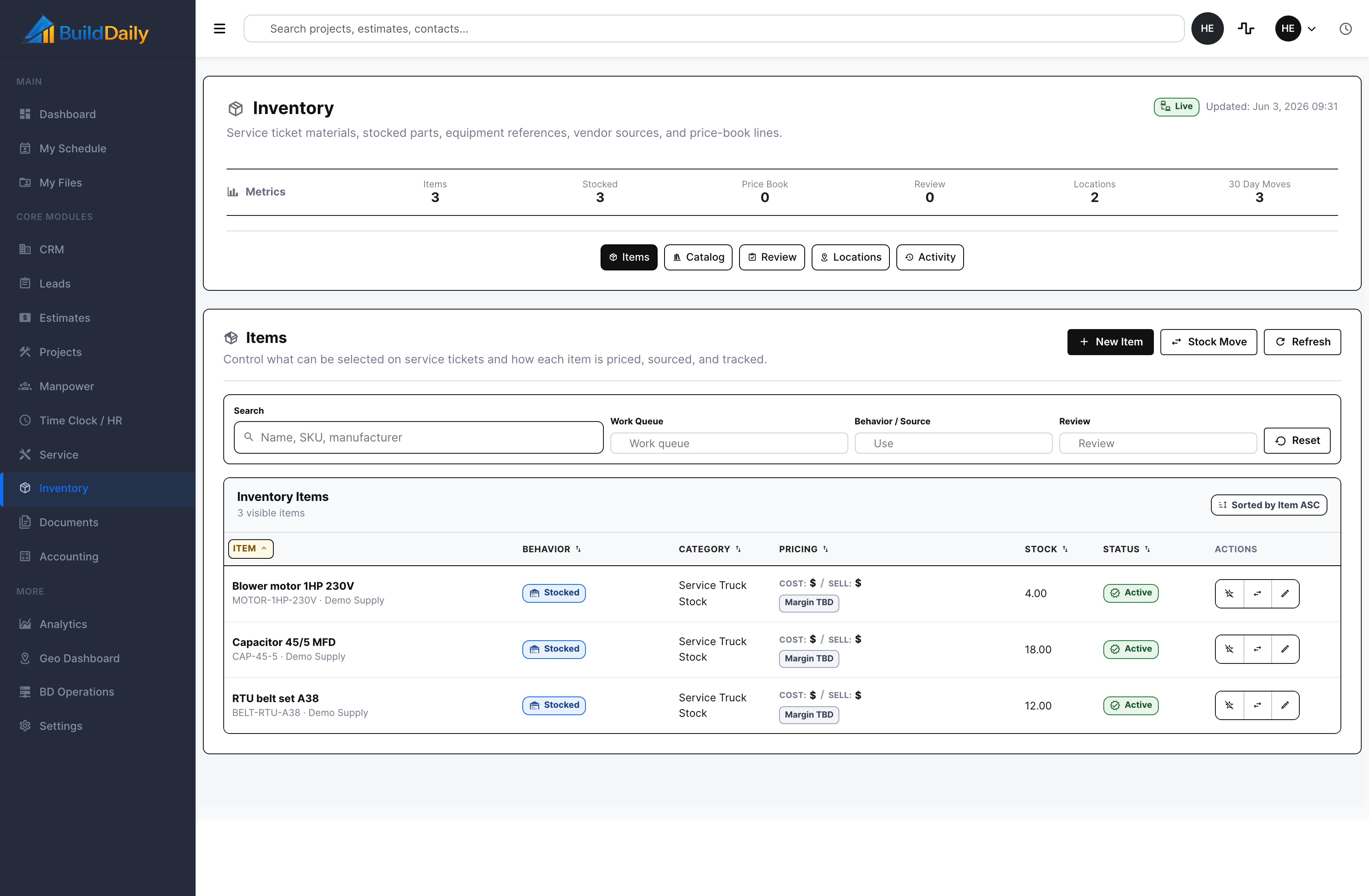
  • Inventory context helps parts usage feed billing, stock review, truck stock, and warehouse cleanup.
Service dispatch board
People And Assets

Know who is working, who is off, where crews are scheduled, and what assets are committed.

Timeclock and Manpower connect payroll-adjacent reality to planning reality. Time, PTO, expenses, people-off context, manpower assignments, map context, conflicts, skills, certifications, licenses, equipment, and assets stay visible to the people planning work.

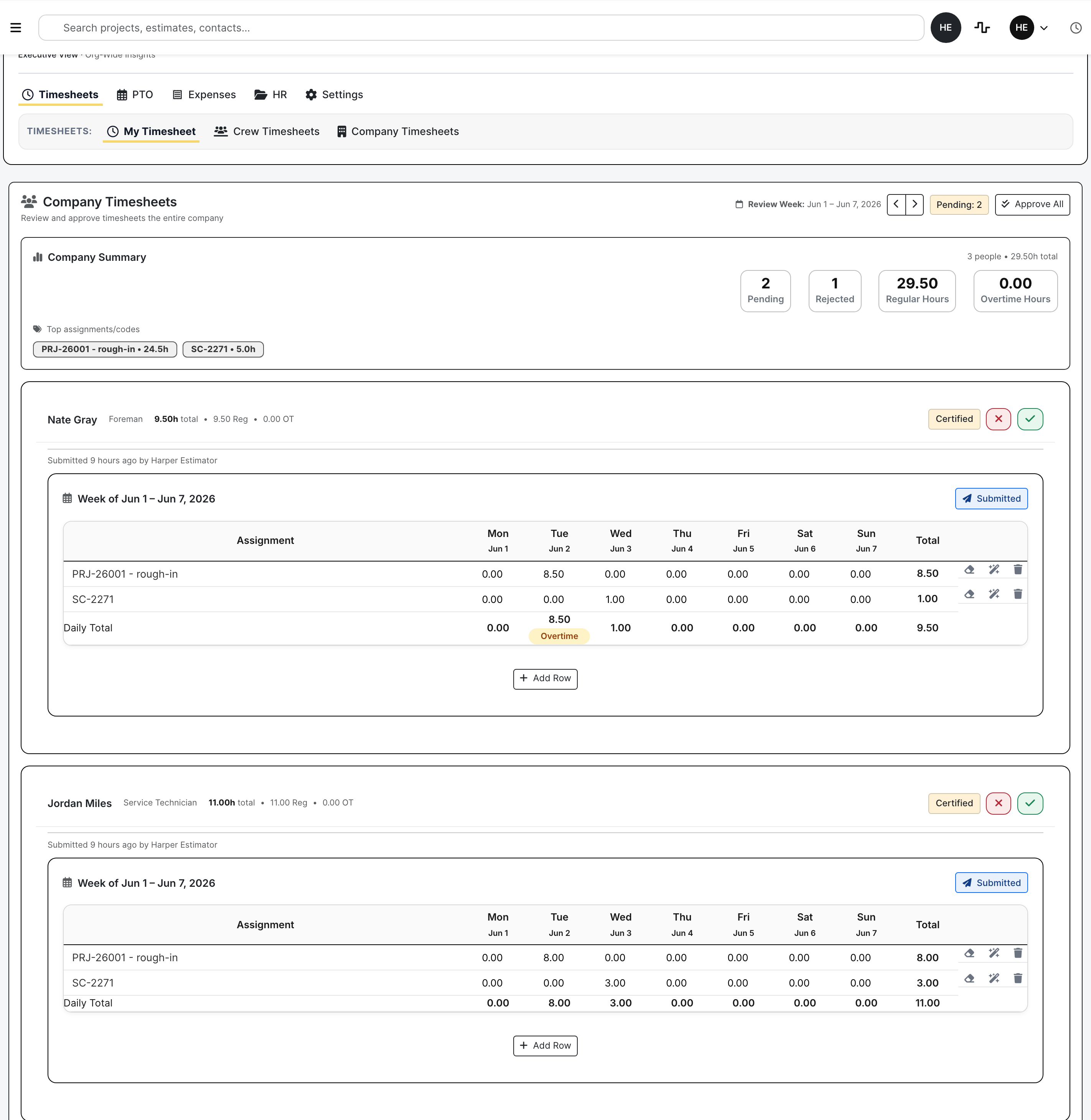
  • Timesheets can be reviewed, corrected, approved, rejected, reopened, and tied back to real work.
  • Manpower schedules people and assets against projects, service work, estimates, and overhead.
  • Roster, skills, certifications, licenses, asset files, maintenance, and conflicts inform the plan before crews are sent out.
Company timesheets
Files, Documents, And Outside People

Keep files, signatures, portals, mobile access, sync, messages, and tasks attached to the work.

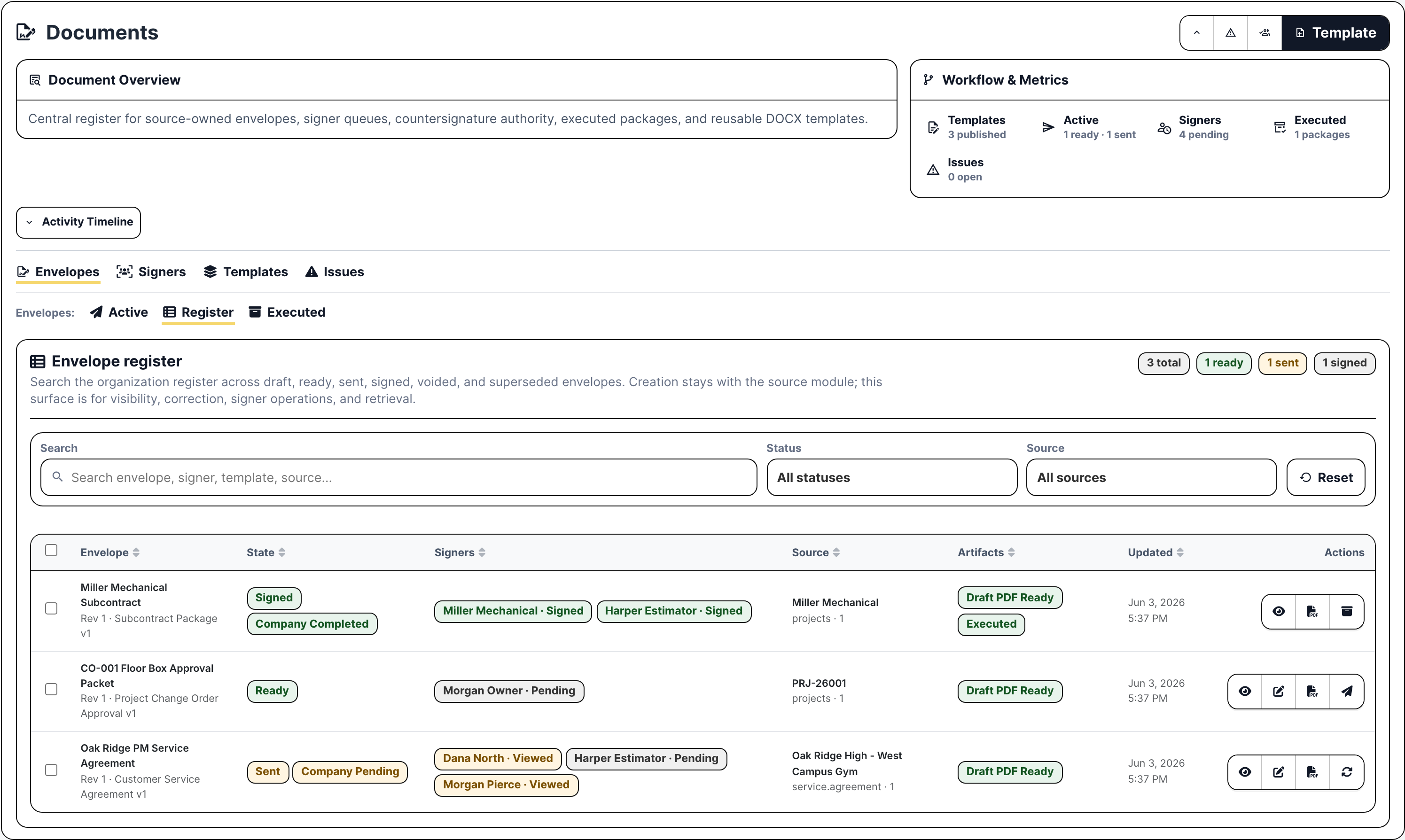
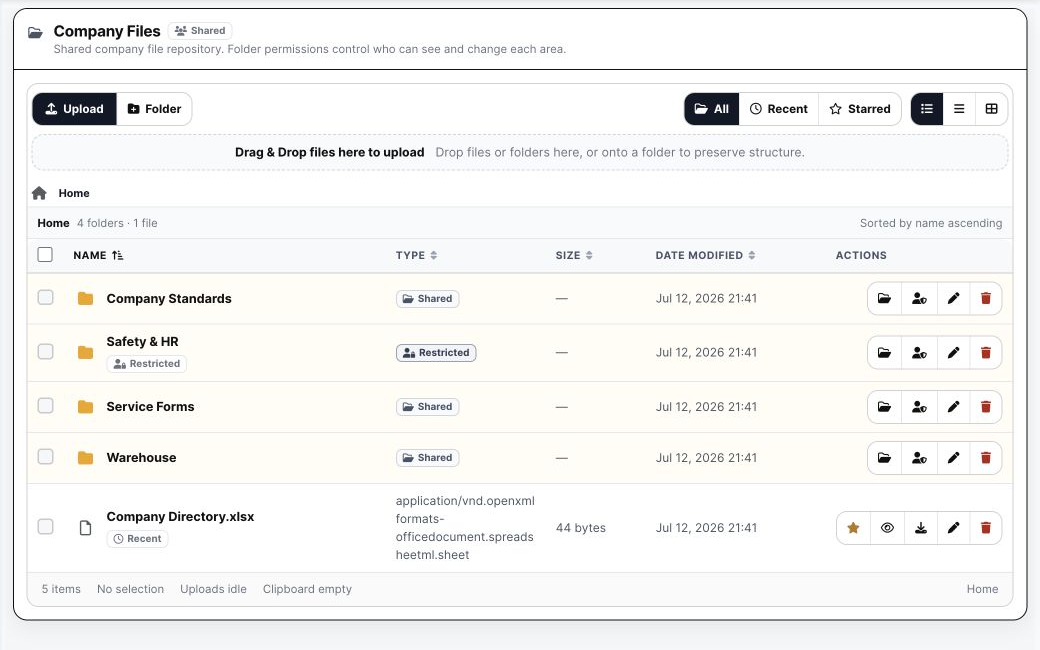
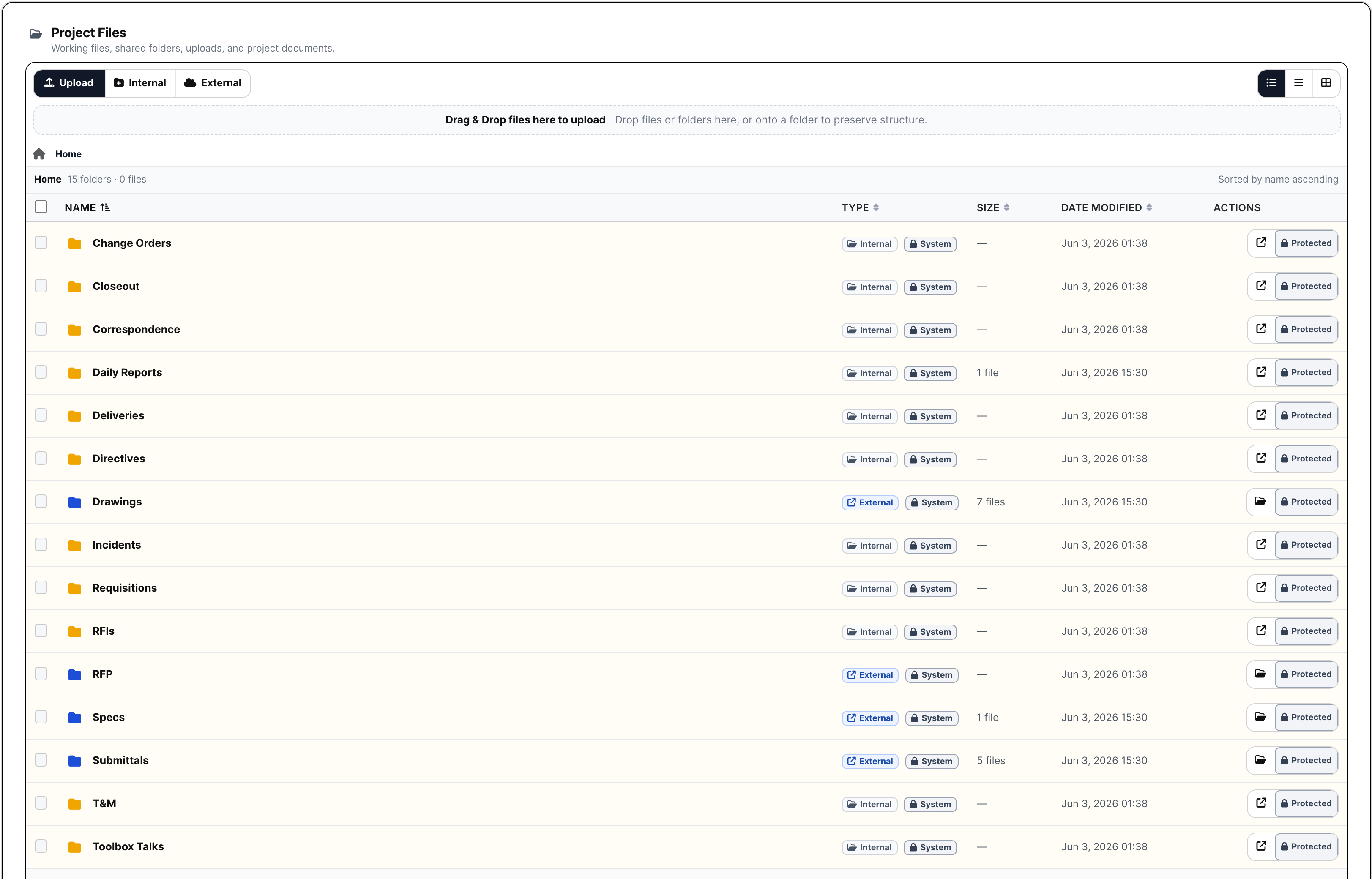
Files are not a separate destination in BuildDaily. They sit beside bids, projects, service tickets, leads, documents, assets, and closeout. Documents route generated agreements for signing. Portals and public links bring outside people into the exact action they need.

  • Documents generate agreement packets, route signatures, manage countersignature, and store executed packages.
  • BDFiles and bd_sync support mobile and desktop file access for field and office users.
  • Communications and to-dos keep messages, follow-ups, attachments, and ownership near the related record.
Project files manager
Business Control

Give owners a readout without making every department create a report by hand.

Analytics, Friday AI, Support, and the accounting workspace direction help managers see what is overdue, which work areas need a look, and where to open the record that needs action.

  • Analytics boards surface leads, estimates, projects, service, manpower, geography, risk, backlog, and follow-up work.
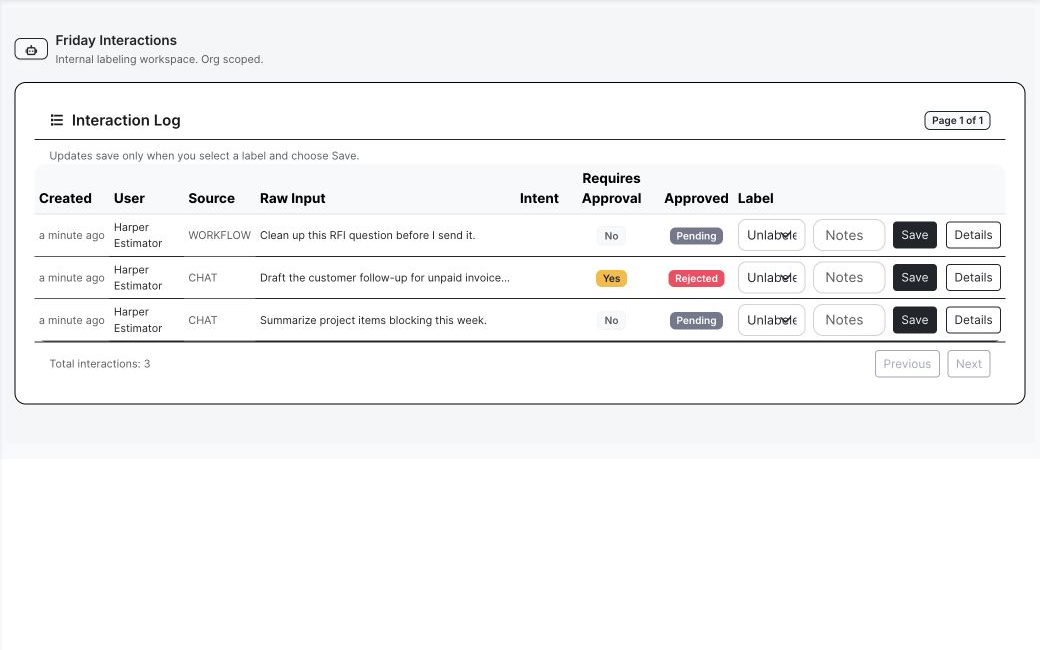
  • Friday assists inside records: RFIs, change orders, daily reports, lead follow-ups, support, and reviewed AI interactions.
  • Accounting is in development and should be treated as a phased rollout, not sold as a finished finance-system replacement.
Analytics geographic board
Work Areas

Go straight to the part of the company you want easier to manage.

If you already know the work area, jump straight to the bid room, project controls, service desk, workforce planning, documents, files, analytics, or accounting rollout planning.

Work area Open What it helps manage
Project work Job setup, project records, formal logs, owner/vendor review, field documentation, drawings, schedule, billing and cost items, closeout, and portals.
Preconstruction and sales Companies, contacts, sales follow-up, geographic lead intelligence, estimate files, RFP planrooms, vendor quotes, proposal PDFs, competitor tracking, and project conversion.
Service and material flow Calls, dispatch board, Work On tickets, line items, signatures, sites, equipment, agreements, PM schedules, billing review, invoice payment links, and parts visibility.
People, time, and assets Clock entries, timesheets, PTO, expenses, people-off planning, manpower schedules, maps, conflicts, roster, skills, certifications, licenses, assets, and maintenance records.
Files, documents, and external access File managers, folders, uploads, previews, zip packages, generated agreements, public signing, executed packages, client/subcontractor portals, vendor planrooms, mobile files, and desktop sync.
Business oversight Executive and department boards, operational alerts, Friday-assisted writing and follow-up, customer support tickets, and phased accounting workspace planning.
Demo Paths

Walk the everyday work your team wants simpler.

A useful walkthrough follows one real piece of work until the next step is clear: who owns it, what is missing, what leaves the company, and what gets billed.

Lead to bid to project

Start with a company and lead, add files and follow-ups, promote to estimate, send vendor RFPs, build the bid letter, send proposals, track results, then convert the award into a project.

RFI, submittal, CO, and T&M trail

Open a live project, move through the management records, show files and public review links, package the paperwork, and close the loop with status and activity intact.

Service call to payment

Take a customer call, schedule the technician, complete the Work On ticket, capture labor/material/signature, review billing, issue the invoice, and use the Stripe-backed payment link.

Workforce day

Use the manpower map and schedule, resolve conflicts, check PTO, review timesheets and expenses, then show the analytics board that tells operations what is still exposed.

Run The Real Workflow

Bring the workflow your team wants simpler.

Bring the bid, job, service ticket, manpower plan, file set, document packet, or billing process that takes too much chasing today. The right walkthrough follows that work until the next step is obvious.