BuildDaily

Collaboration

The next action should say what it is, who owns it, when it is due, and which job record it belongs to.

BuildDaily's collaboration layer connects task queues, assignments, notifications, notes, follows, mentions, and communication context to the project, estimate, lead, service ticket, or other record that caused the work.

Daily Follow-through

Turn activity into an owned next step

Assign work with the operating context attached

Todos include assignees, due dates, priority, notes, and context links so a task is more useful than 'call them back.'

  • Attach a project, estimate, lead, or other supported context
  • Filter by open state, priority, assignee, and module
  • Complete the task without losing the record that created it
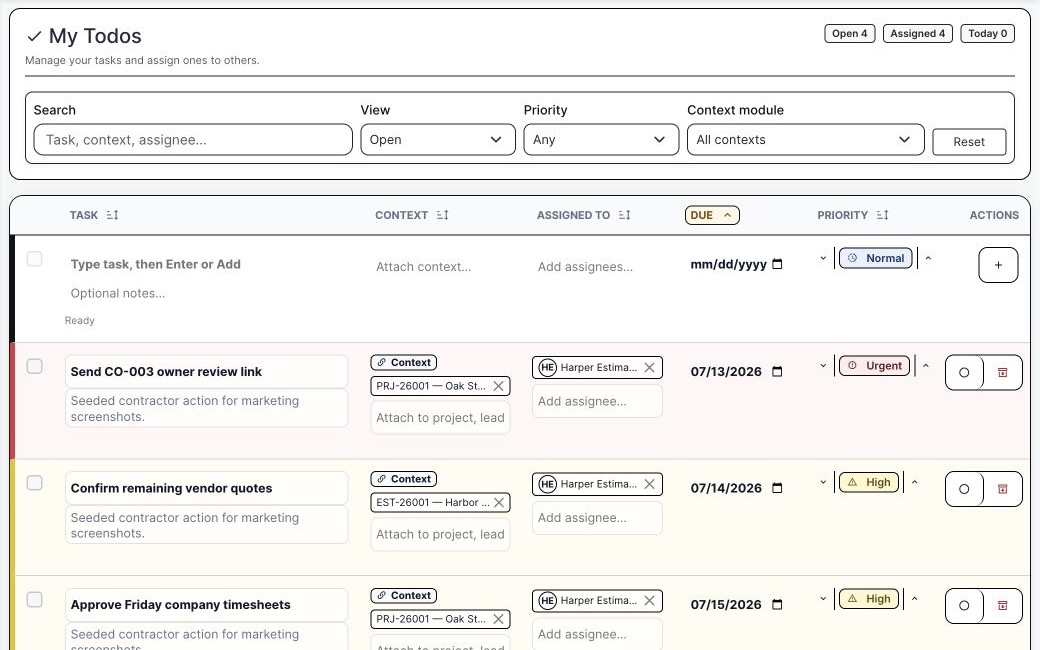
BuildDaily task queue with contractor context
The task queue shows ownership, due date, urgency, and the linked job record.

Use notifications as a working inbox

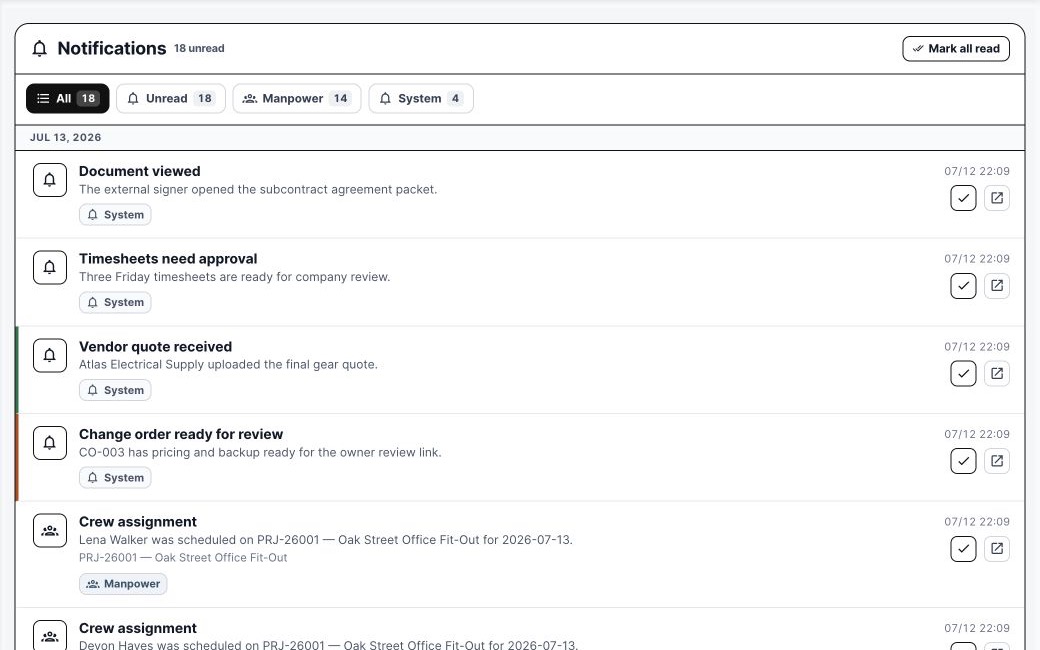
Notifications identify what changed and give the user a path back into the work: a vendor quote arrived, a change order is ready, a document was viewed, or a crew assignment changed.

  • Filter unread and module categories
  • Mark handled items read
  • Open the related record when an action is required
BuildDaily notifications center
Notifications explain what happened and where the user should go next.

Keep page-level discussion close to the work

Notes, follows, pins, mentions, and conversation context reduce the need to paste a job number into a disconnected chat and hope everybody finds the same document.

  • Follow a page or record
  • Pin the message the team must not lose
  • Keep the conversation tied to the operating context
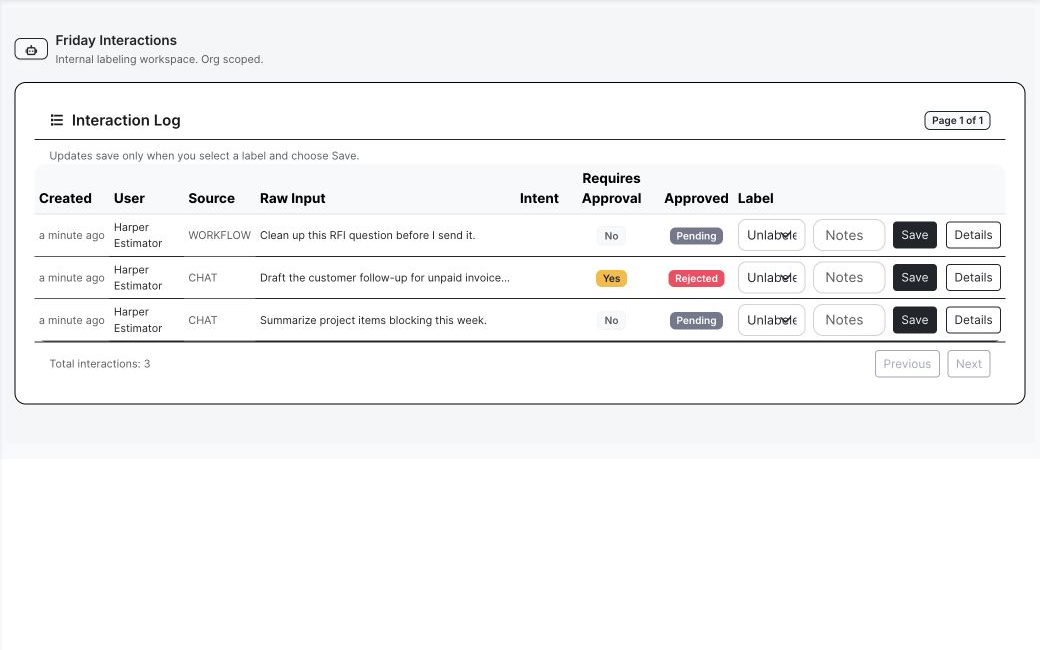
BuildDaily activity and interaction context
Interaction history stays visible with the work instead of disappearing into a generic feed.

Detailed Module Documentation

What is actually inside this module

Use this as the product-review checklist. Each item names a working surface or operational responsibility to inspect during a demo.

Tasks

Make the next action explicit and attributable.

Create and assign Set title, notes, assignees, due date, priority, status, and creator.
Context links Attach supported project, estimate, lead, service, or other business records.
Filtering and sorting Review open, assigned, due, priority, and module-specific work.
Completion Close the action while retaining assignment and business context.

Notifications and attention

Give users a working inbox for changes that matter.

Unread center Review unread count and categorized notification records.
Record links Open the job, bid, ticket, document, assignment, or other source workflow.
Read state Mark one item or all items handled.
Preferences Control supported notification categories, channels, and modes.

Record conversation

Keep discussion attached to the work whenever possible.

Conversations and members Create direct or group conversations with organization-scoped membership.
Messages, mentions, and reads Retain sender, body, mention, and read-state context.
Pins and follows Keep the important message visible and follow supported pages or records.
Page notes Add page-level notes and acknowledgement where the workflow supports it.

Product Proof

Screens tied to the workflow

Contractor task queue
Tasks with record context and clear ownership.
Notifications center
A practical inbox for operating changes.
Interactions
The activity trail behind the next action.
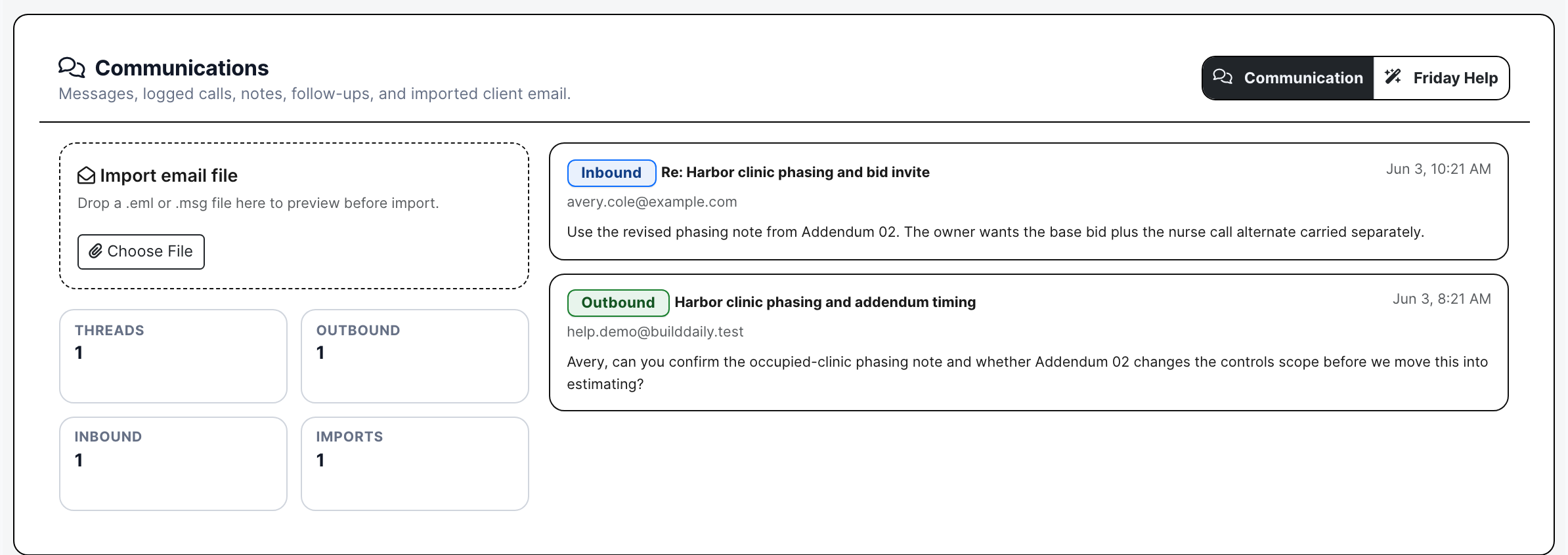
Lead communication history
Calls, email, notes, and follow-up context stay attached to the pursuit.
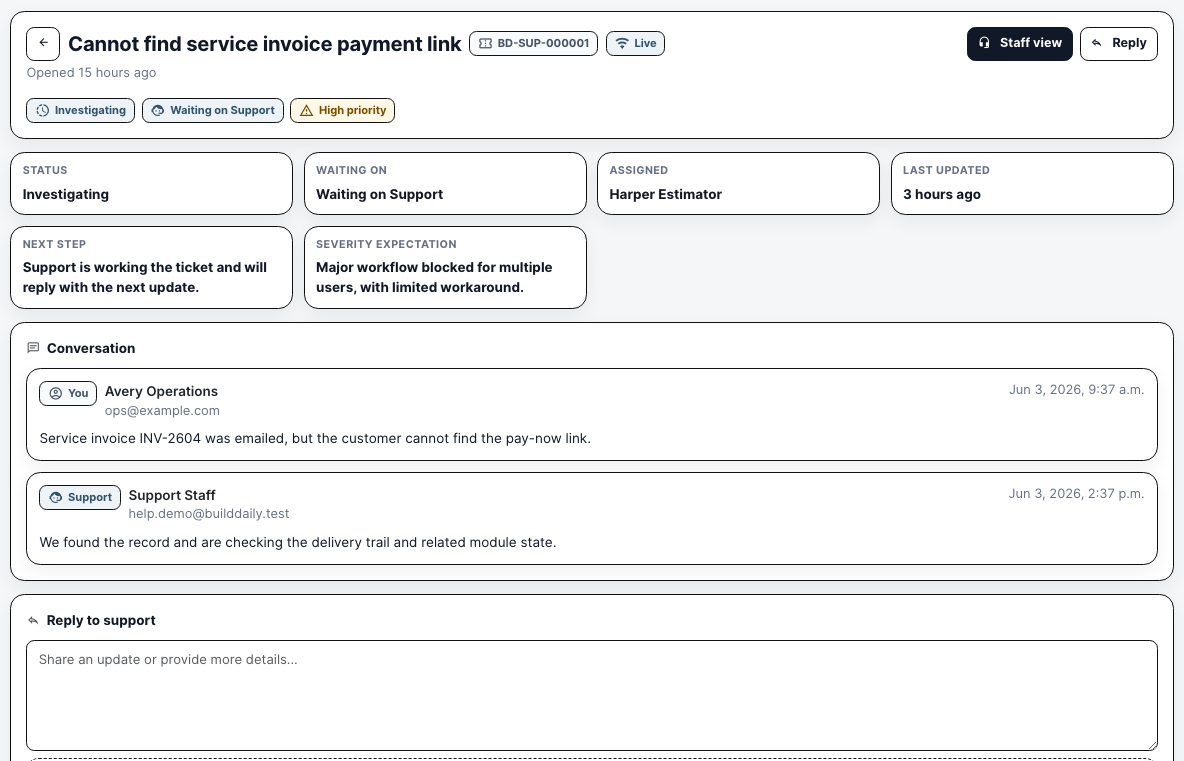
Support conversation thread
A threaded support handoff retains evidence, replies, ownership, and status.

Coverage

Contractor requirements BuildDaily covers

Contractor needs BuildDaily does it
Who owns the next step? Yes
Tasks support assignments, due dates, priority, notes, and completion state.
What job or bid caused the task? Yes
Context links keep supported contractor records attached to the task.
What changed while I was away? Yes
The notification center groups unread work and links back to the related workflow.

Bring one handoff your team regularly drops.

We will walk it from the operating record through assignment, notification, follow-up, and closeout.

Walk a Real Handoff