BuildDaily

Operations Dashboard

Start with the work that needs a decision, not a wall of vanity charts.

BuildDaily's dashboard is a configurable morning board. Owners, PMs, estimators, service managers, and field leaders can keep different widgets while working from the same records underneath.

Morning Workflow

One place to spot pressure, then open the record that explains it

Build the board around your actual job

Choose the operational widgets that matter to the person using the screen instead of forcing every role through the same dashboard.

  • Keep project, estimating, service, time, manpower, and financial signals together
  • Reorder the board around the decisions made in your morning meeting
  • Open the underlying record instead of stopping at a chart
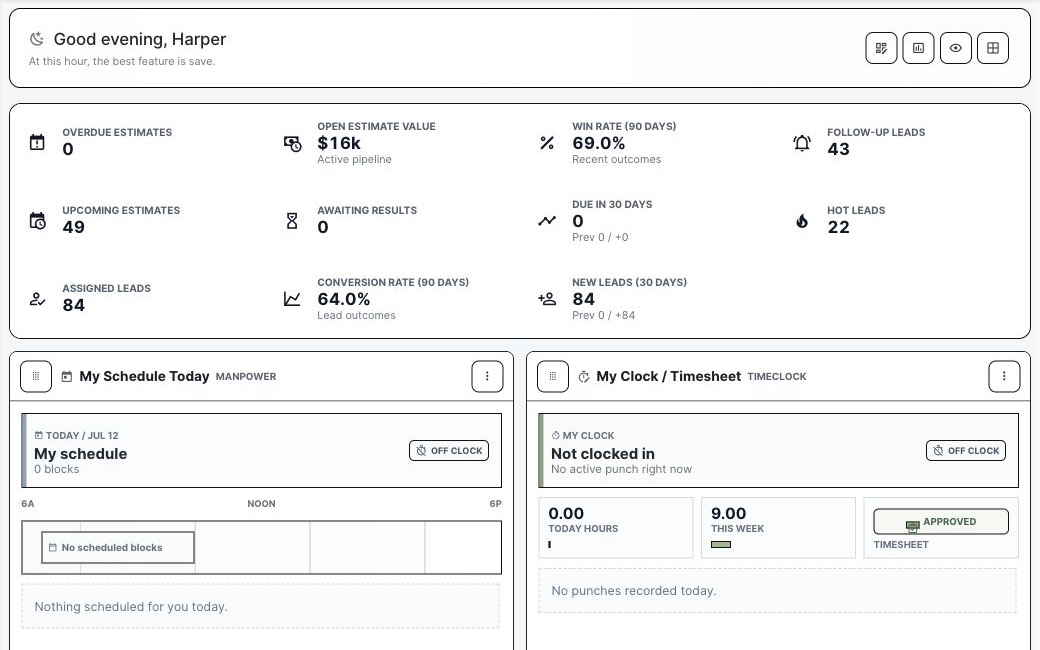
BuildDaily operations dashboard populated with contractor work
A populated operations board with live work, risk, schedule, and attention signals.

See today's labor and schedule pressure

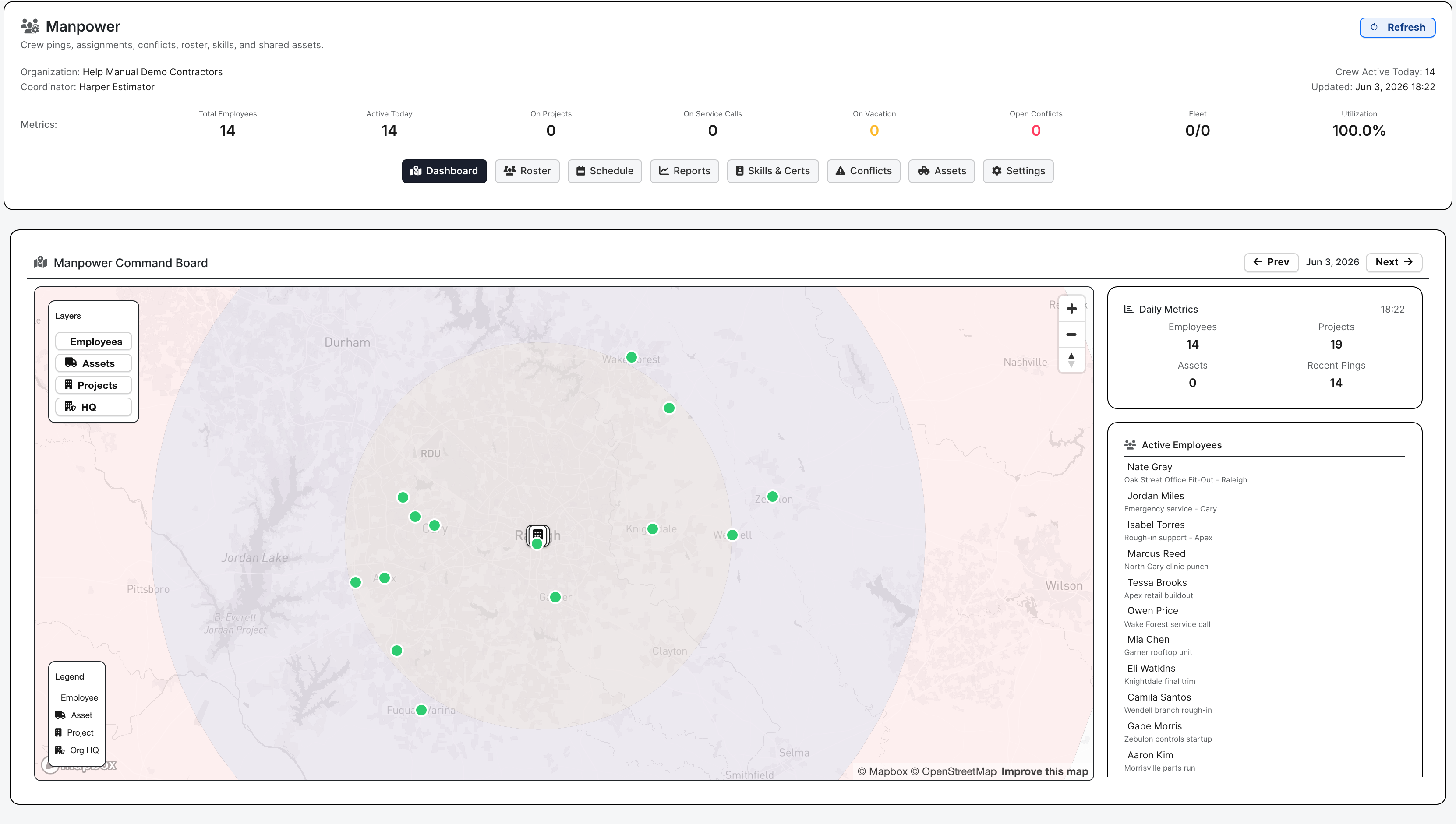
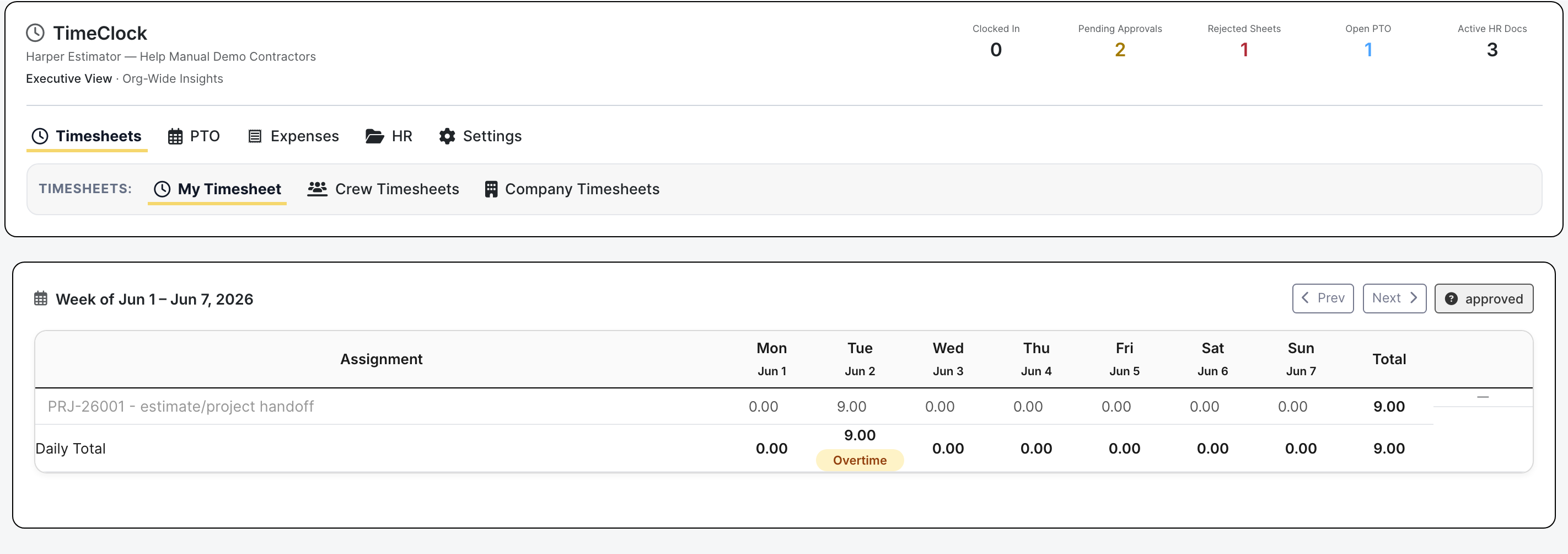
Crew assignments, clock state, PTO, timesheet review, expense attention, and schedule widgets make labor problems visible before they become field surprises.

  • Review who is scheduled and where
  • Catch approval and attendance work
  • Move from a signal into Timeclock or Manpower
BuildDaily manpower dashboard
Manpower turns the labor plan into visible assignments, conflicts, and capacity.

Use analytics when the signal needs a management review

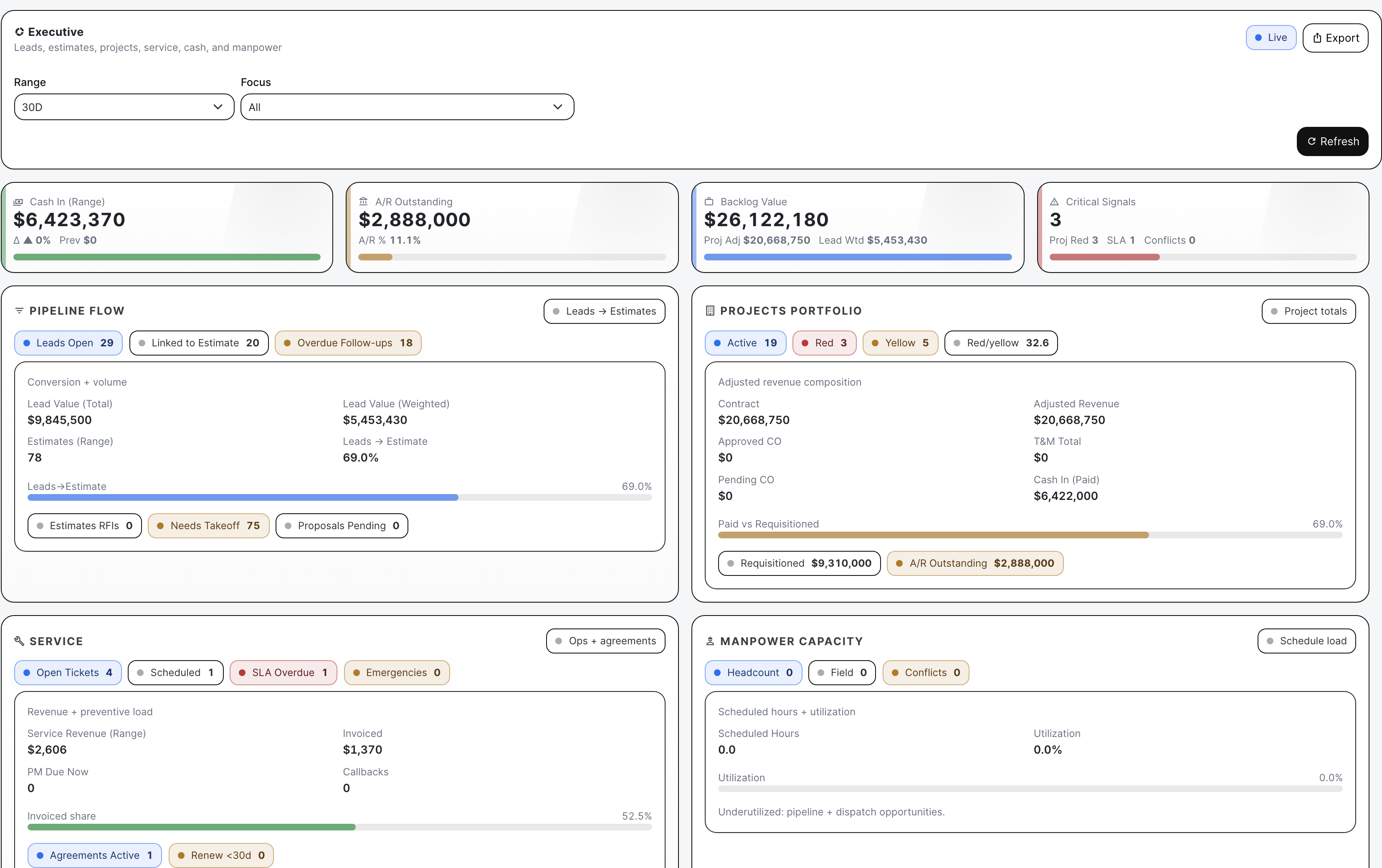
The dashboard is the starting line. The analytics boards go deeper into pursuit coverage, bid readiness, project risk, service load, A/R pressure, and workforce capacity.

  • Start broad and drill into the department that owns the problem
  • Keep leadership review tied to operating records
  • Avoid rebuilding the meeting in a spreadsheet
BuildDaily executive analytics
Executive analytics explains the pressure behind the morning board.

Detailed Module Documentation

What is actually inside this module

Use this as the product-review checklist. Each item names a working surface or operational responsibility to inspect during a demo.

Personal board

Each user can shape the opening screen around their job.

Widget layout Add, remove, and reorder enabled widgets without changing another user's board.
Quick actions Open common create and review workflows from the same starting surface.
Saved layout Persist the user's operating view across sessions.
Module-aware visibility Only show widgets backed by modules the company and member can use.

Work requiring attention

The board is designed to point at records that need a decision.

Project pressure Surface job health, blocked work, RFIs, billing, and schedule signals.
Bid pressure Expose follow-up, due-date, proposal, bidder, and estimate-readiness work.
Service pressure Show dispatch, ticket, billing-review, agreement, and PM attention.
People pressure Show clock, timesheet, PTO, expense, assignment, and conflict work.

Product Proof

Screens tied to the workflow

Operations dashboard
A real populated dashboard, not a concept mockup.
Timeclock dashboard
Time, PTO, expenses, and payroll attention stay visible.
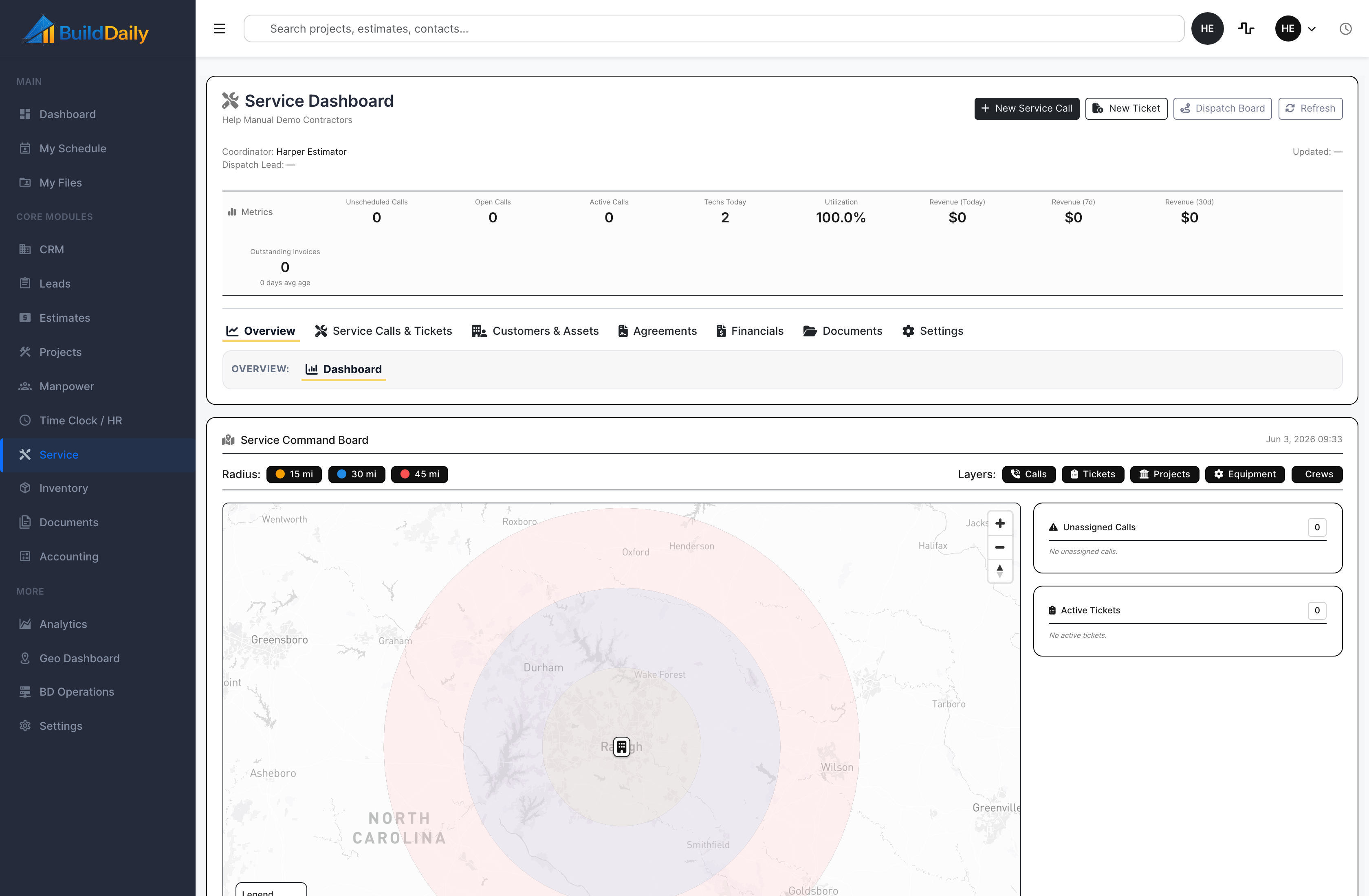
Service dashboard
Service work gets its own operational read.
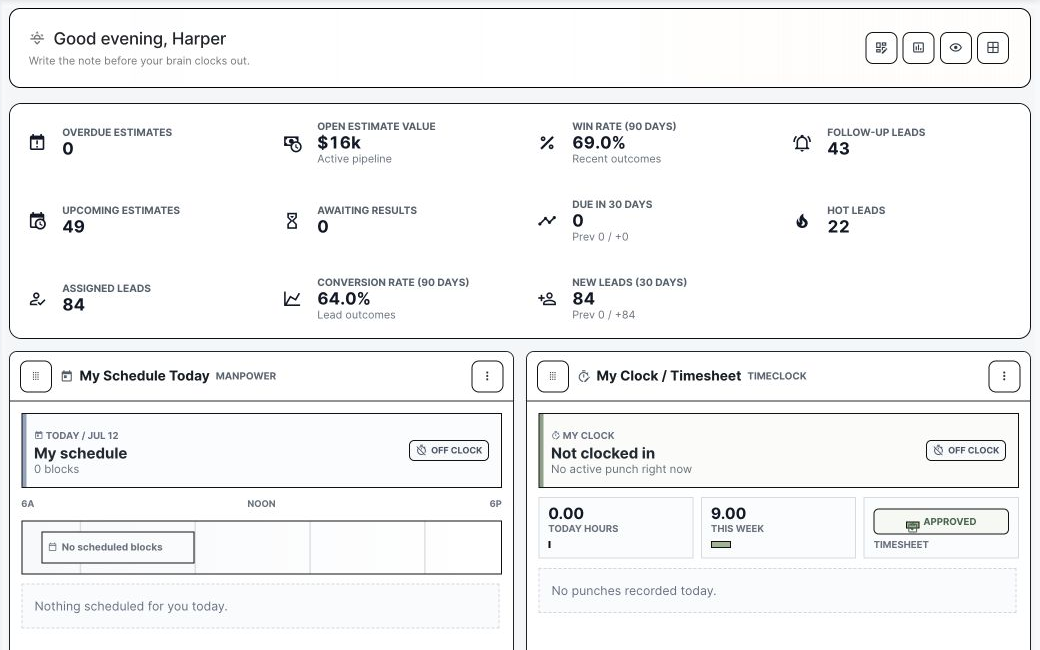
BuildDaily dashboard metrics and personal work widgets
The dashboard combines company metrics with personal schedule and time widgets.
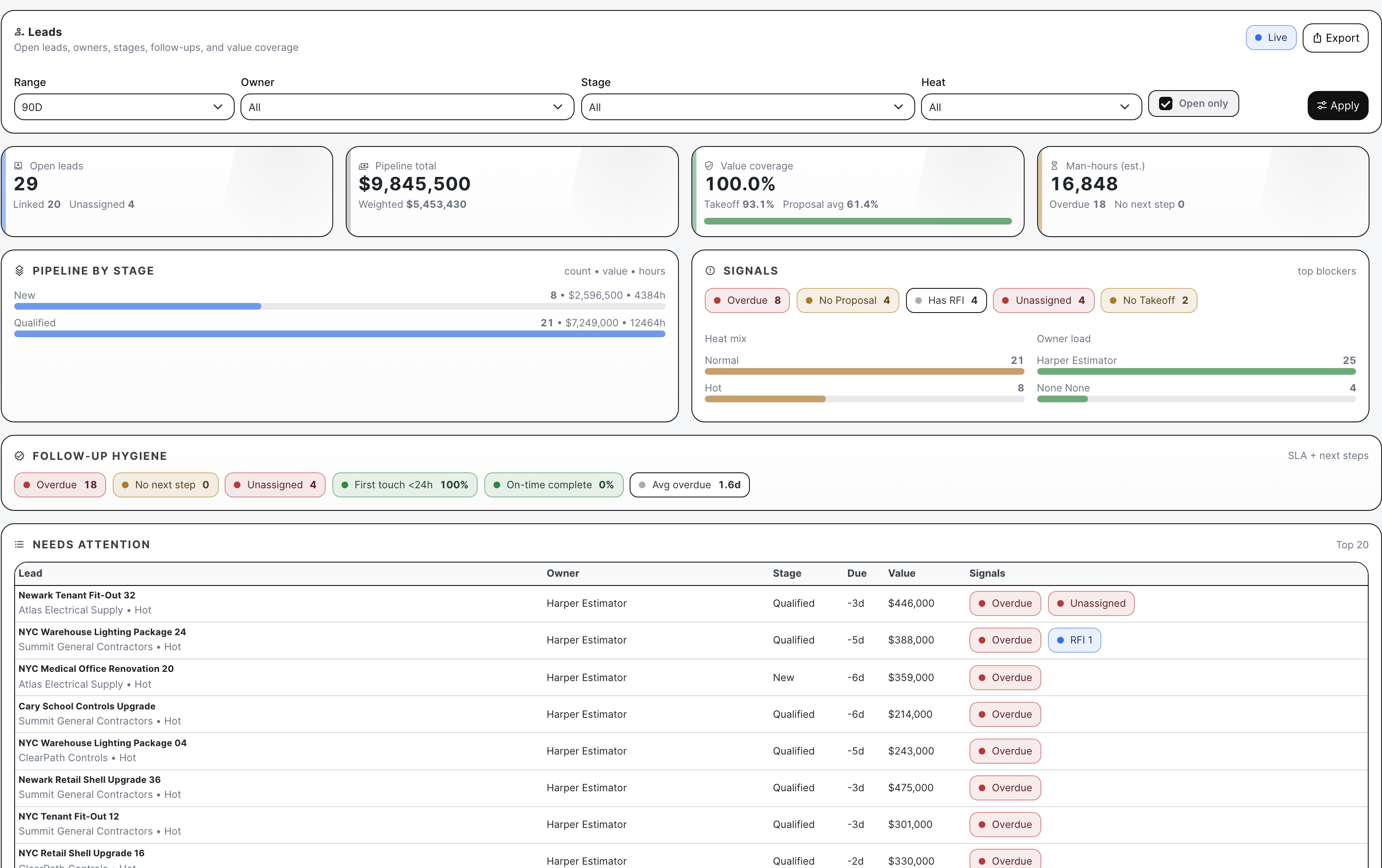
Lead analytics drill-down
When a dashboard signal needs explanation, the related analytics board exposes the records behind it.
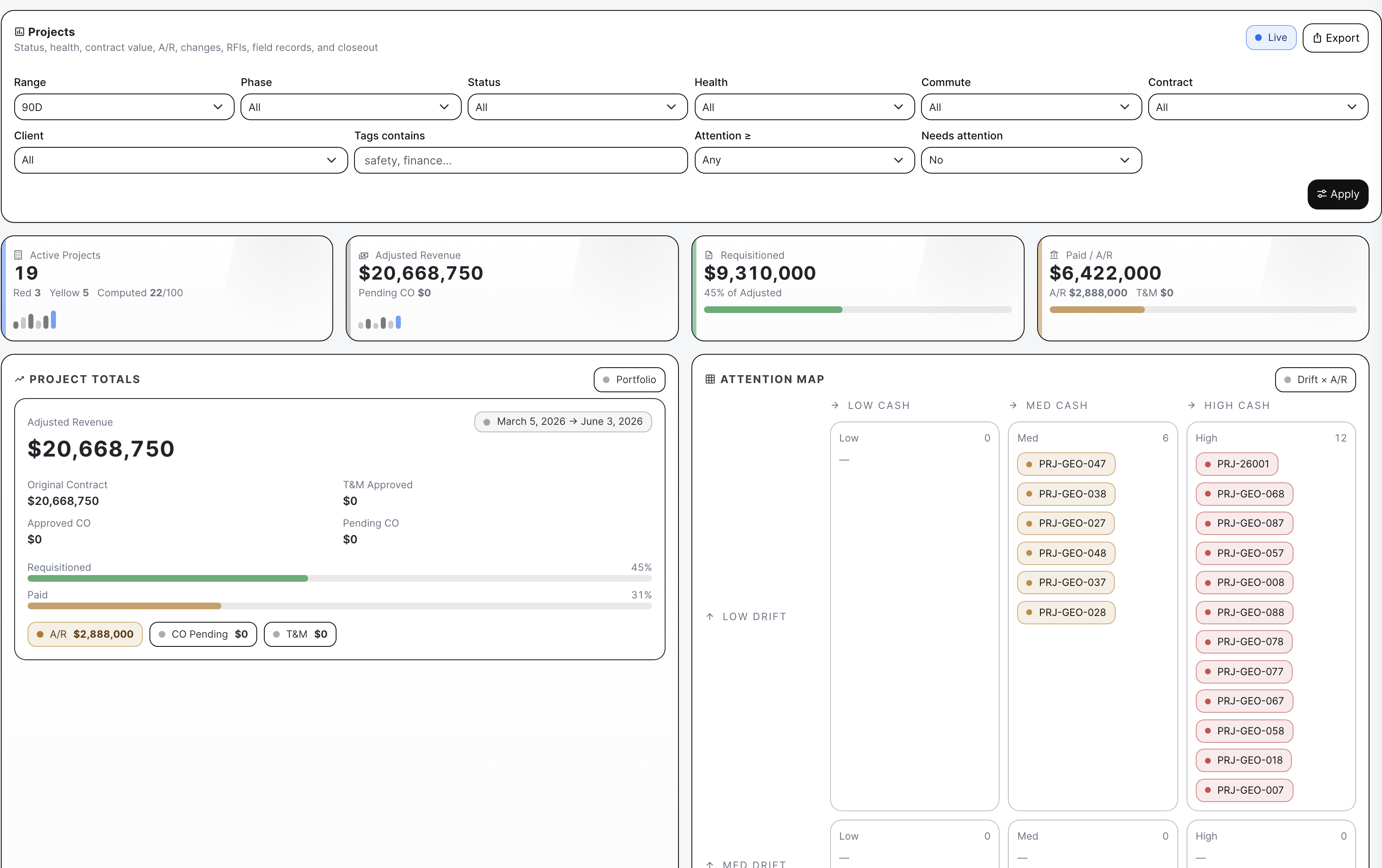
Project analytics drill-down
Project health, commercial pressure, and overdue work are available below the morning summary.

Coverage

Contractor requirements BuildDaily covers

Contractor needs BuildDaily does it
What needs attention this morning? Yes
Widgets surface overdue, blocked, unapproved, unassigned, and risk-bearing work across the enabled modules.
Does everybody have to use the same board? Yes
No. Dashboard layouts are personal while the underlying contractor records remain shared.
Can a manager act from the number? Yes
Dashboard signals link back into the record or workflow that created the issue.

Operating Rhythm

How the workflow stays moving

Five-minute morning read

  • Scan exceptions and today's work.
  • Open the job, bid, ticket, timesheet, or assignment behind the signal.
  • Assign the next action while the context is still on screen.

Show us the questions you ask every morning.

We will build the demo board around those decisions and the work your team already recognizes.

See Your Morning Board