BuildDaily

Files and Sync

Files belong with the customer, bid, job, ticket, and team—not in a mystery shared drive.

BuildDaily has personal and company libraries plus record-specific files for leads, estimates, projects, service, CRM, and other workflows. The desktop sync companion is designed to make that structure usable from the folders teams already work in.

Desktop sync is actively being expanded. The web file libraries and record-specific file workflows are usable today; sync coverage depends on the companion build and selected folder rules.

File Workflow

A shared file system that still understands contractor context

Keep a private working library

My Files gives each user a personal workspace for documents that are not ready for the company library or a job record.

  • Create folders and upload files
  • Keep drafts separate from shared records
  • Move into shared work when the document is ready
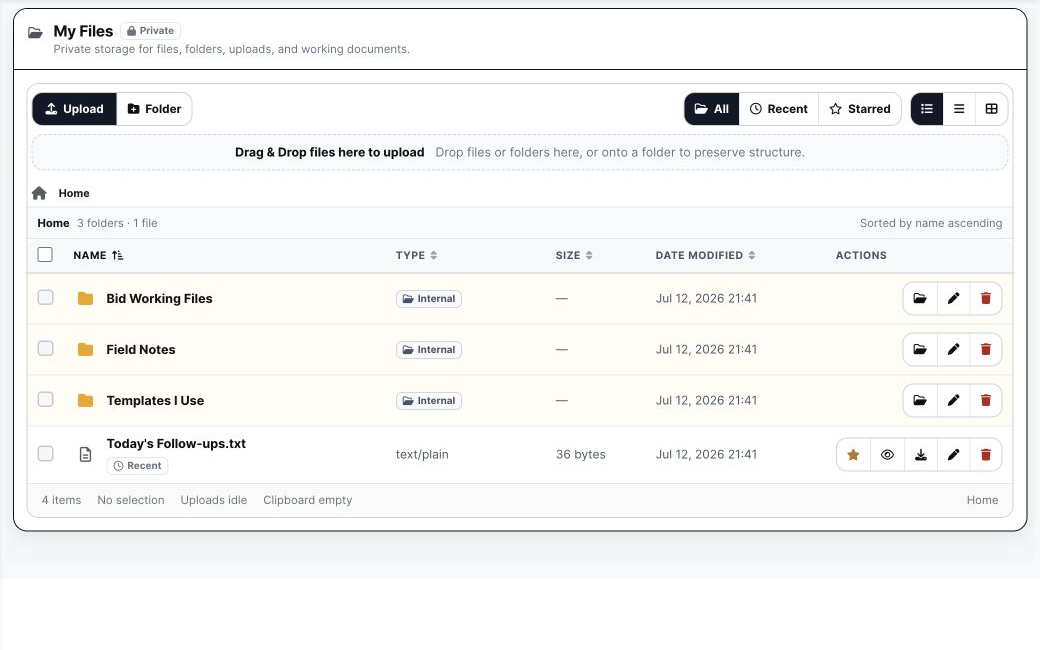
BuildDaily My Files
My Files is a clean private work library inside the same app.

Run the company library with deliberate access

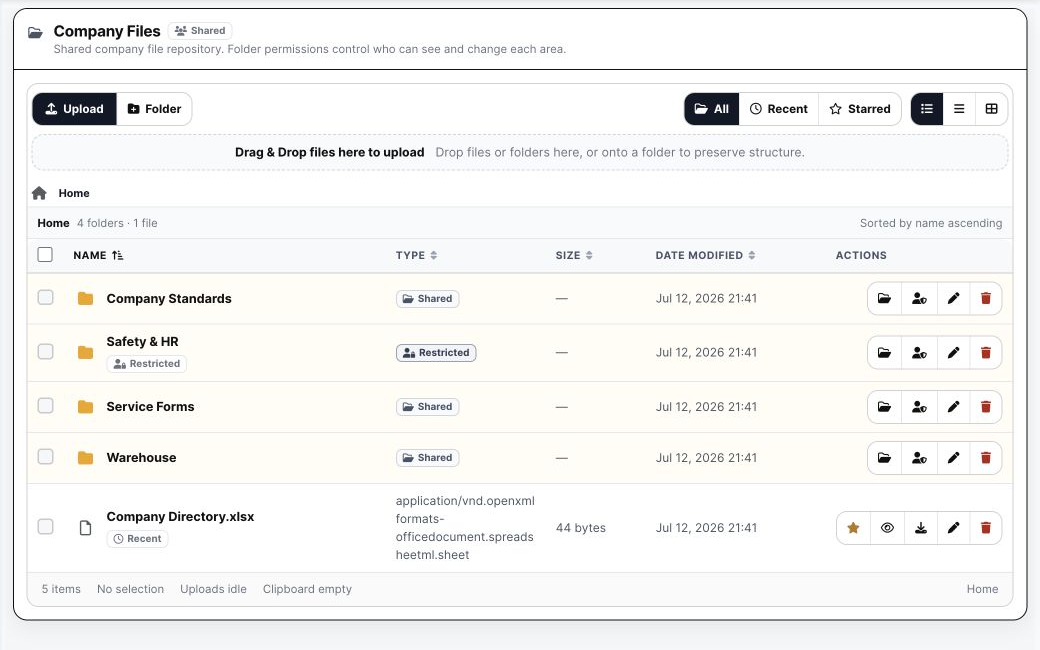
Company Files provides shared folders for standards, templates, safety, HR, operations, and any other cross-company material.

  • Use nested folders and bulk uploads
  • Control folder visibility and grants
  • Keep company reference material out of individual project records
BuildDaily Company Files
Company Files holds the material everybody needs without flattening it into one drive.

Keep job files on the job

Project, estimate, lead, CRM, and service workspaces have their own file areas so the reason a file exists stays visible.

  • Upload folders, not just single files
  • Inherit visibility where the workflow calls for it
  • Give public or partner access through focused portals instead of exposing internal storage
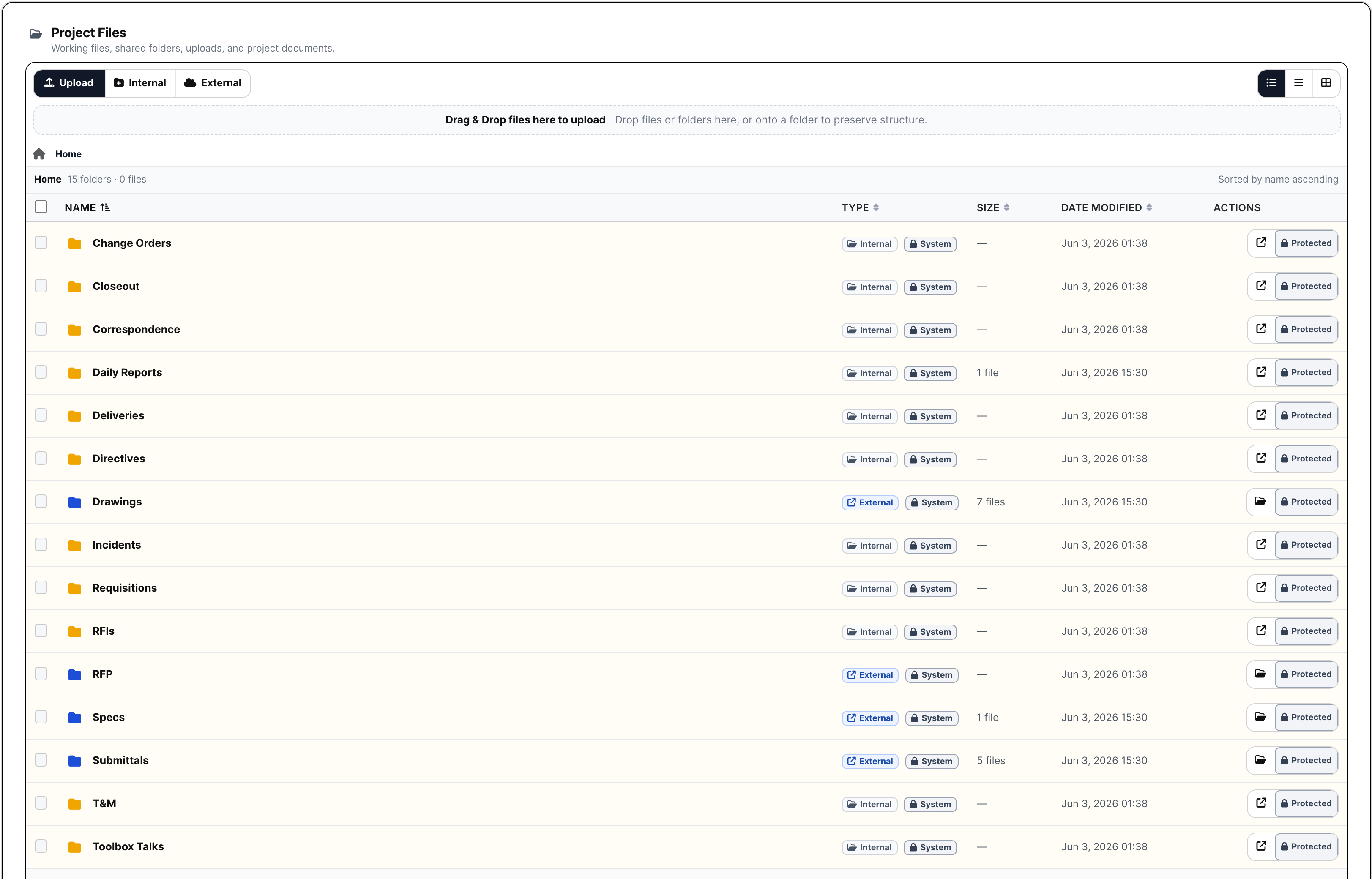
BuildDaily project files
Project files stay attached to the working job record.

Detailed Module Documentation

What is actually inside this module

Use this as the product-review checklist. Each item names a working surface or operational responsibility to inspect during a demo.

Personal and company libraries

Separate private working material from intentionally shared company records.

My Files Private folders, uploads, favorites, recent files, and working documents for one user.
Company Files Shared folders for standards, safety, HR, service, warehouse, and office material.
Folder grants Control company-folder access for everyone, selected users, or permitted groups.
Folder uploads Drop complete folder trees while preserving structure and inherited visibility.

Record-aware files

Keep the reason a file exists attached to the contractor workflow.

Lead and CRM files Store pursuit, customer, compliance, photo, and relationship material.
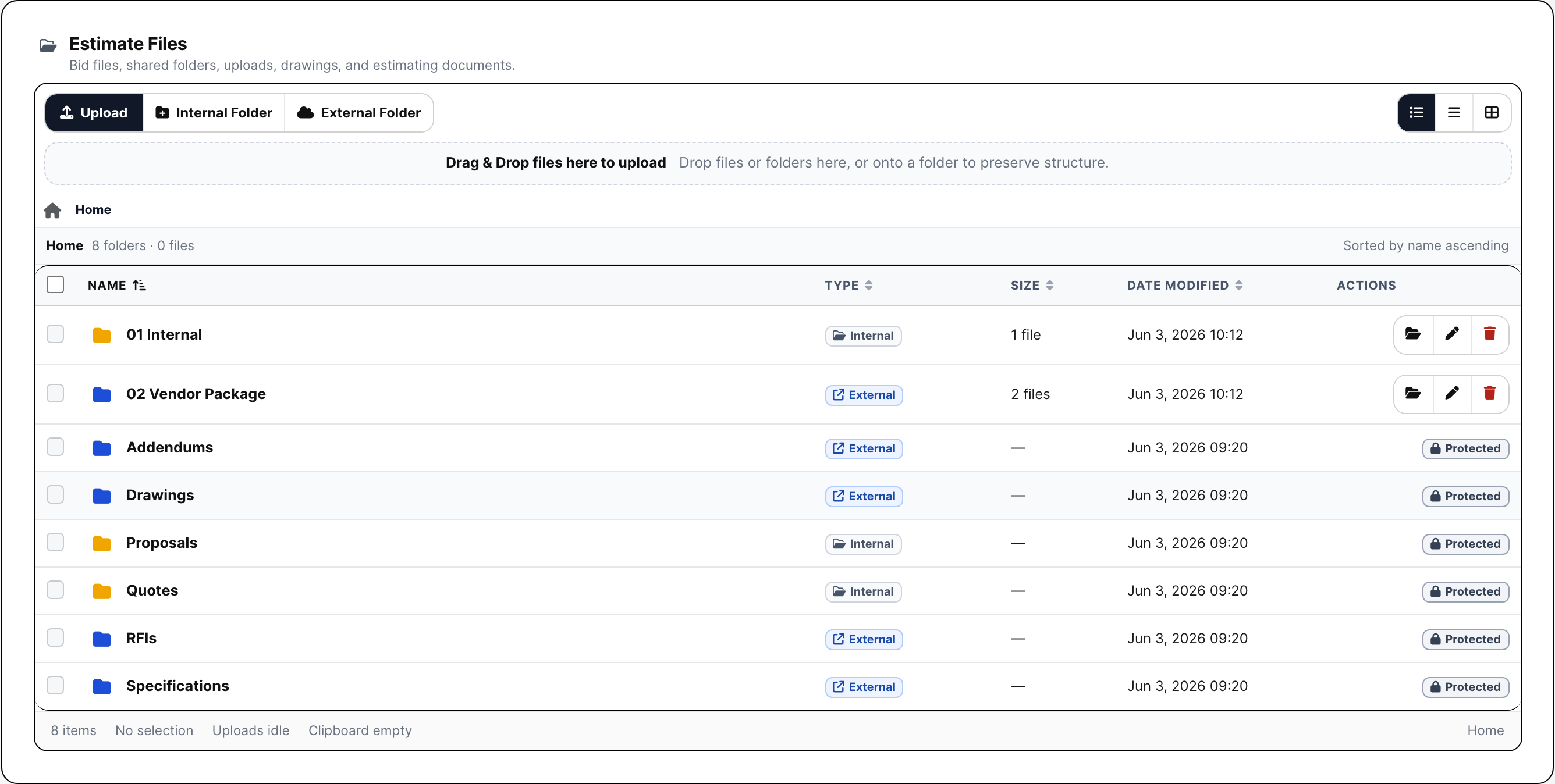
Estimate files Keep bid documents, addenda, quotes, proposals, and internal folders on the estimate.
Project files Keep job folders, drawings, specs, field records, and generated packages on the project.
Service and HR files Attach support material to tickets, equipment, employees, and controlled HR records.

Sharing and sync

Move files to the people who need them without flattening access.

Public planrooms Publish selected bid files for vendors without internal application access.
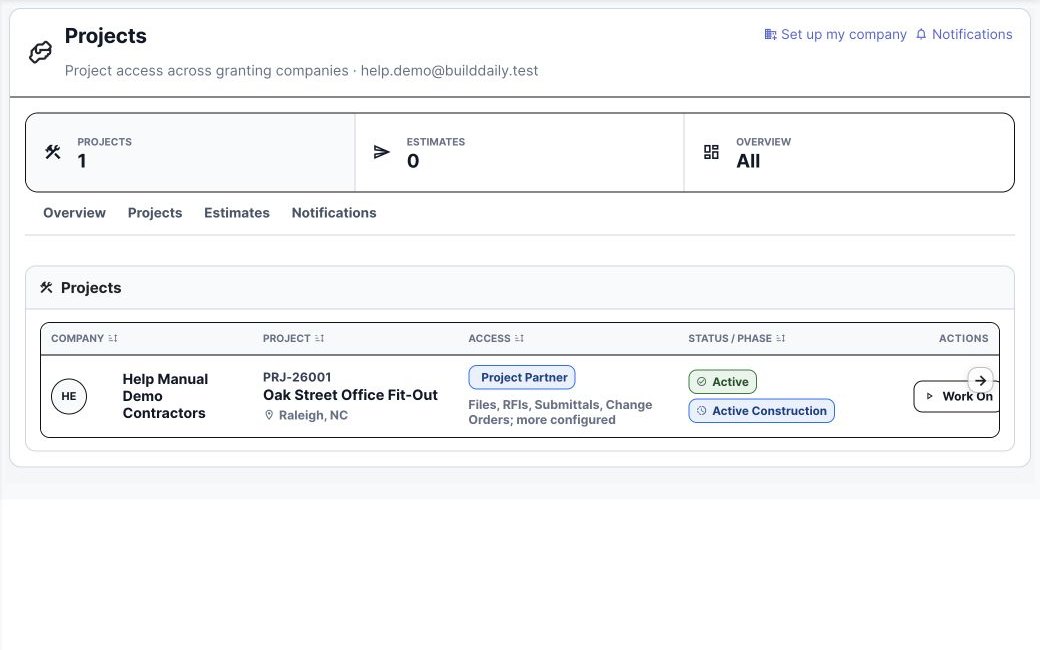
Partner and client portals Expose only granted projects, modules, and files to outside collaborators.
Generated packages Download or distribute zip, PDF, signing, closeout, and other workflow artifacts.
Desktop sync companion Select supported folders for desktop access; companion coverage remains under active expansion.

Product Proof

Screens tied to the workflow

Personal files
Private working files.
Company files
Shared company standards and resources.
Project files
Files tied directly to the job.
Estimate files
Bid documents stay with estimating work.
Partner portal
Outside partners see only the projects and files intentionally shared with them.

Coverage

Contractor requirements BuildDaily covers

Contractor needs BuildDaily does it
Can we separate private and company files? Yes
Yes. My Files and Company Files are distinct libraries with different sharing expectations.
Do job files lose their project context? Yes
No. Project, estimate, lead, and service file areas keep files beside the operating record.
Can outside parties see selected files? Yes
Focused vendor, customer, signer, and partner experiences share the needed material without granting internal app access.

Show us the folder mess you actually have.

We will map personal, company, bid, job, and outside-party files without pretending every document belongs in one bucket.

Map Your Files