
BuildDaily

Module Walkthrough

Project Schedule

Use scheduling to manage tasks, dependencies, responsible parties, baseline snapshots, lookaheads, PDF exports, and schedule health.
Product Proof

Screens tied to the workflow

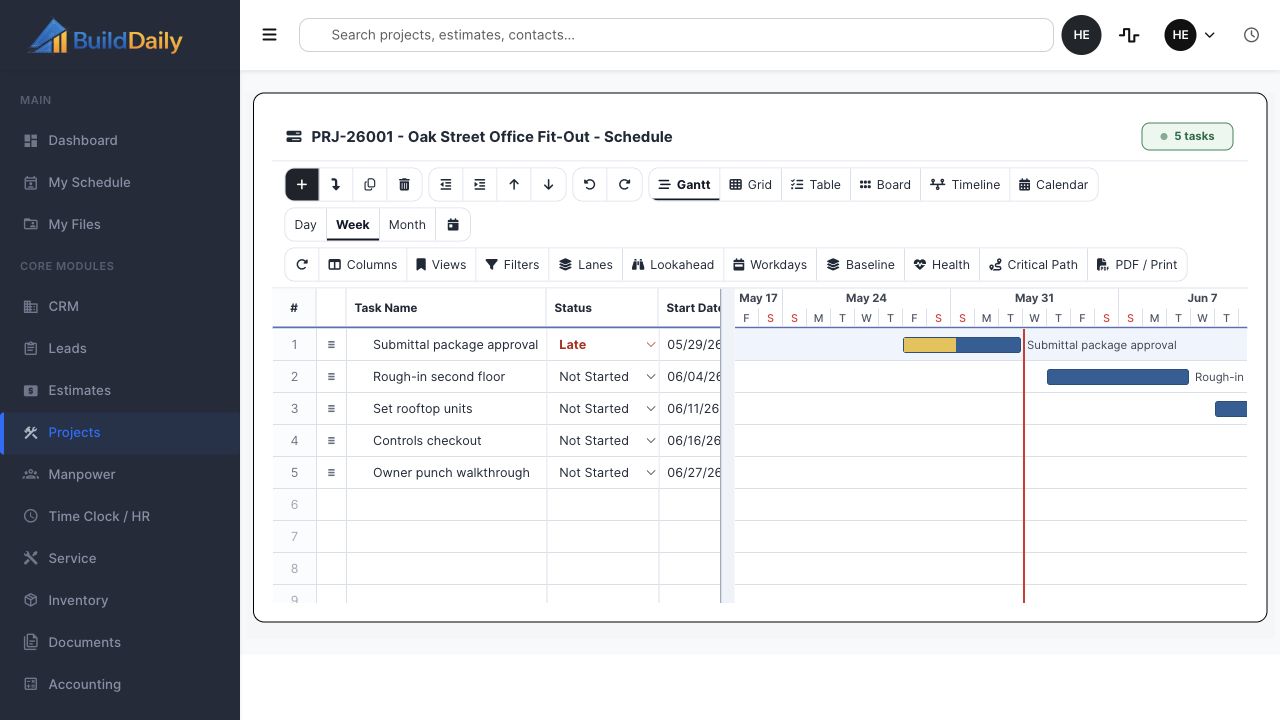
Project schedule grid and Gantt
The schedule view supports grid, Gantt, table, board, timeline, calendar, lookahead, baseline, health, critical path, and PDF/print controls.

Process

How the work moves through the module

1

Build the task plan

Create tasks with start/end dates, duration, responsible party, status, percent complete, notes, and WBS order.

2

Connect dependencies

Link predecessor and successor tasks, manage lag, recompute CPM, and keep critical path visible.

3

Use lookahead and baseline controls

Generate field lookaheads, lock baseline snapshots, compare movement, and export schedule views for coordination.

Module Surfaces

Where the work happens

Overview

Summary Project facts, status, team signals, notes, activity, and the current state of the job.

Documents

Files Project folders, uploads, downloads, previews, rename, move, delete, bulk copy, bulk move, and zip.
Drawings Drawing logs, uploaded sets, sheet review, assignment, verification, history, set downloads, and source PDF access.
Specifications Spec sets, divisions, sections, search, quick navigation, downloads, and version history.
Directives Owner or design-team direction tracked against the project record.
Correspondence Project communications kept with the job instead of buried in inboxes.

Management

RFIs Question, attachments, distribution, response, PDF packet, close, reopen, resend, and public review.
Submittals Vendor, revisions, files, compiled packet, review decisions, distribution, release, and import workflows.
RFPs Project-scoped requests, recipients, planroom links, quote tracking, follow-up, and addendum notifications.
Meetings Meeting records connected to the project.
Permits Permit tracking, inline create/edit, detail records, and draft completion.
Inspections Inspection records tied to permits, field status, and closeout needs.

Field

Daily Reports Daily job record with subcontractor rows, files, autosave, Friday cleanup, finalization, and PDF.
Lookahead Near-term work pulled from schedule windows and field planning.
Safety Safety incidents and field safety records.
Deliveries Delivery tracking for material and project logistics.
Toolbox Talks Talk records and field documentation.
Punchlist Open punch items and closeout corrections.
Manpower Project manpower panel connected to labor planning.

Financials

Change Orders Scope, pricing buckets, files, workflow decisions, packet generation, distribution, and public review.
T&M Tickets Labor, materials, files, signatures, pricing, packet status, and revalidation.
Pay Applications Owner pay application workbench and project billing continuity.
A/R Receivable context and project payment visibility.
Receive Payment Project payment entry from the work page.
Subcontractors Subs, compliance, SOVs, pay requests, billing mode, certificates, and uploads.

Schedule

Schedule Tasks, dependencies, responsible parties, baseline lock, CPM recompute, Gantt data, PDF export, and schedule health.
Lookahead Short-window field planning from the schedule.

Closeout

Closeout Docs Closeout document collection and completion tracking.

Operating Rhythm

How the workflow stays moving

Where it lives

  • This module is part of the project work page, so records stay tied to the job, customer, team, files, schedule, and financial context.
  • The project navigation is the customer clue: users do not hunt for this work in a separate app. They open the project and choose the correct tab.

What a contractor can do

  • Create and patch tasks
  • Manage dependencies
  • Reorder or delete tasks
  • Assign responsible entities
  • Lock baselines
  • Recompute CPM
  • Export PDFs
  • Generate lookaheads
  • Create baseline snapshots
  • Review schedule health

Walk through Project Schedule

We can walk through the module around the way your company actually handles the work.

Request access