

Commercial Contractors
One job, from the bid set to the final pay app.
Take a two-story office fit-out bid by a 30-person mechanical contractor. In most shops that job passes through a takeoff program, a spreadsheet, email, a time clock app and the accounting system. In Build Daily it stays on one record from the first sheet to the last payment.
-
Take Off the Bid Set
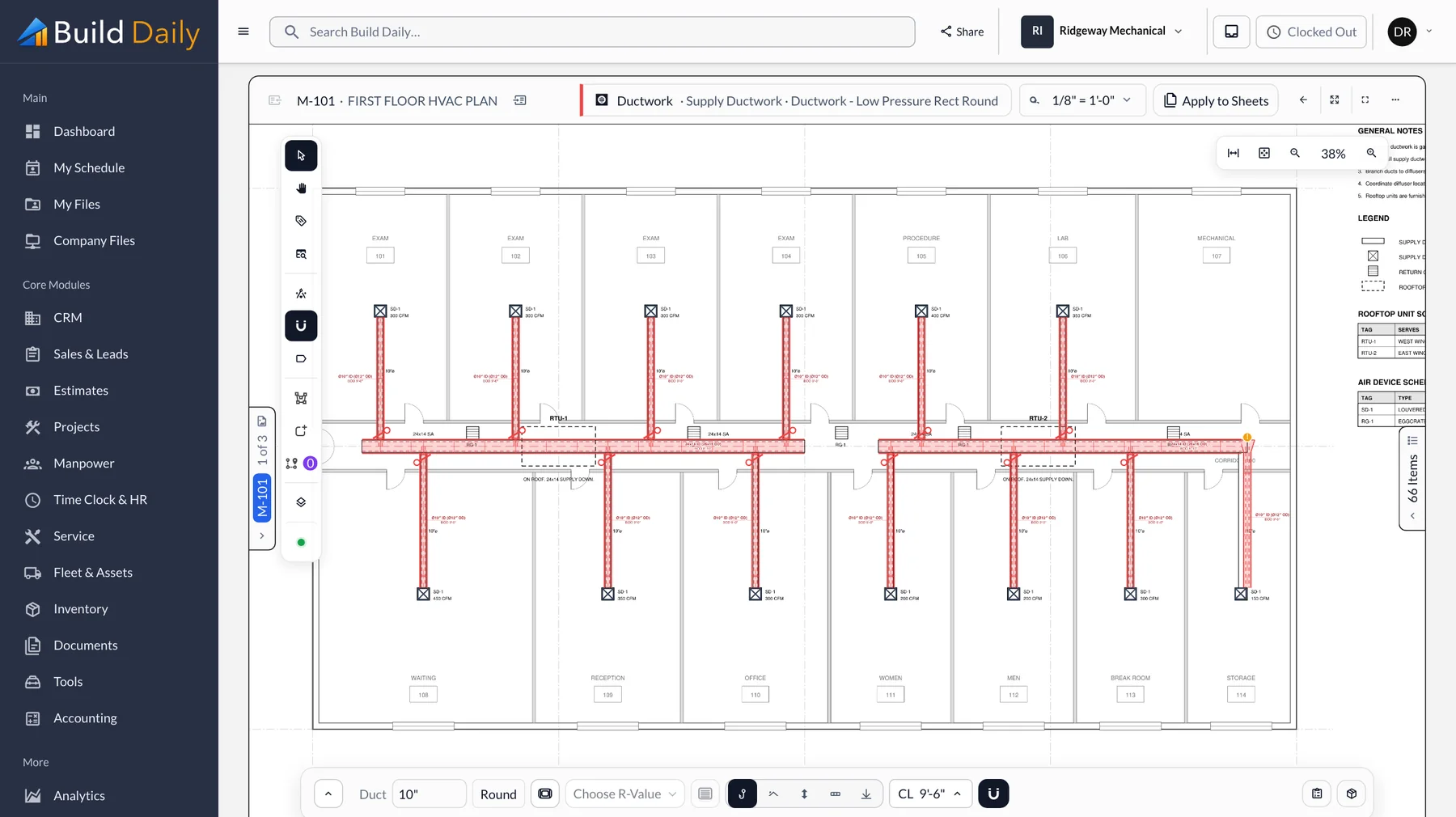
Upload the PDFs and the sheets sort by discipline from the title blocks. The estimator picks the system and spec and traces the duct. Elbows, taps, hangers and insulation are added from the spec as each run is drawn.
- Takeoff on the PDF for duct, pipe, plumbing and electrical
- Sheets read from the title block and sorted by discipline
- Fittings, hangers and insulation added from the spec
- Two estimators can work the same job at once
-
Get Supplier and Sub Pricing
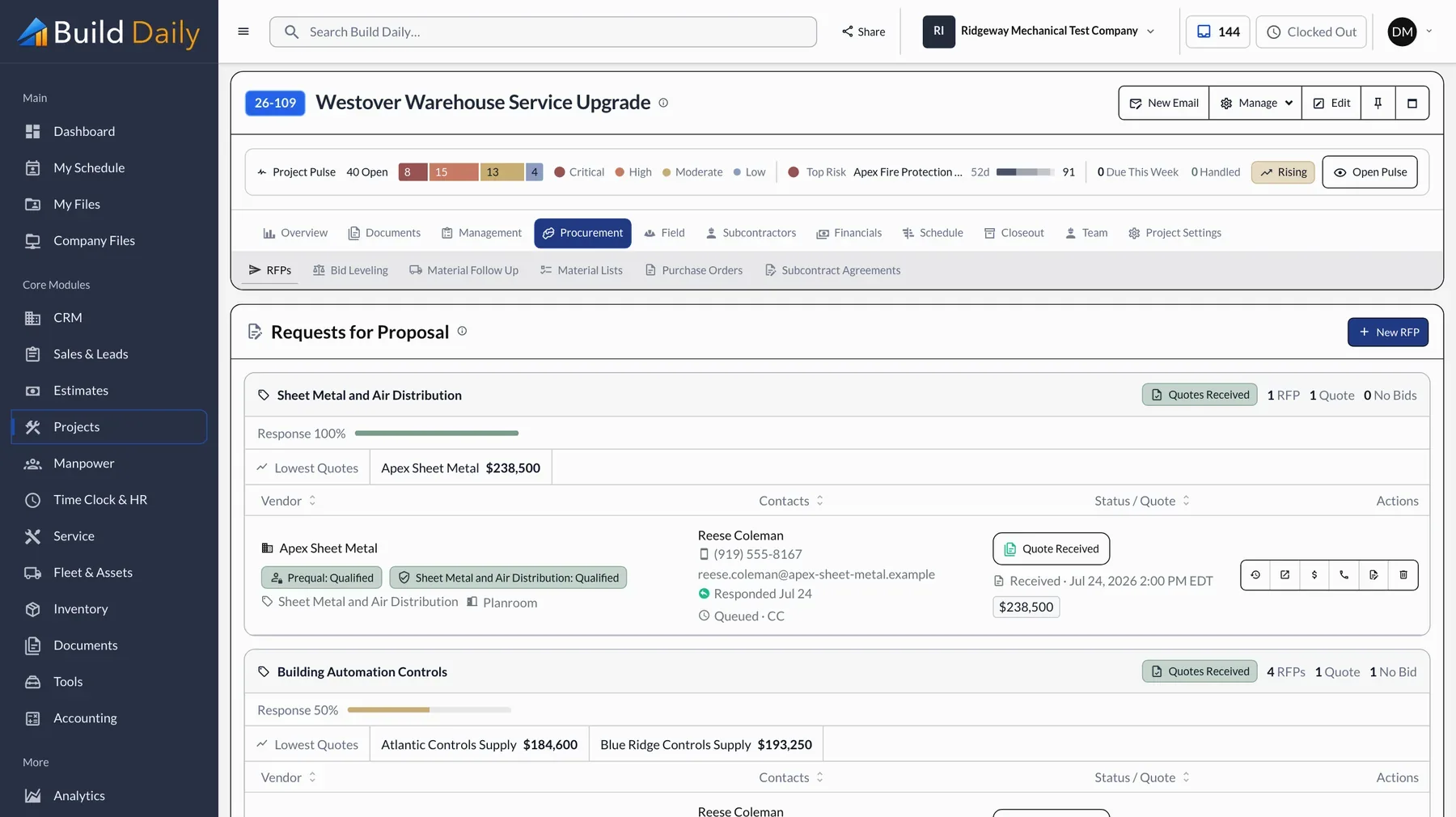
The same drawings go to supply houses and subs by scope. They open the request from the email without an account, and the estimate shows who has looked and who has quoted. Quotes come back into a side-by-side comparison.
- Quote requests by scope, with the drawings attached
- Vendors respond from a link without an account
- A record of who opened the request and who quoted
- Quotes side by side by scope
-
Set Up the Job From the Estimate
When the bid is won, the job is created from the estimate. The budget, cost codes and schedule of values are in place the first time the PM opens it.
- Budget by cost code from the estimate
- Schedule of values ready for billing
- Standard job folders created
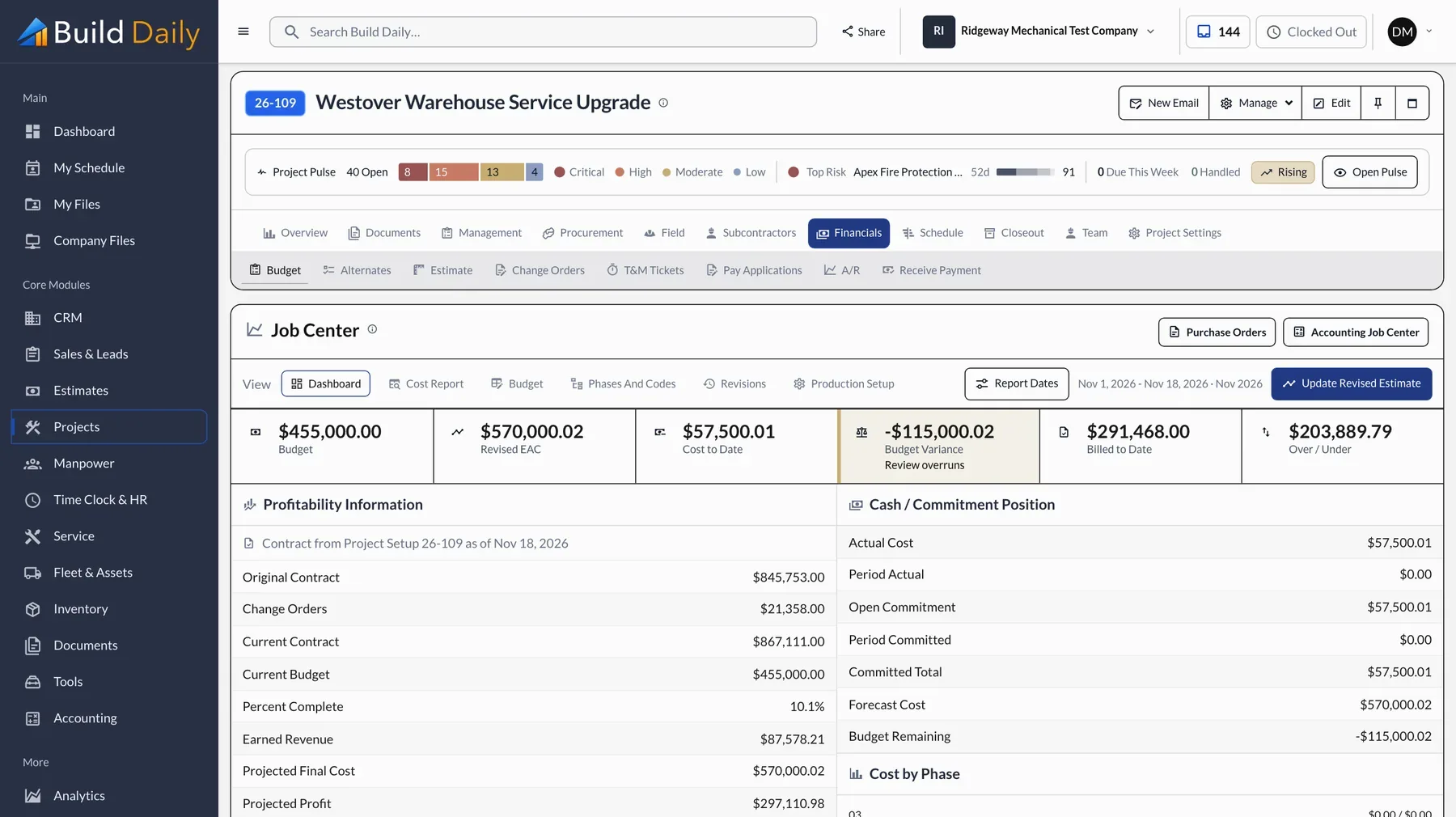
- Contract, committed cost and projected profit on one page
-
Run RFIs and Submittals
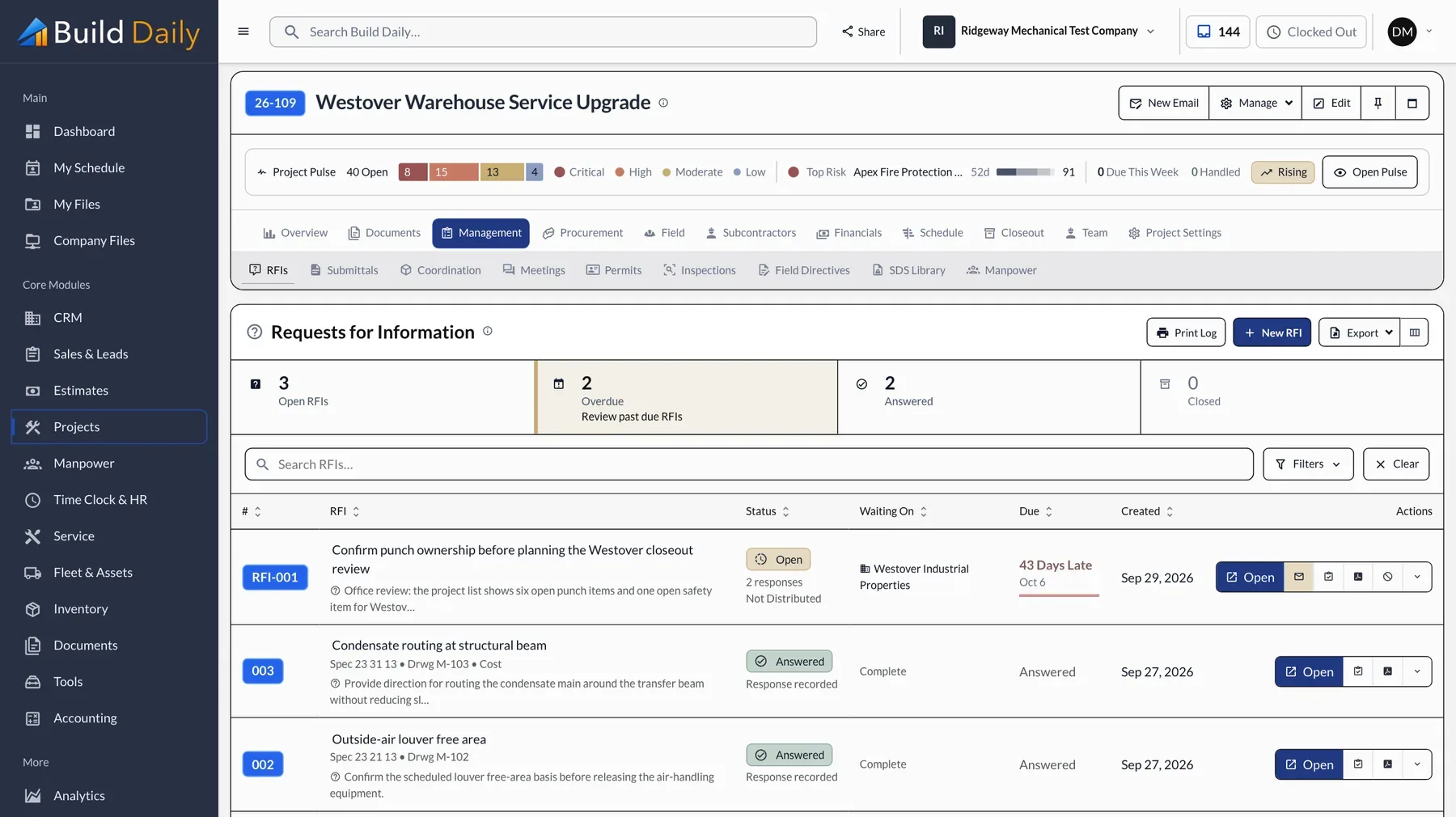
RFIs and submittals go out numbered, with the cover sheets built. The architect answers from the email link, and the logs show who holds each item and for how many days.
- Numbered RFI and submittal logs
- Who holds each item and for how many days
- Delivery and open tracking on every send
- Replies filed on the job
-
Get the Extra Signed
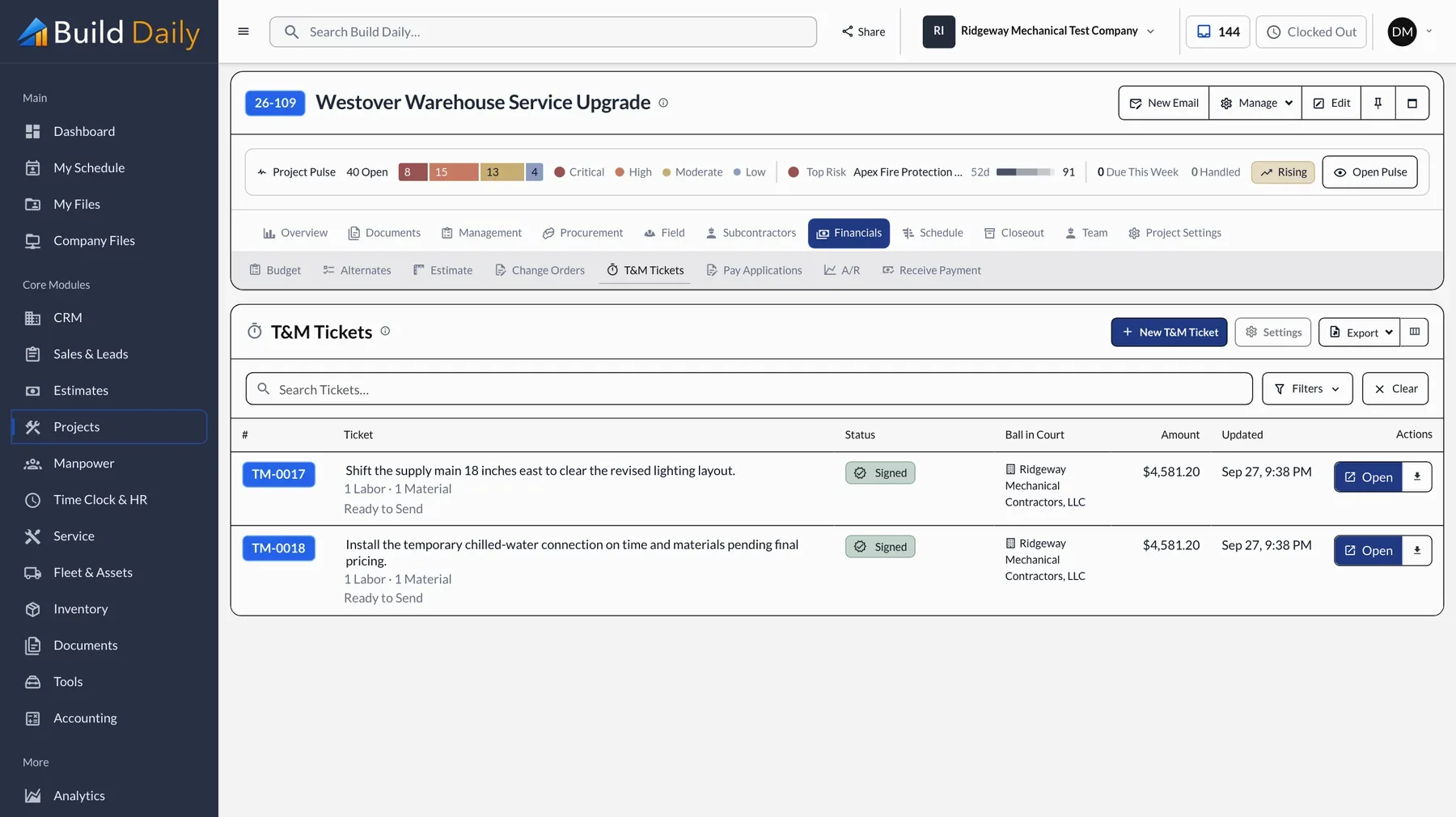
The foreman writes the T&M ticket on a phone and the GC's super signs it before the work starts. The office prices it, turns it into a change order, and it bills on the next pay app.
- Labor, material and equipment on the ticket
- Signature on the phone, with or without signal
- The signer sees the work, not the prices
- Priced at the office and billed through a change order
-
Bill the Month
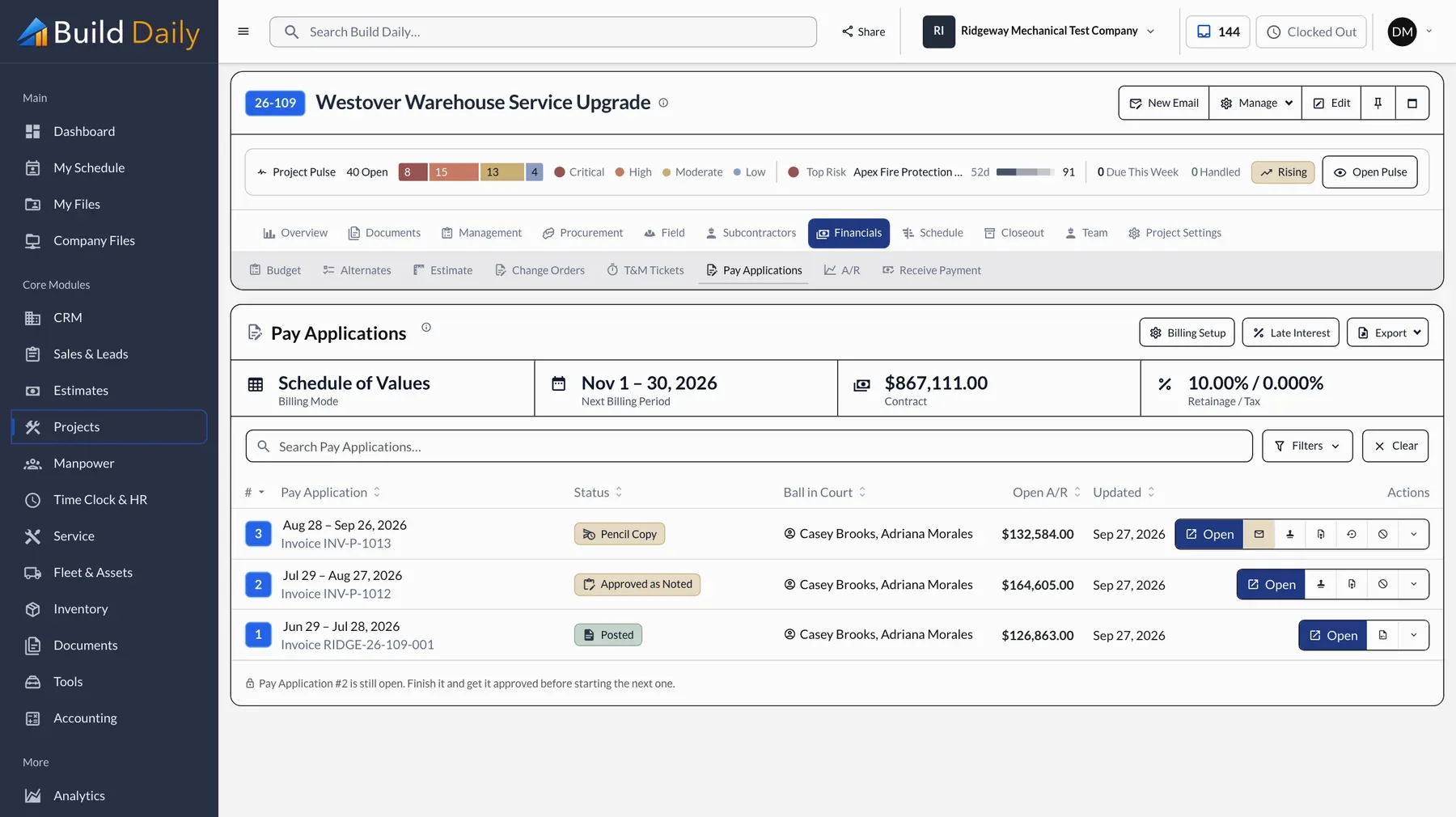
The pay app comes off the schedule of values with the G702 and G703 filled in, including retainage and stored material. If you're the GC, subs bill you the same way, and a lapsed insurance certificate shows before you pay.
- G702 and G703 pay applications
- Retainage and stored material
- Approved change orders on the schedule of values
- Sub pay requests, lien waivers and insurance status
-
Schedule the Crews
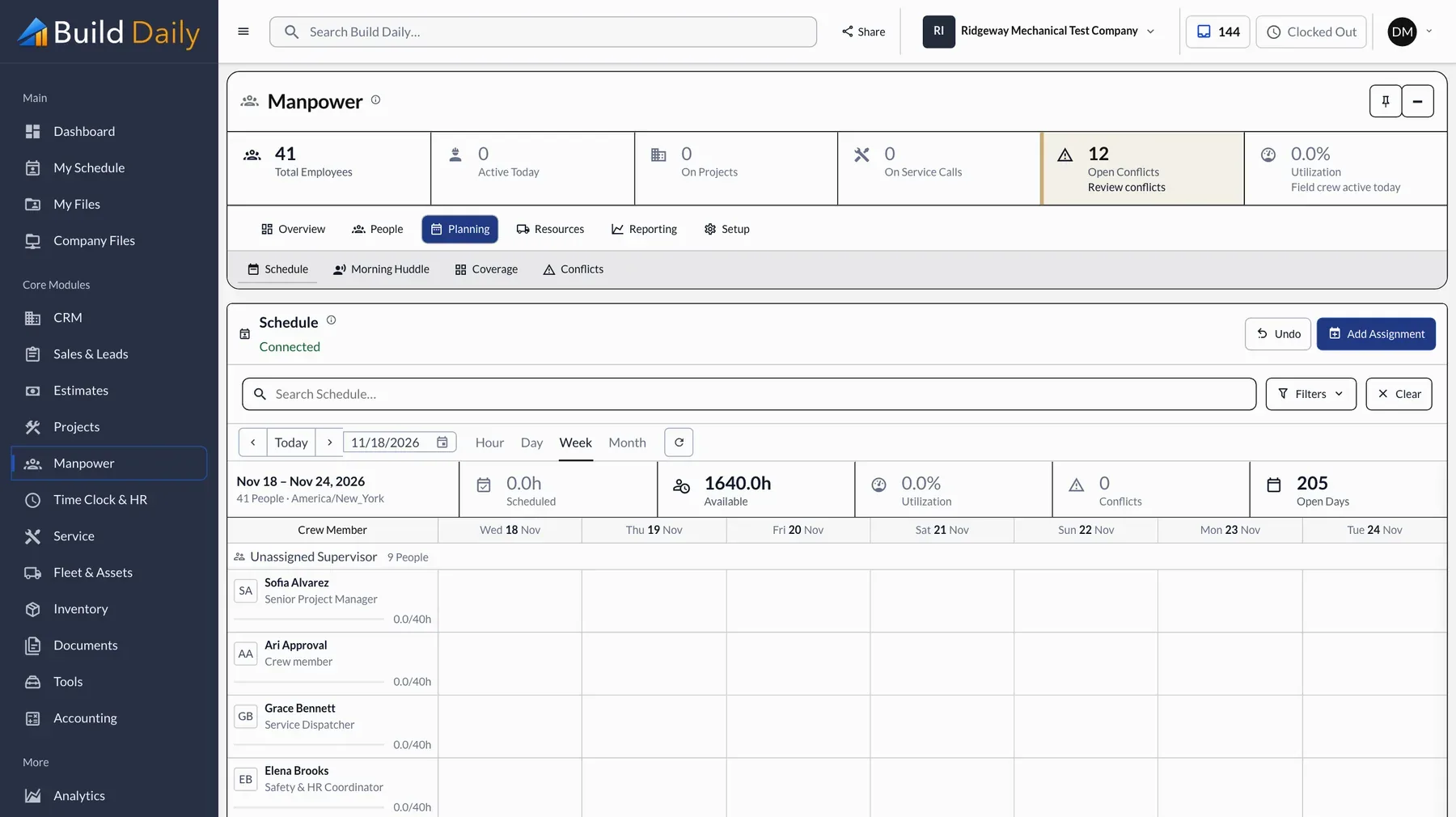
The weekly crew schedule covers every job and flags anyone booked twice. Hours come in from the time clock by job and cost code and go to your payroll service.
- Weekly crew schedule by job
- Double bookings and time off conflicts flagged
- Time clock by job and cost code
- Approved hours sent to Gusto, QuickBooks Online or ComputerEase
-
Watch the Margin
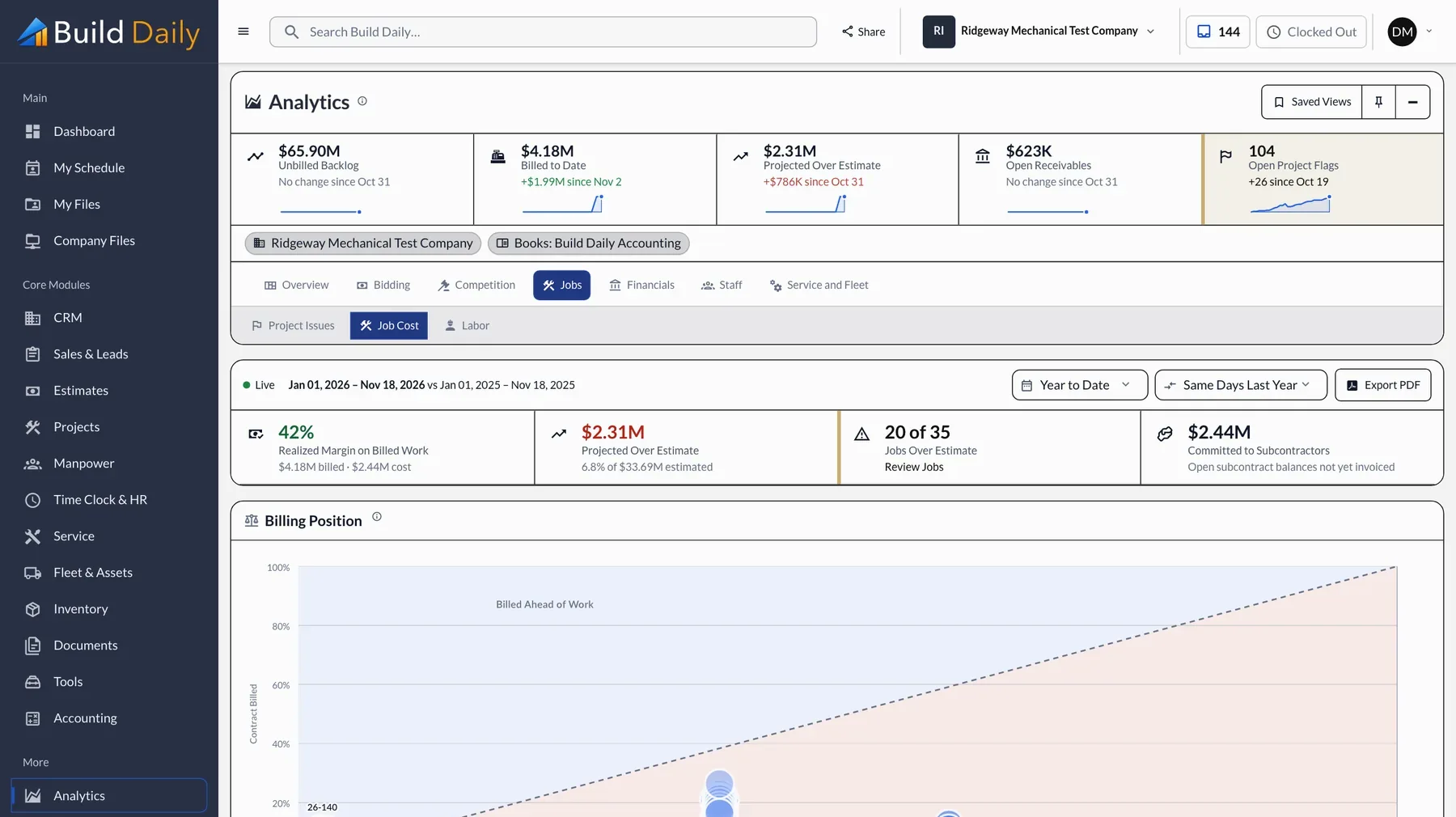
Contract, budget, committed, spent and remaining, by cost code. A job that is slipping shows up in month two, while there is still time to act.
- Budget, committed, actual and remaining by cost code
- Projected profit by job
- Jobs billed ahead and jobs billed behind
- WIP schedule for the bank and the bonding company
What you can drop
- Separate takeoff software
- A bid invitation service
- A project management subscription
- An e-signature subscription
- A file sharing service
- A time clock app
See it on your own work.
Basic is $99 a month for 5 users and Standard is $149 for 10. The time clock and crew schedule come with Pro, $199 a month for 25 users.