

A PM's week should go to running jobs, not to building submittal covers, checking whether the architect got the RFI, or keeping a billing spreadsheet on the side. Build Daily handles the paperwork and shows what is late on every job.
-
Check Every Job
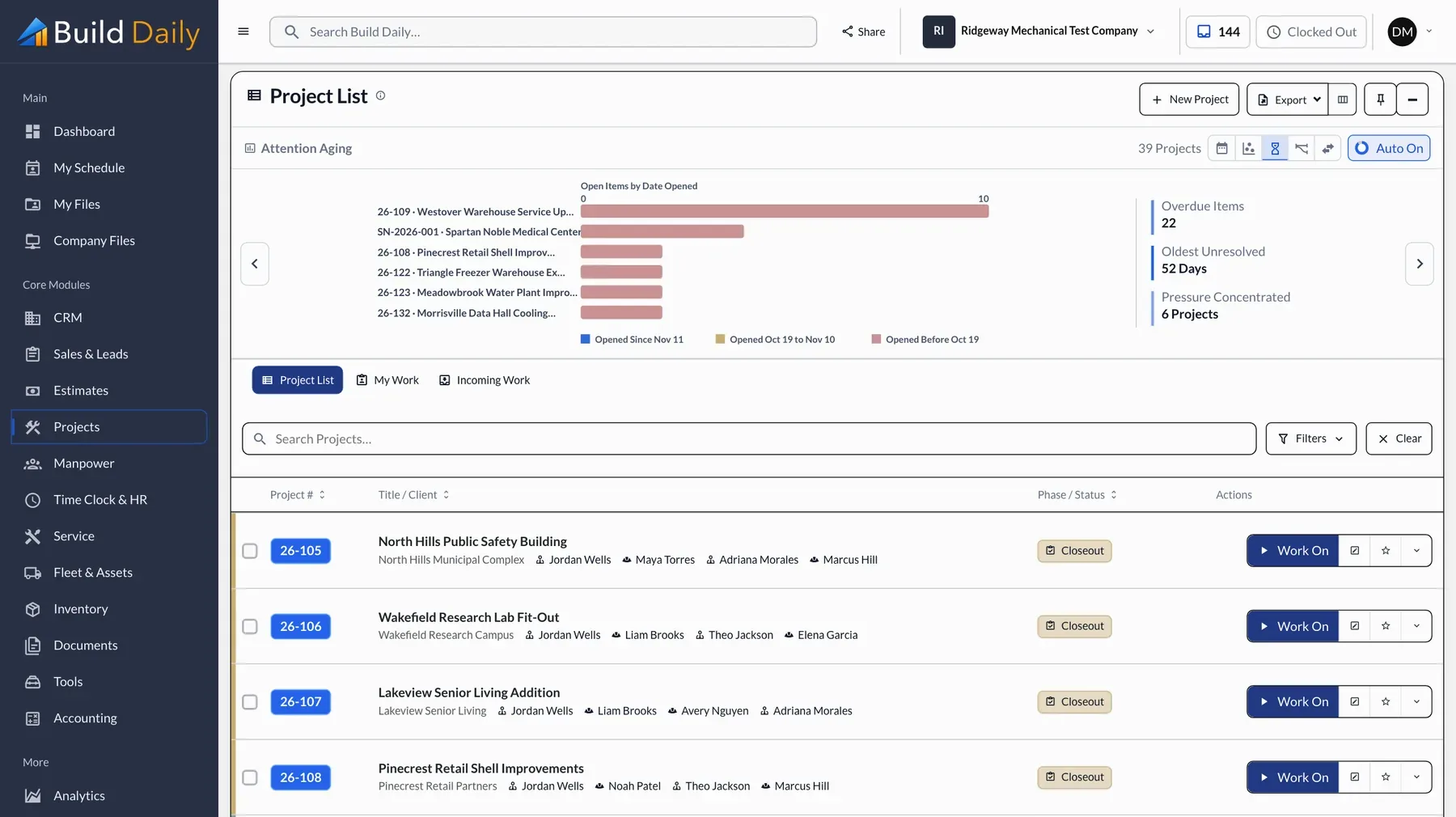
The Project List shows every job you run, with missing daily reports, unanswered RFIs and late submittals counted on each. The job that needs attention first is at the top.
- Every job with its phase and team
- What has waited longest on each job
- Late daily reports, RFIs and submittals counted
- Sorted with the most urgent job first
-
Open the Job
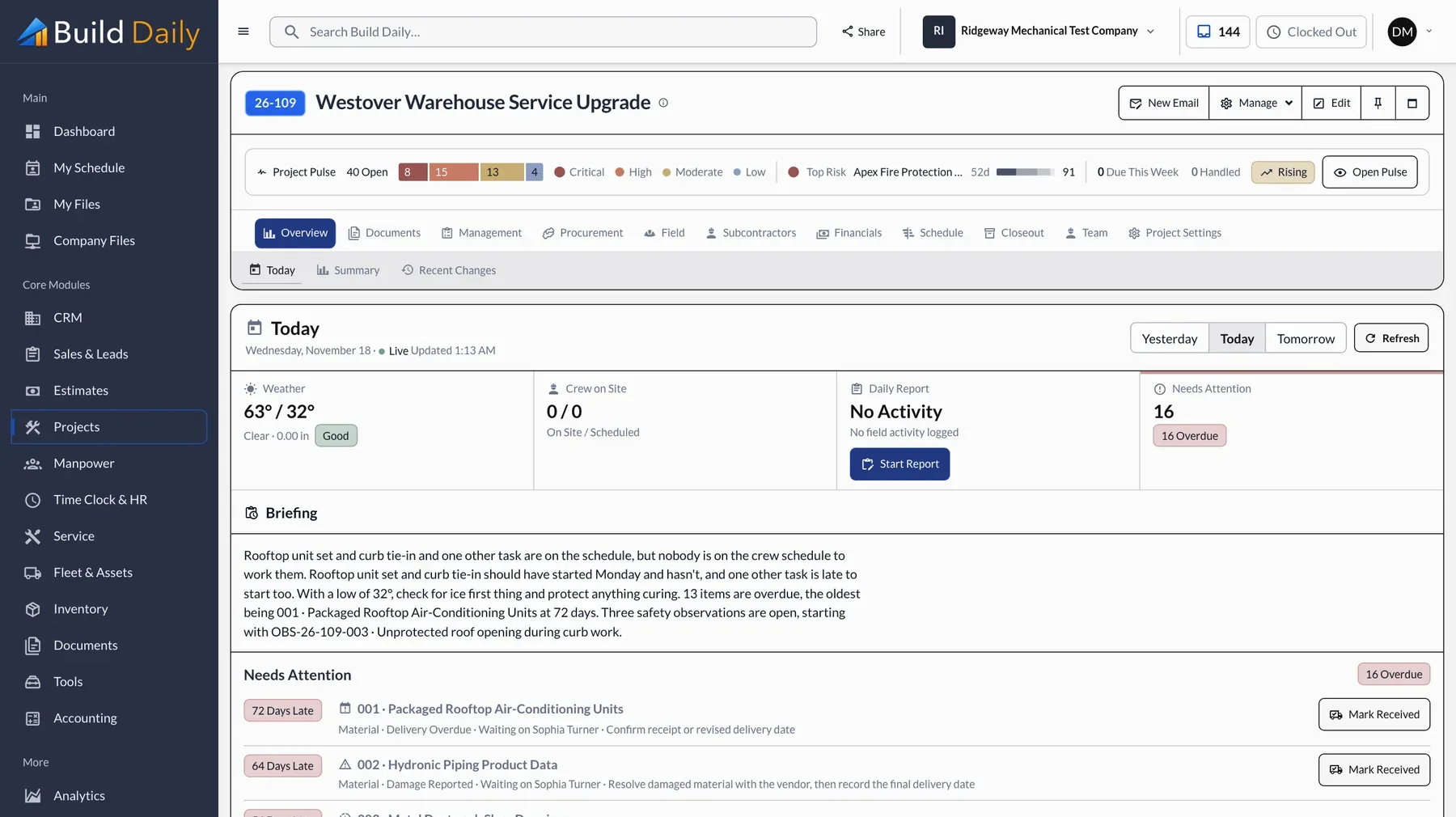
The job's Today page shows who is on site, the weather, a short briefing and overdue items ranked. You know what to follow up on before the first call of the day.
- Who's on site today
- Weather for the job's address
- A short briefing of what changed
- Overdue items ranked
-
Release the RTU Submittal
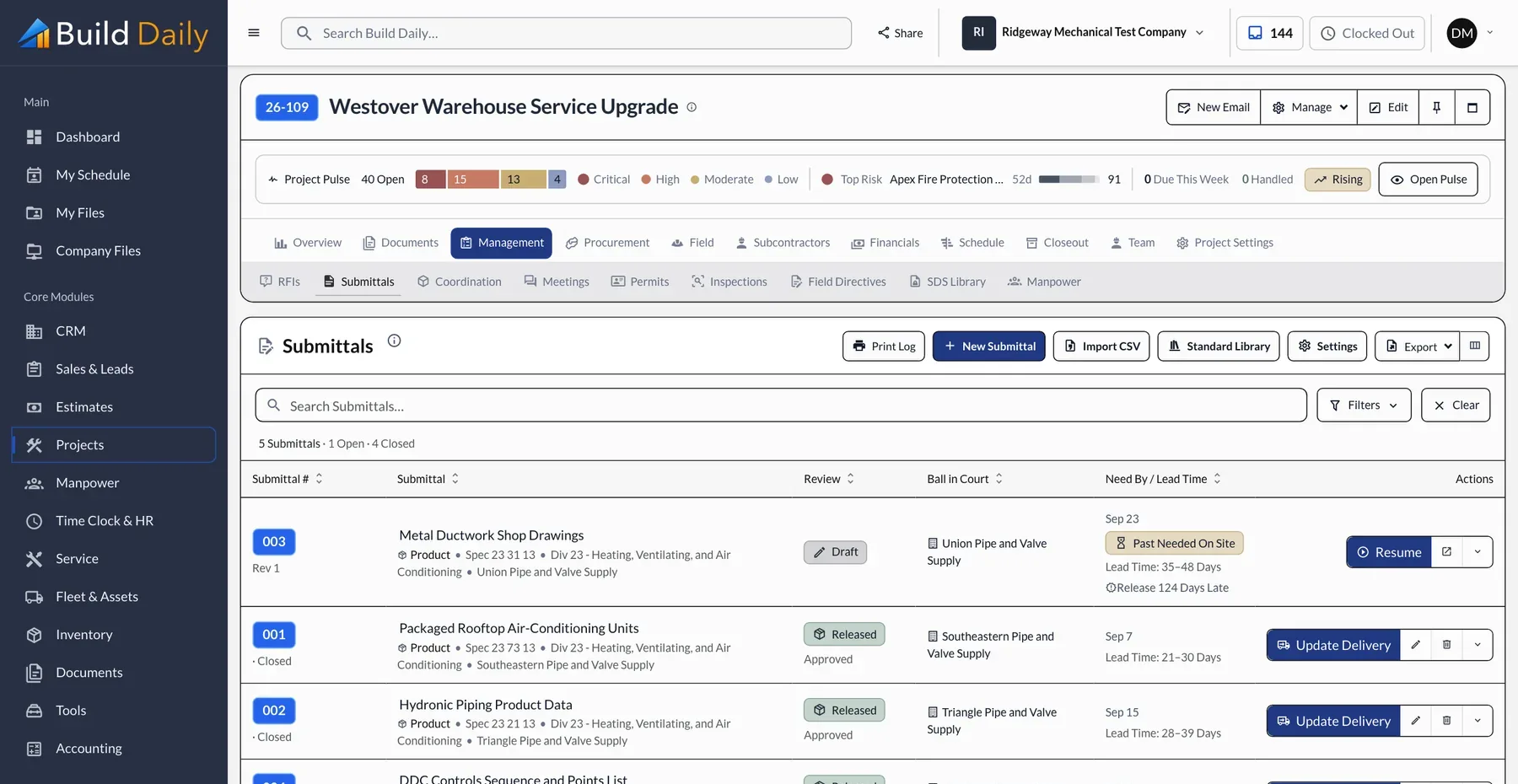
Upload the cut sheets and the package is built with its number and cover, then sent. You see when the engineer opened it, and the log shows the lead time and the days left before the units have to be on site.
- Submittal log with release status
- Cover sheet and numbering built for you
- Review days tracked
- Lead time and days until needed on site
-
Send an RFI
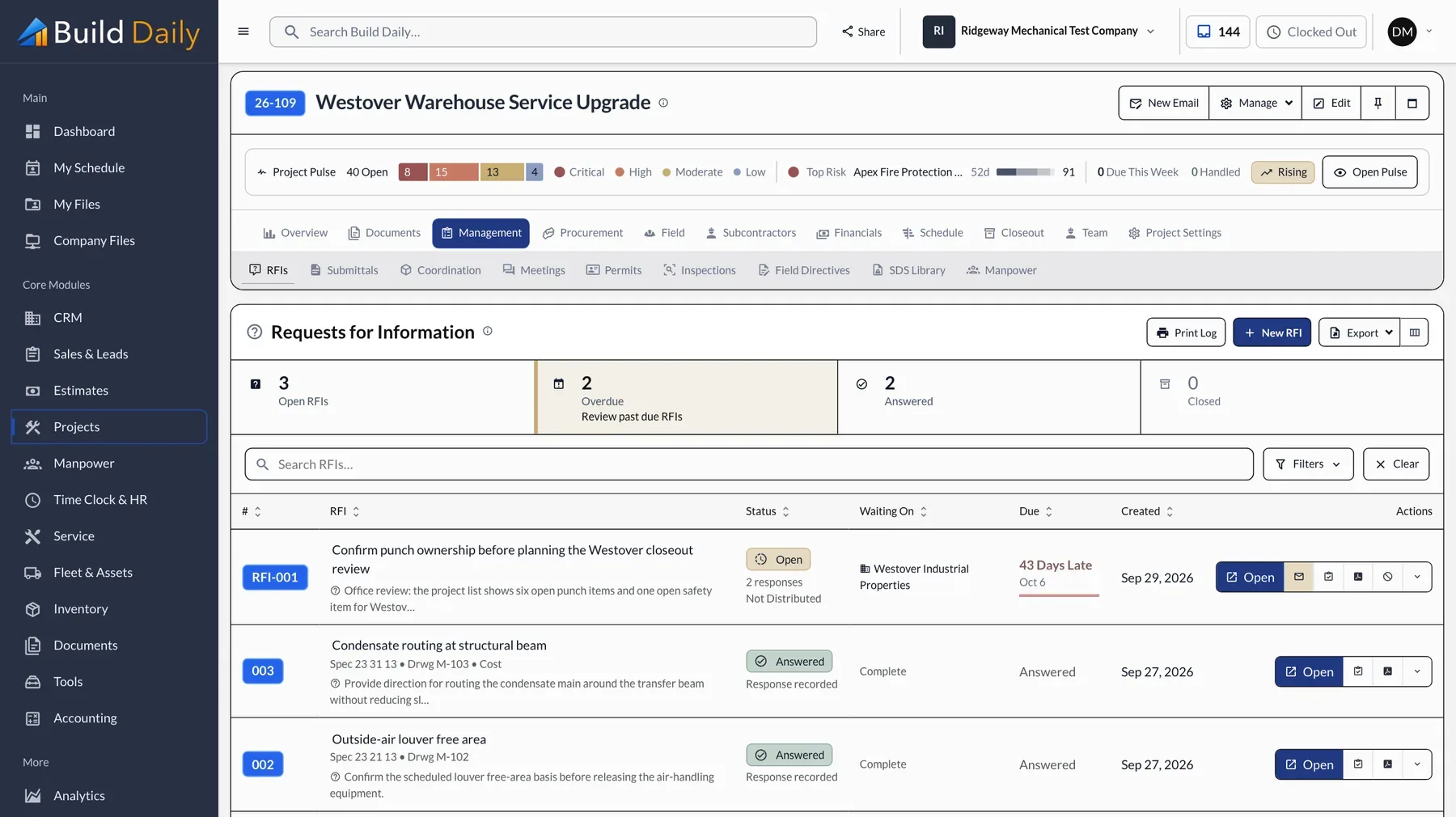
Write the question, attach a photo or a clip of the drawing, and send it. The architect answers from a link, and the log shows who holds it and how many days it has been open.
- Photos and marked-up sheets attached
- Answered from a link without an account
- Days open and who holds it
- Answers shown on the drawing
-
Price a Change Order
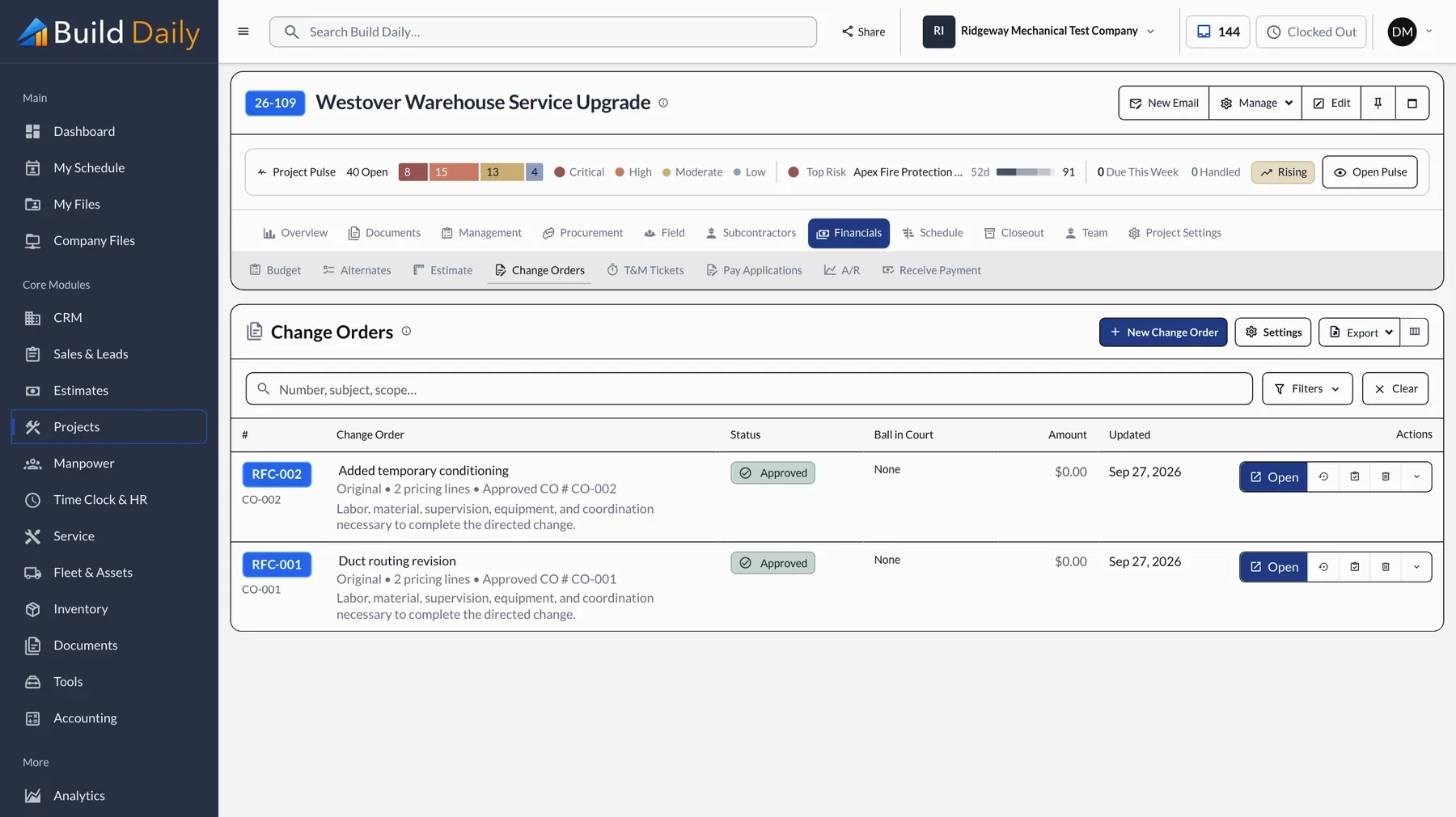
When the foreman already has a signed T&M ticket, price the change order from it and send it. The owner signs from a link, and approved lines go onto the schedule of values for the next pay app.
- Change orders priced from the signed ticket
- Sent for signature from the job
- Status and who holds it
- Approved lines added to the schedule of values
-
Submit the Pay App
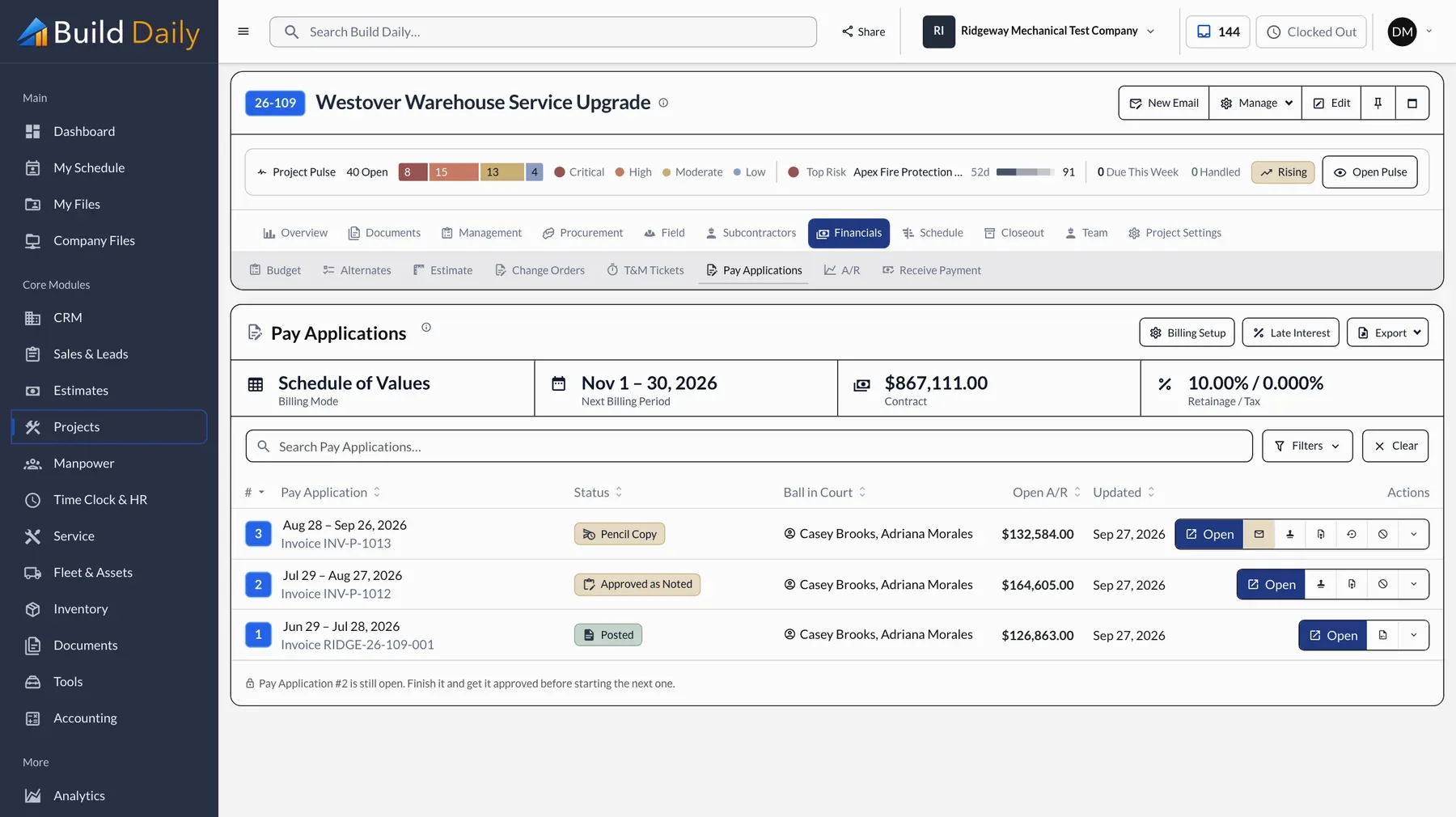
The G702 and G703 fill in from the schedule of values. Update the percentages, check the retainage and send it.
- G702 and G703 from the schedule of values
- Retainage and stored material
- Every prior application kept
- Sent and tracked from the job
-
Pay the Subs
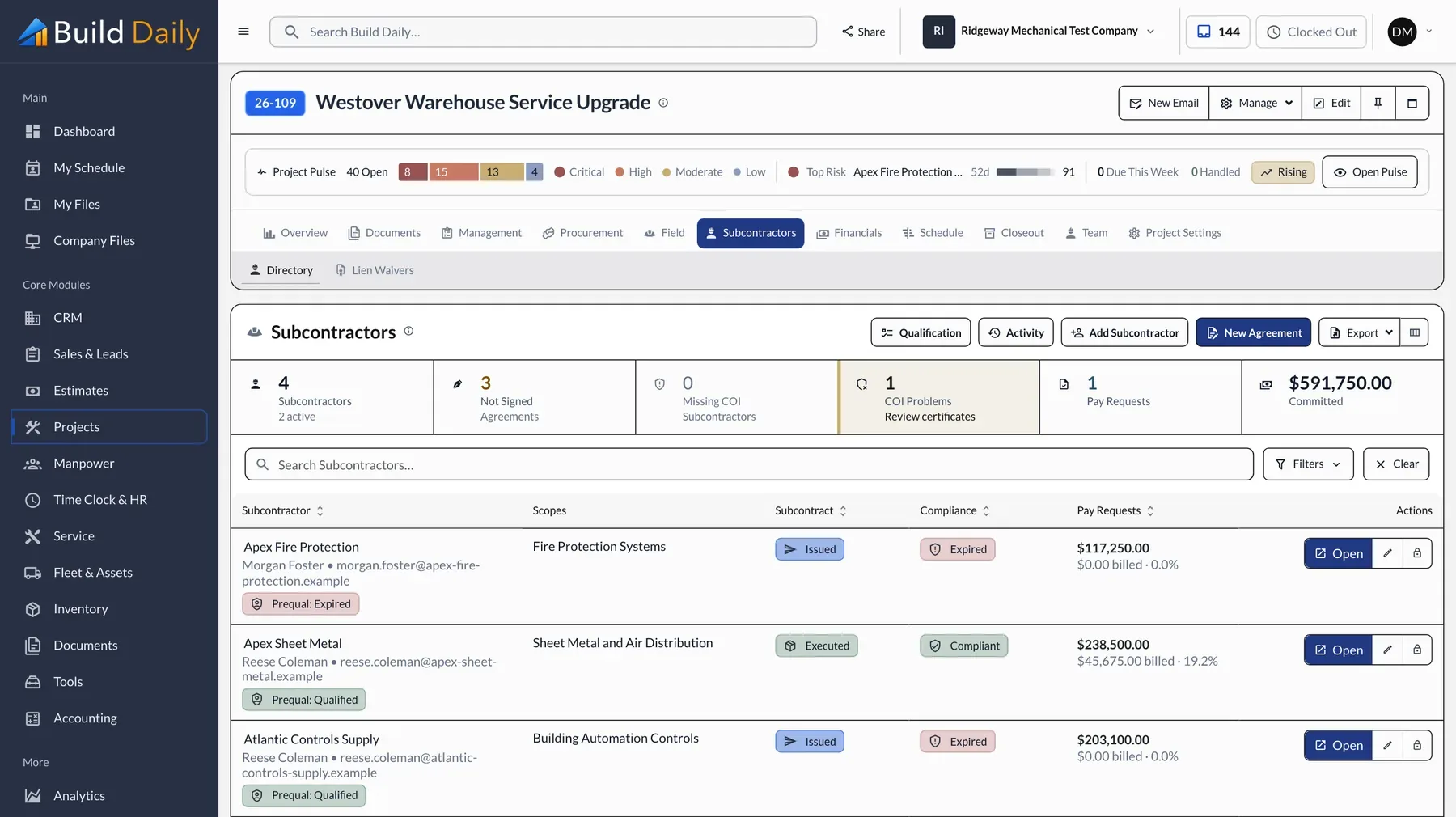
Every sub on the job is on one page with their agreement, insurance and pay request. A lapsed certificate shows before the check goes out.
- Subcontract and signature status
- Insurance certificates with expiration dates
- Sub pay requests against their schedule of values
- Lien waivers collected with the request
What you can drop
- Submittal and RFI spreadsheets
- The billing spreadsheet
- Emails asking whether they got it
- Retyping the estimate into a budget
See it on your own work.
Projects, RFIs, submittals, change orders and pay apps are in every plan, starting at $99 a month for the company.