

Estimators
Take off, price and send the bid without counting by hand.
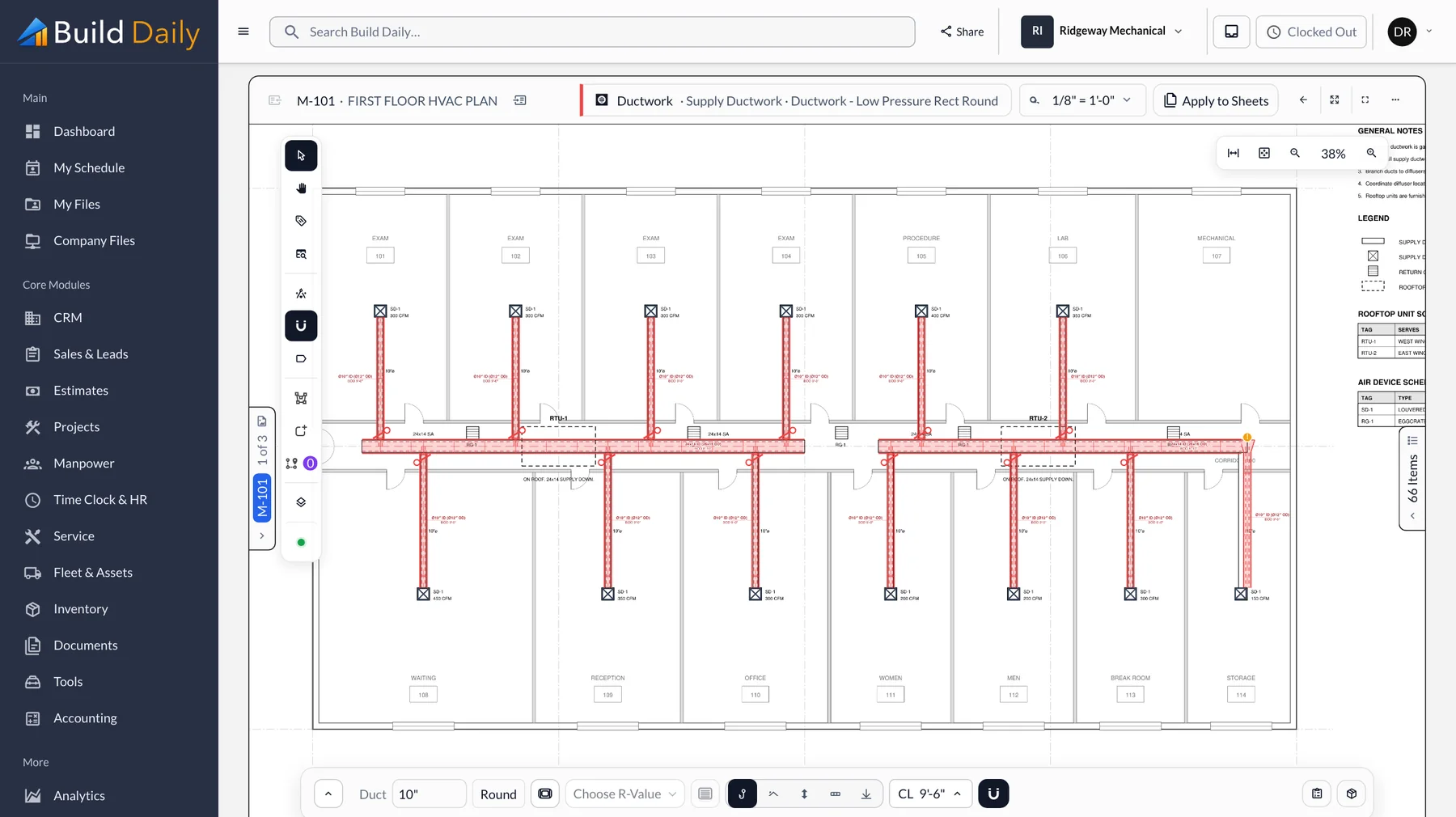
Bid day goes wrong when fittings are counted by hand and the totals live in a spreadsheet nobody has checked. Build Daily counts as you trace, prices as you go, and sends a separate proposal to each GC you're bidding.
-
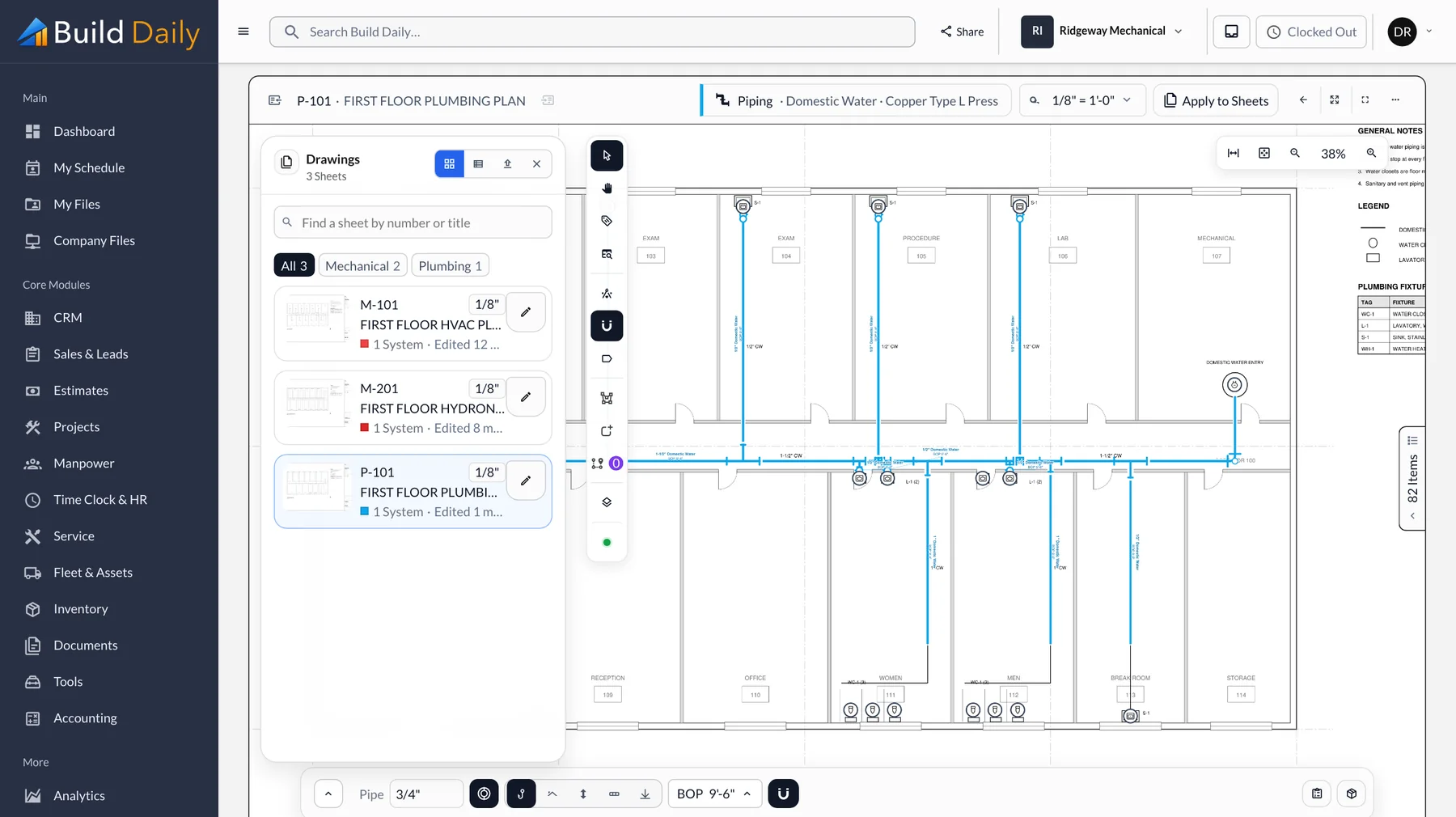
Load the Bid Set
Upload the set. Sheet numbers and titles are read from the title blocks and sorted by discipline, so the mechanical plans are ready in a minute.
- PDF sets split into sheets
- Sheet number and title read from the title block
- Filter by discipline
- Reissued sheets compared against your takeoff
-
Trace the Runs
Set the scale, pick the system and spec, and trace. Duct, pipe, plumbing and electrical runs bring their fittings, hangers and insulation with them.
- Scale set per sheet
- Runs drawn by system and spec
- Fittings added at every turn and connection
- Counts and symbol matching for fixtures and devices
-
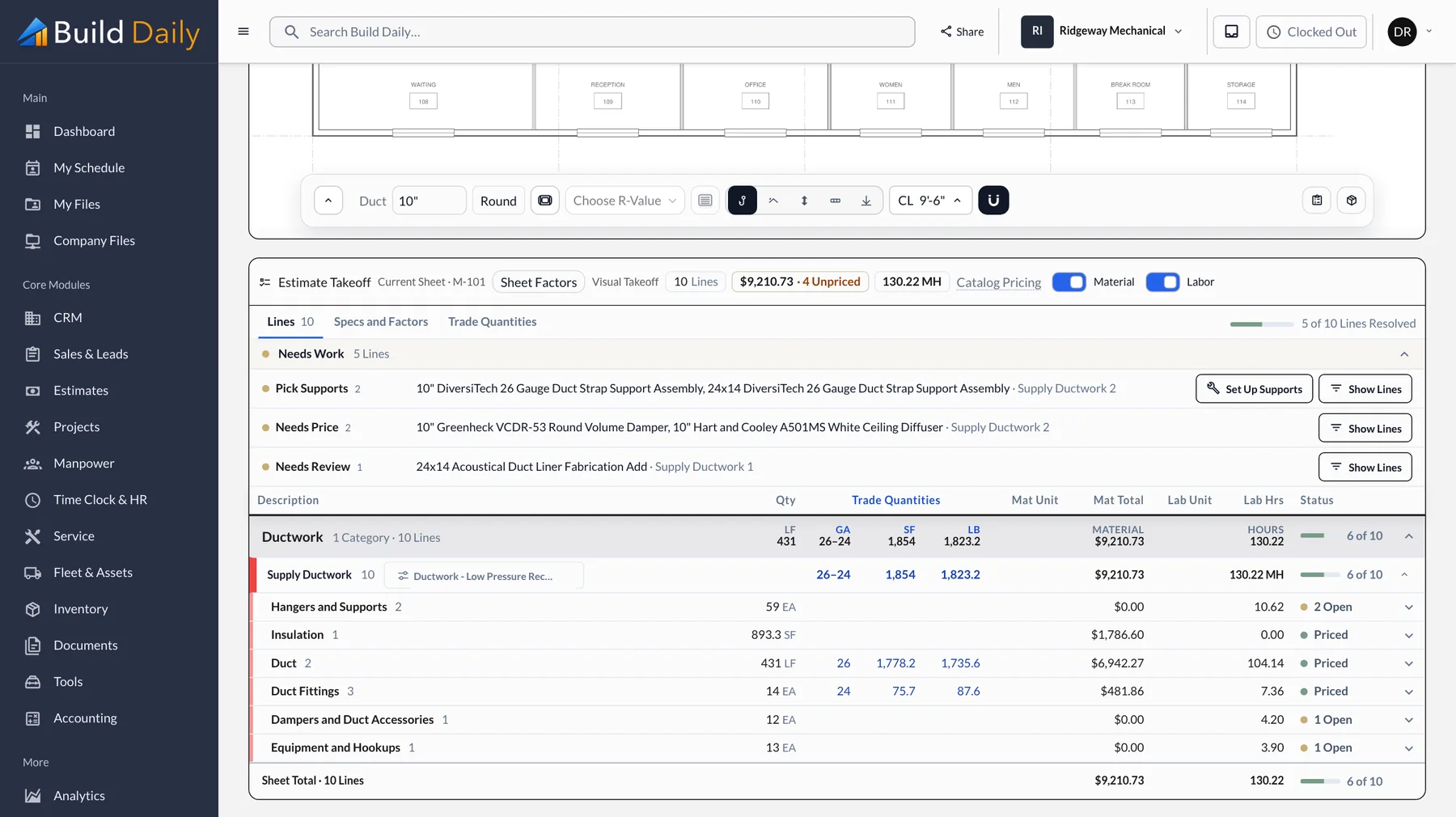
Watch the Price Build
The estimate fills in below the drawing with material priced and hours calculated. Anything without a price is flagged while you work, not after the bid goes out.
- Material priced as you draw
- Labor hours per foot and per fitting
- Unpriced items flagged
- Duct by gauge with square feet and pounds
-
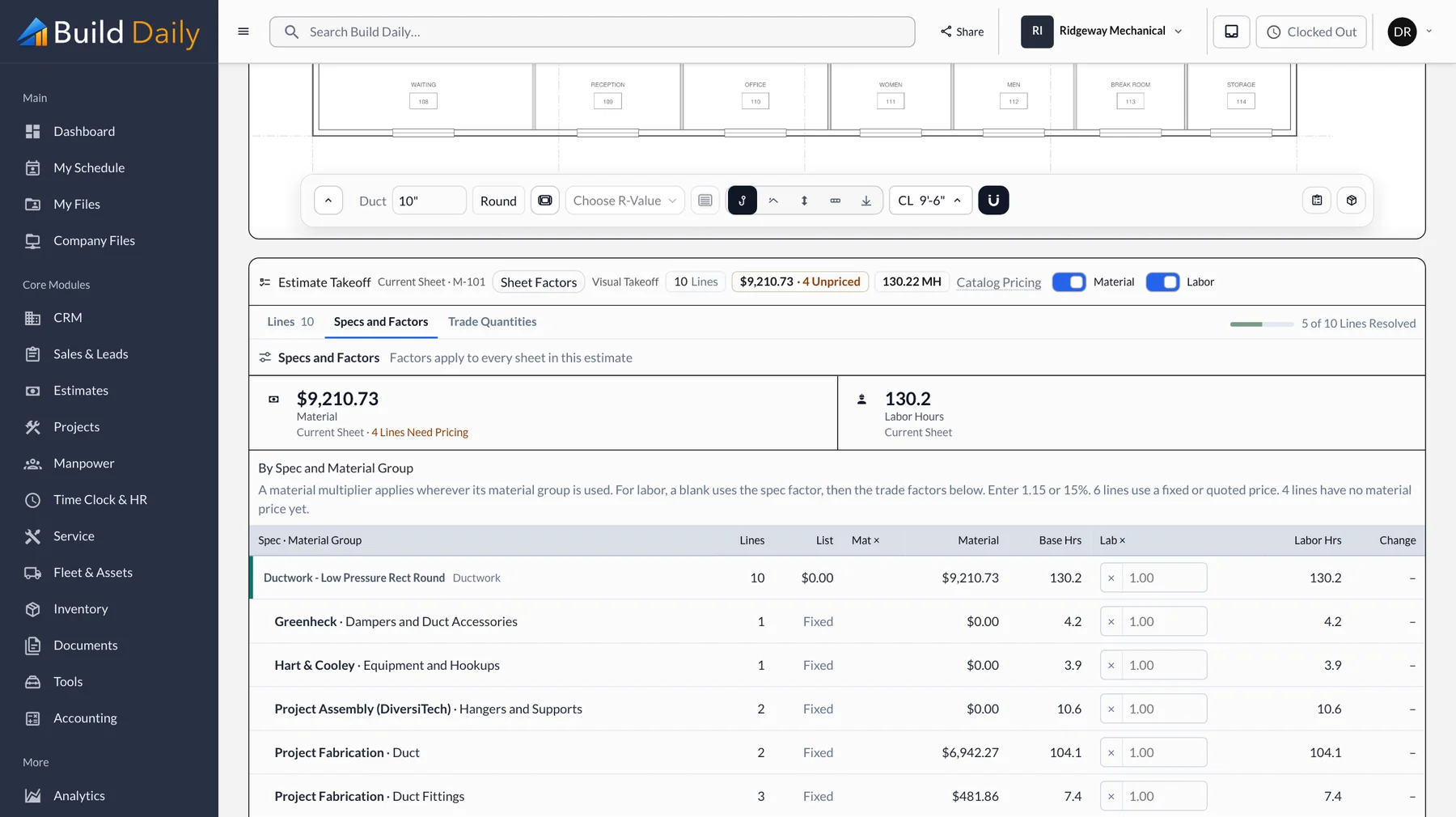
Adjust for the Job
Set labor factors and material multipliers by spec, such as a factor for work above fourteen feet, and they apply to every sheet at once.
- Labor factors by spec and material group
- Material multipliers by manufacturer
- Applied to every sheet at once
- Zones and levels to break out the job
-
Level the Equipment Quotes
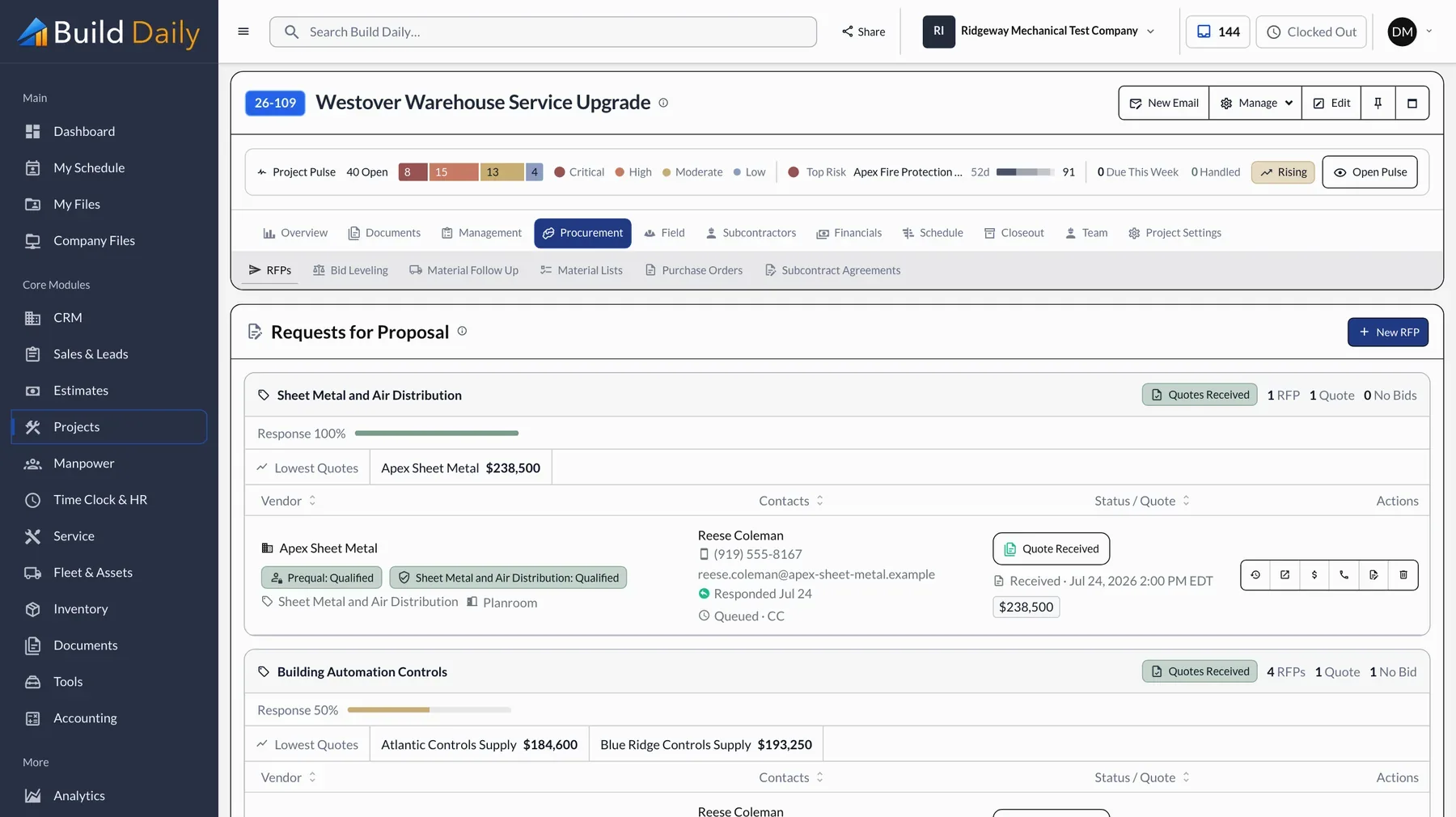
Send the drawings and scope to suppliers and see who opened the request. Quotes line up side by side, so a missing startup or freight line is easy to spot.
- Quote requests with drawings and scope
- Vendors respond from a link
- Open and response tracking
- Quotes leveled side by side
-
Send Each GC a Proposal
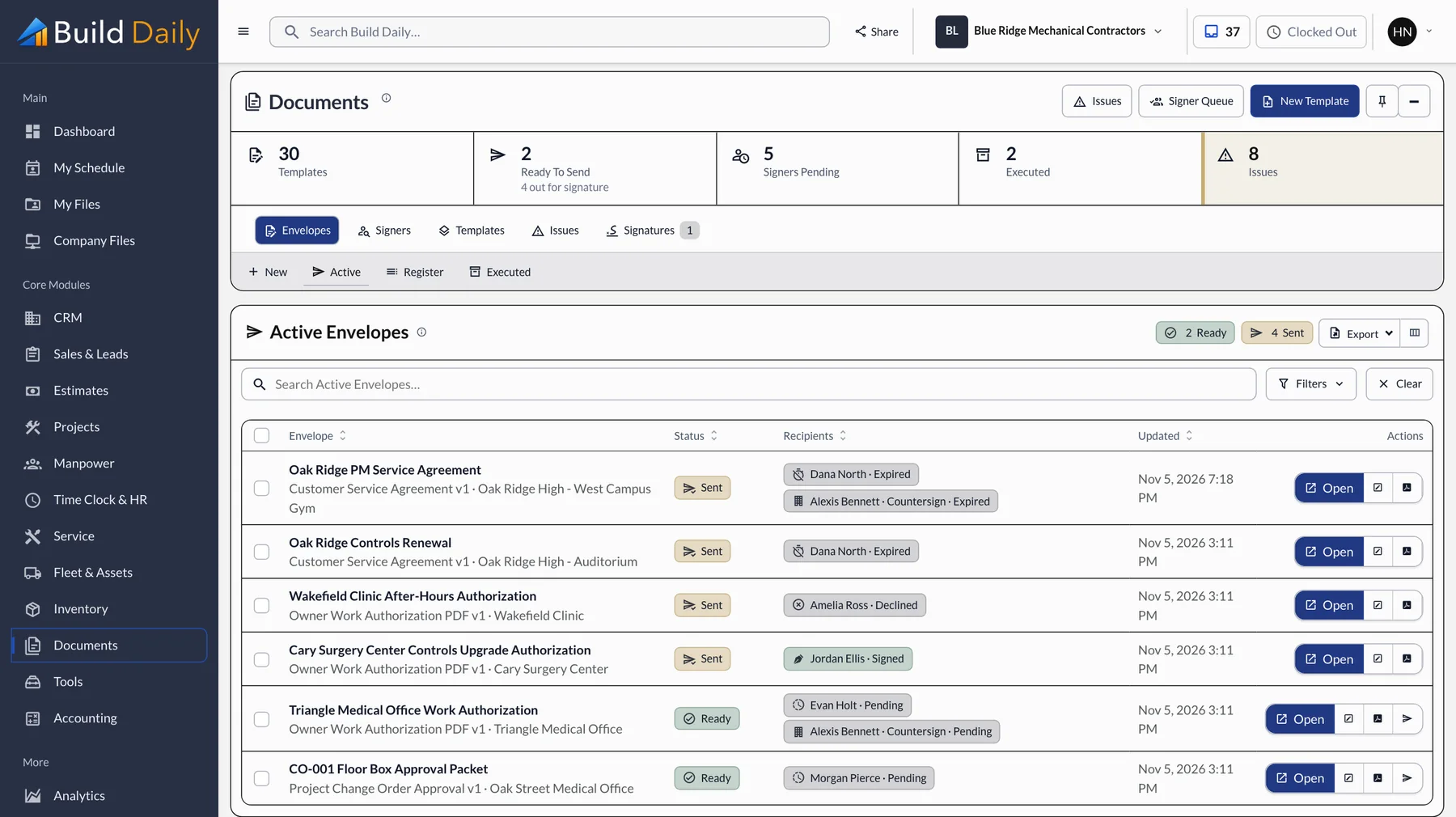
Each GC gets a priced proposal with their name on it and can accept it online. Enter the number you want to hit and the markup adjusts to match.
- A priced proposal for each GC
- Online review and acceptance
- Enter a target number and the markup adjusts
- Alternates priced next to the base bid
-
Track the Results
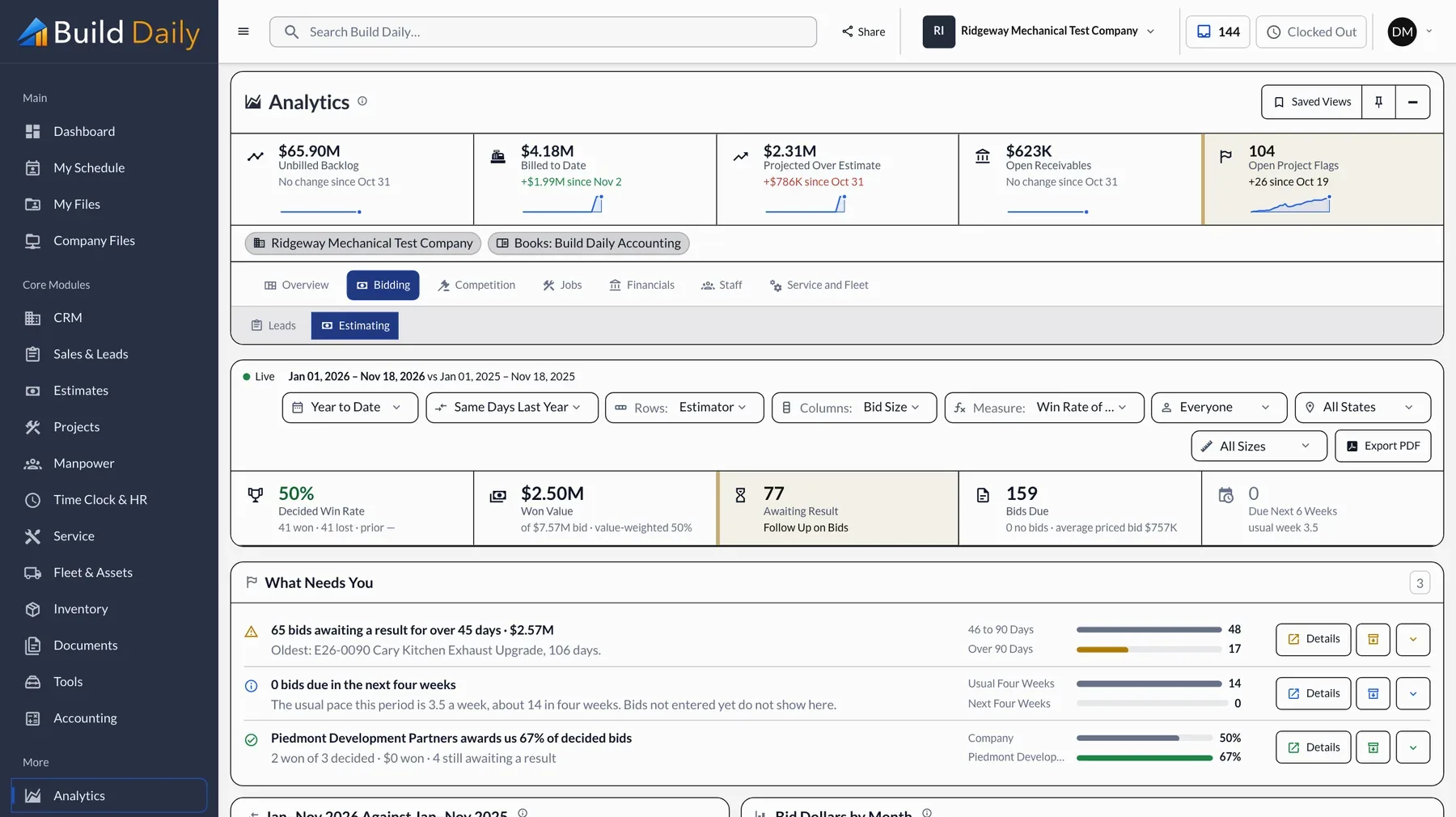
Win rate, bids still out and results against each competitor show where your pricing holds up. When you win, the PM starts from your estimate.
- Win rate and bids still out
- Bid dollars by month
- Results against each competitor
- A won bid becomes the job with its budget
What you can drop
- Separate takeoff software
- The estimating spreadsheet
- A bid invitation service
- Retyping vendor quotes
See it on your own work.
Takeoff, estimating and bid invitations are in every plan, starting at $99 a month for the company.