

Service Contractors
One service call, from the phone ringing to the payment.
A service department makes its money by sending the right tech, finishing the repair in one trip, and billing it the same day. Build Daily keeps the call, the equipment, the truck stock and the invoice on one ticket.
-
Take the Call
Search for the customer while they're on the line. Their sites, the equipment at each one, and any agreement or warranty come up on the call screen, and the call is on the board before you hang up.
- Customer lookup with every site and unit
- Agreement and warranty status on the call screen
- Call types for repair, warranty and planned maintenance
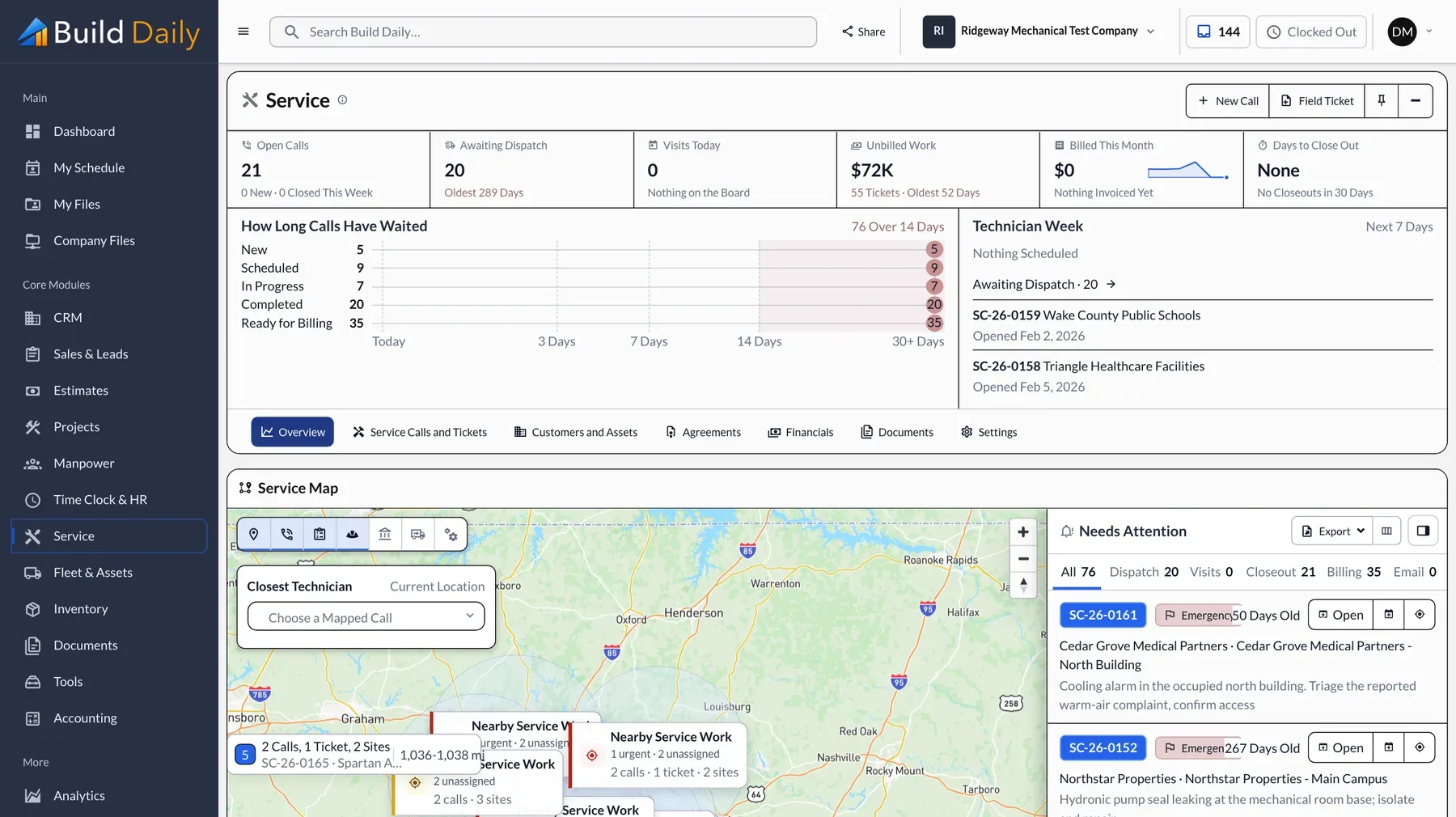
- Open calls on a map with time waiting
-
Dispatch the Right Tech
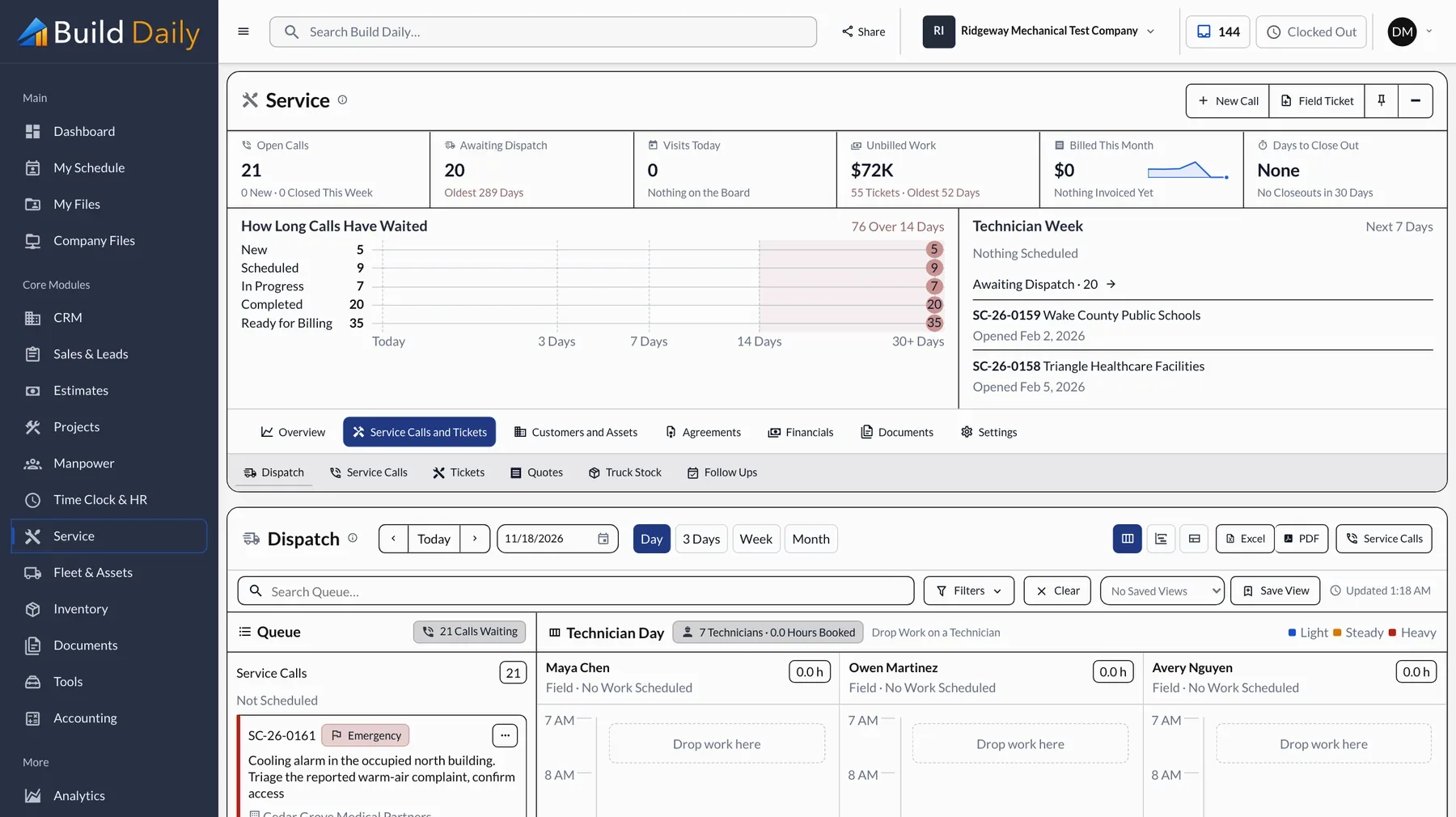
Waiting calls sit beside each tech's day. Build Daily suggests a tech based on drive time and qualifications and shows its reasons. Drag the call to the tech and it's on their phone.
- Dispatch board by day
- Suggested tech with real drive times and reasons
- Warnings for long drives and double bookings
- Best route for the rest of a tech's day
-
Diagnose at the Unit
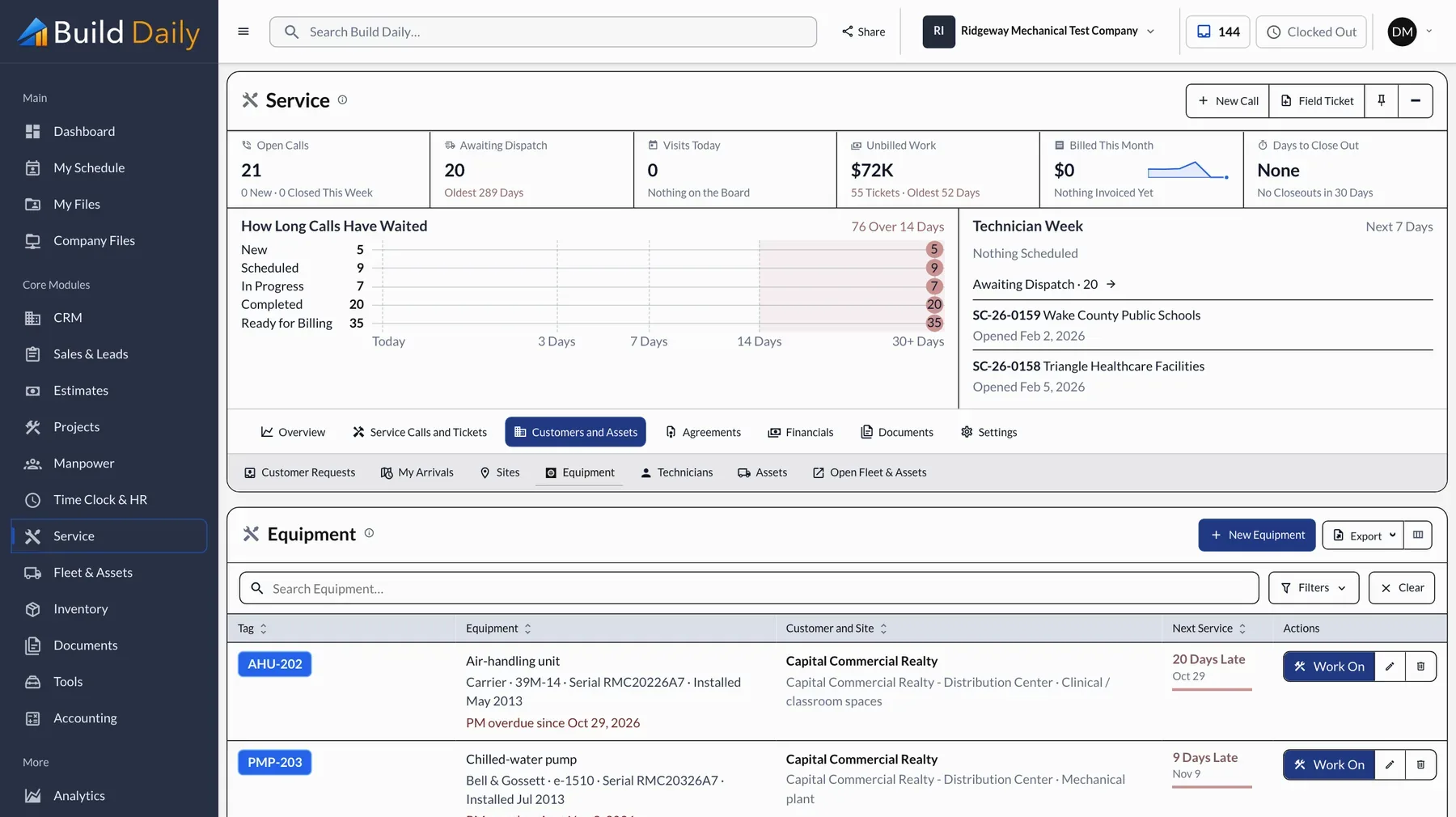
The tech sees the unit's service history before opening the panel. A photo of the nameplate fills in the model and serial. If the repair needs a quote, it's written on site and becomes the ticket once the customer approves it.
- Service history on every unit
- Model and serial filled in from a nameplate photo
- Quotes written on site that become the ticket
- Notes and photos on the ticket
-
Use Parts From the Truck
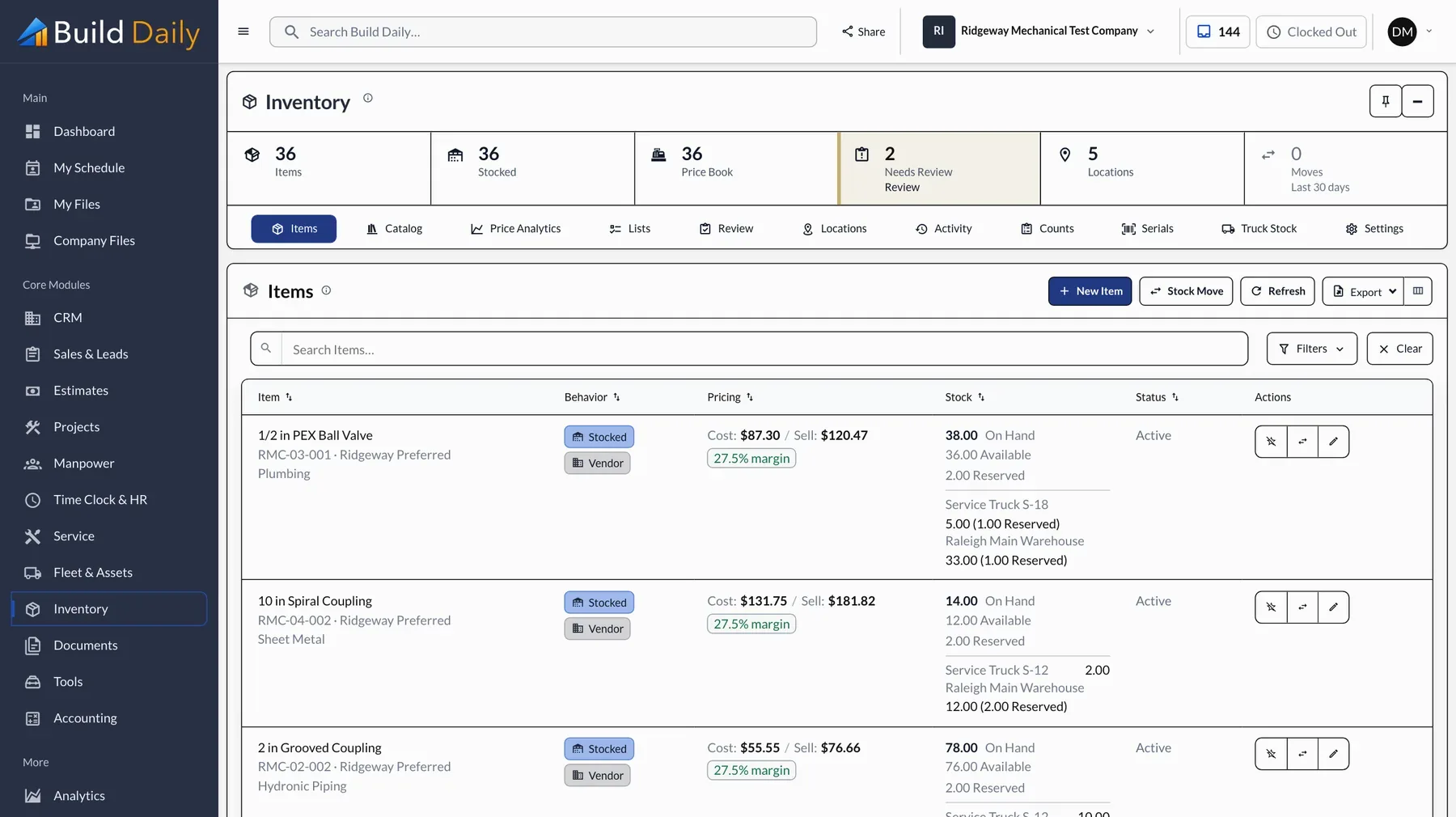
Parts pulled from the truck go on the ticket and come off that truck's stock. The office sees what was used, what it cost and what to restock.
- Stock by warehouse and by truck
- Cost and sell price on every part
- Parts used go onto the ticket
- Restock lists and counts
-
Close the Ticket
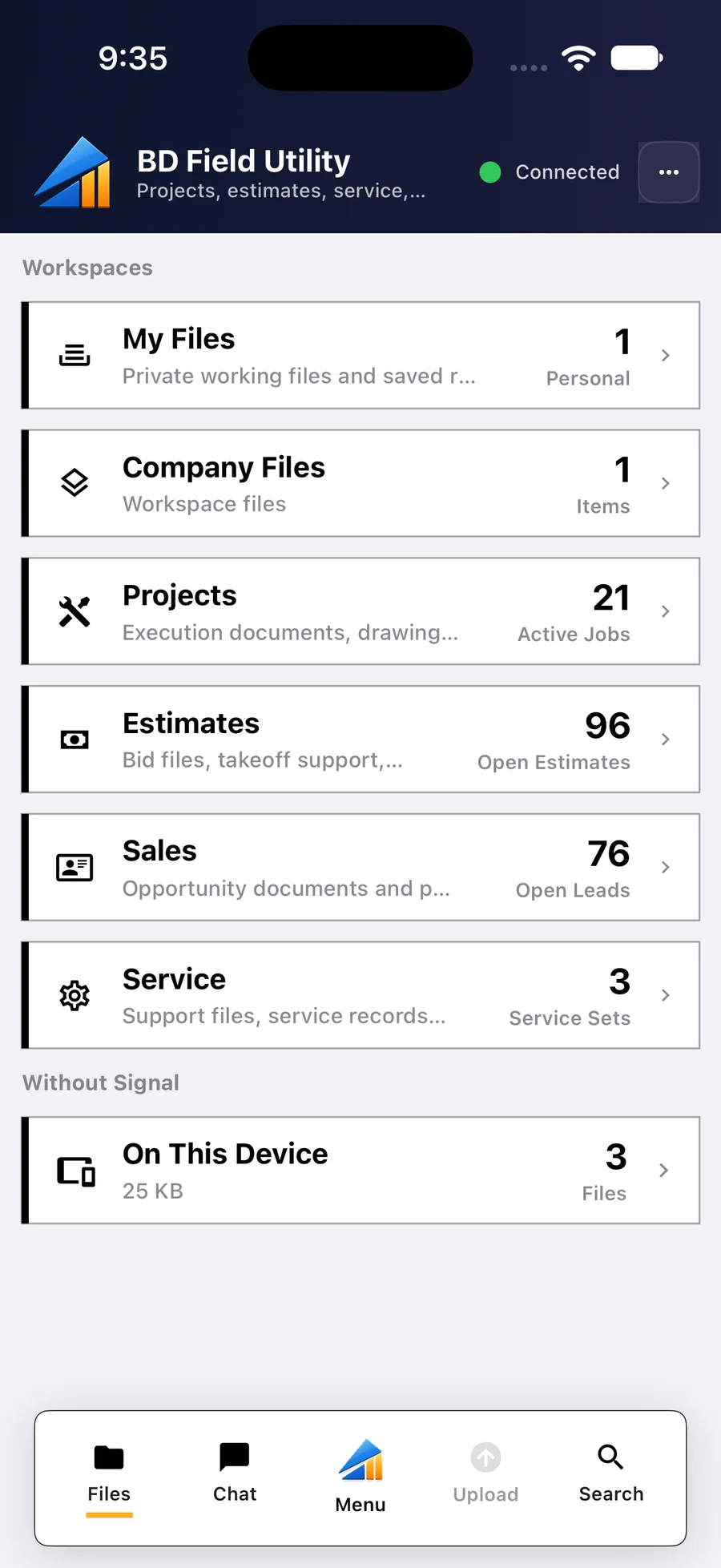
The customer signs on the tech's phone and the tech moves to the next call. Time, parts, notes and photos are already on the ticket.
- Customer signature on the tech's phone
- Time, parts and photos on one ticket
- Works without signal and sends later
- The next call already on the list
-
Bill the Same Day
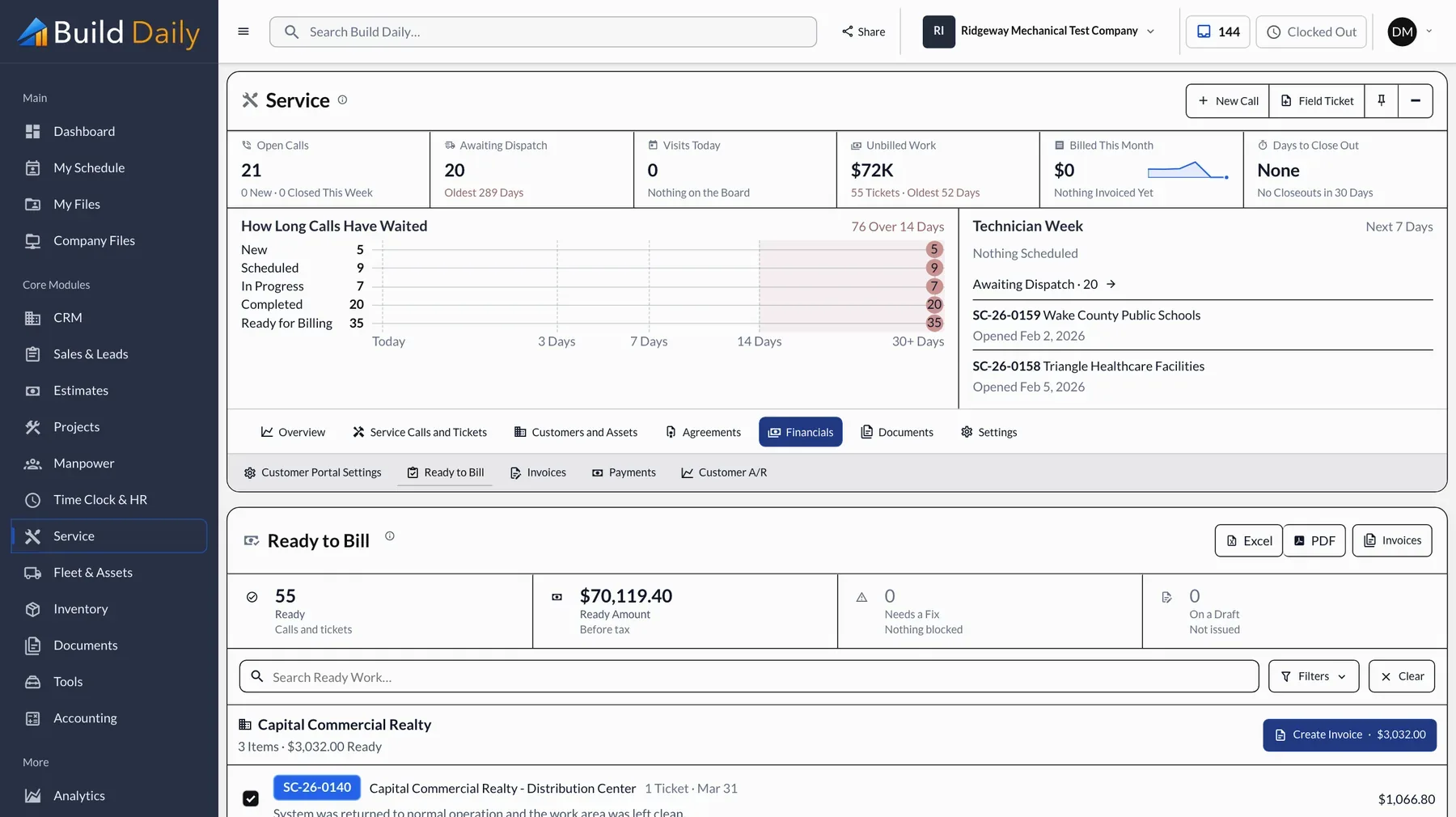
Finished tickets line up by customer on the Ready to Bill list. Invoices go out that afternoon, and customers pay from a link.
- Ready to Bill list grouped by customer
- Invoices built from the ticket
- Online payment from a link
- A customer portal for calls, quotes and invoices
-
Run the Agreements
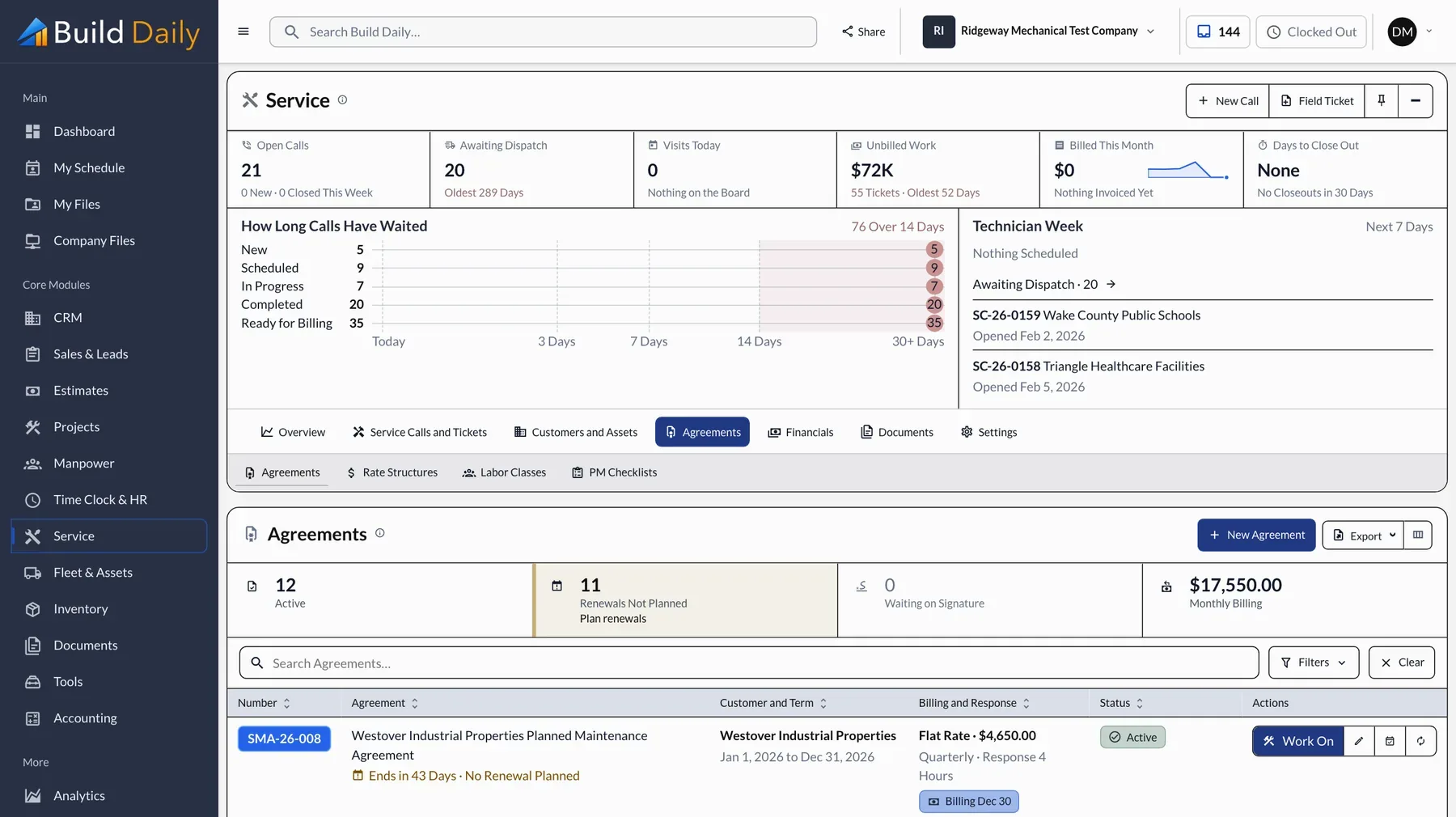
Each maintenance agreement knows when its visits are due, opens those calls itself, and drafts the invoices for review. The September filter change at the bank branch gets scheduled without anyone remembering it.
- Maintenance agreements with scheduled visits
- Visits that open their own calls
- Billing terms and renewal dates
- Invoices drafted for review
What you can drop
- Separate field service software
- The dispatch whiteboard
- Paper tickets
- The inventory spreadsheet
- Mailed invoices and paper checks
See it on your own work.
Service is part of Pro: $199 a month for up to 25 users, dispatchers and techs included.