

How to Manage Construction Submittals
Late submittals turn into late equipment.
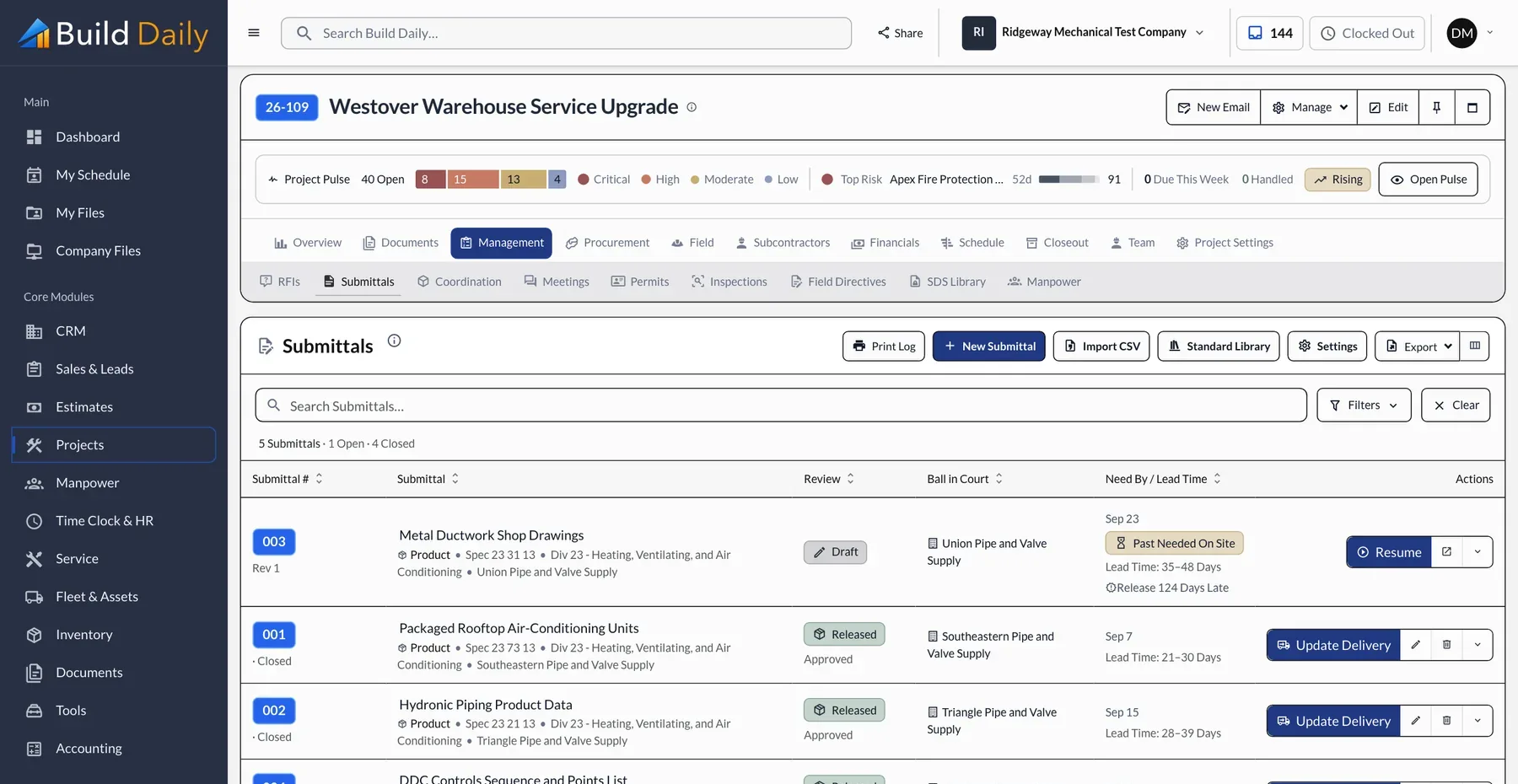
Submittals aren't complicated, but they are repetitive, and the costly ones are the long-lead items that sat too long. Prioritize by lead time, keep every package moving, and follow the material after approval.
How a submittal gets approved
- Your PM Uploads the cut sheets
- Build Daily Numbers, stamps and binds the PDF
- The Engineer Reviews it from a link
- Your PM Releases it for fabrication
- The Field Logs the delivery
-
Prioritize by Lead Time
Build the list from the specs and sort it by lead time. A rooftop unit with a fourteen-week lead goes out before the grilles. Build Daily shows the lead time and the days left until each item is needed on site.
-
Stop Assembling Packages by Hand
Cover sheet, stamp, combined PDF, email, log entry. That is about forty minutes per submittal. In Build Daily you upload the cut sheets, fill in a short form, and the numbered package goes out with your logo on it.
-
Confirm the Reviewer Opened It
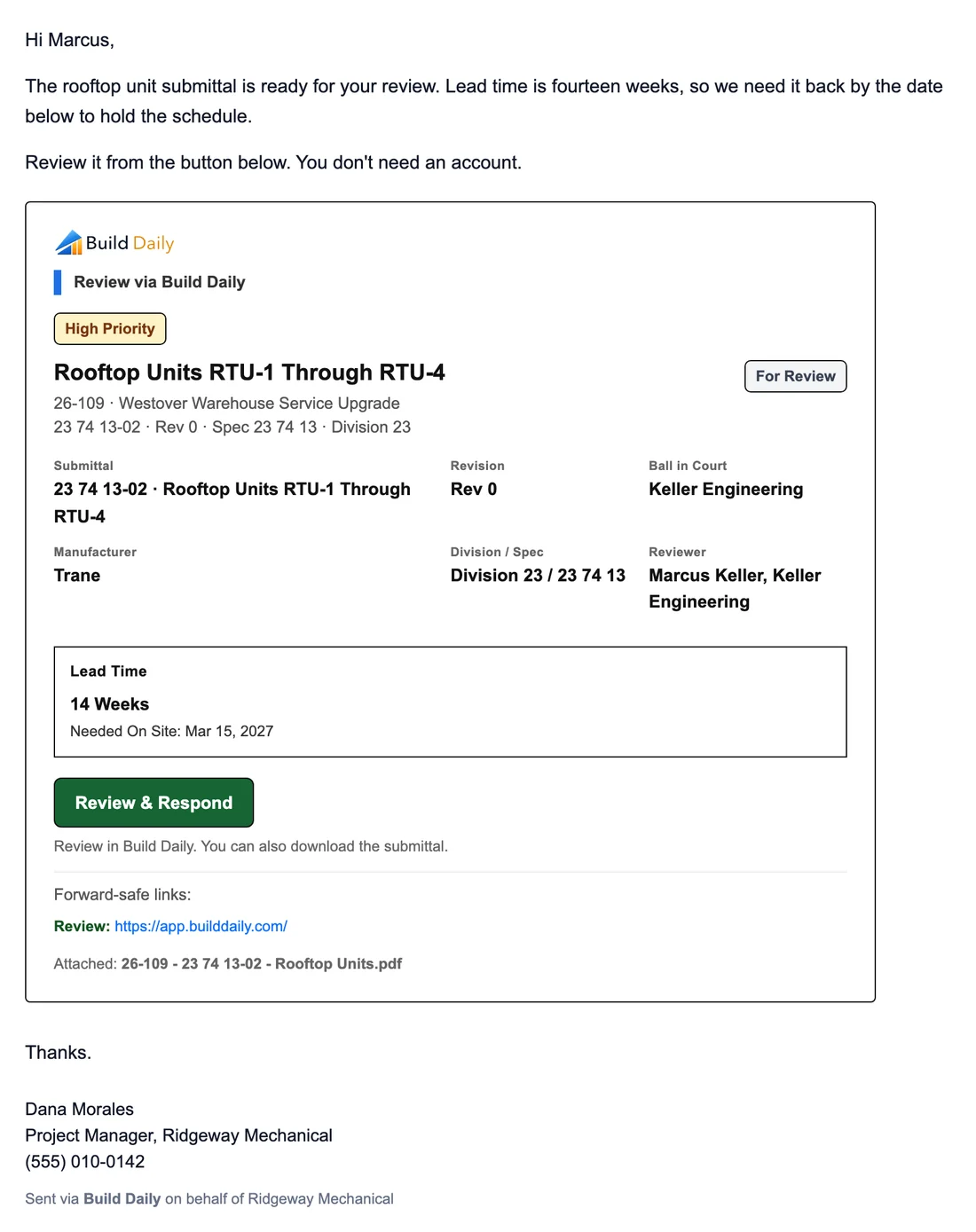
Don't wait until the review is due to learn it was never opened. The reviewer gets a message like this one, reviews from the link, and you see when they opened it.
What the engineer gets
-
Handle the Comments
Approved as Noted means read the notes before ordering. Revise and Resubmit means it goes back to the vendor with the comments. Every round is a revision on the same submittal, so the history stays together.
-
Release It and Track the Delivery
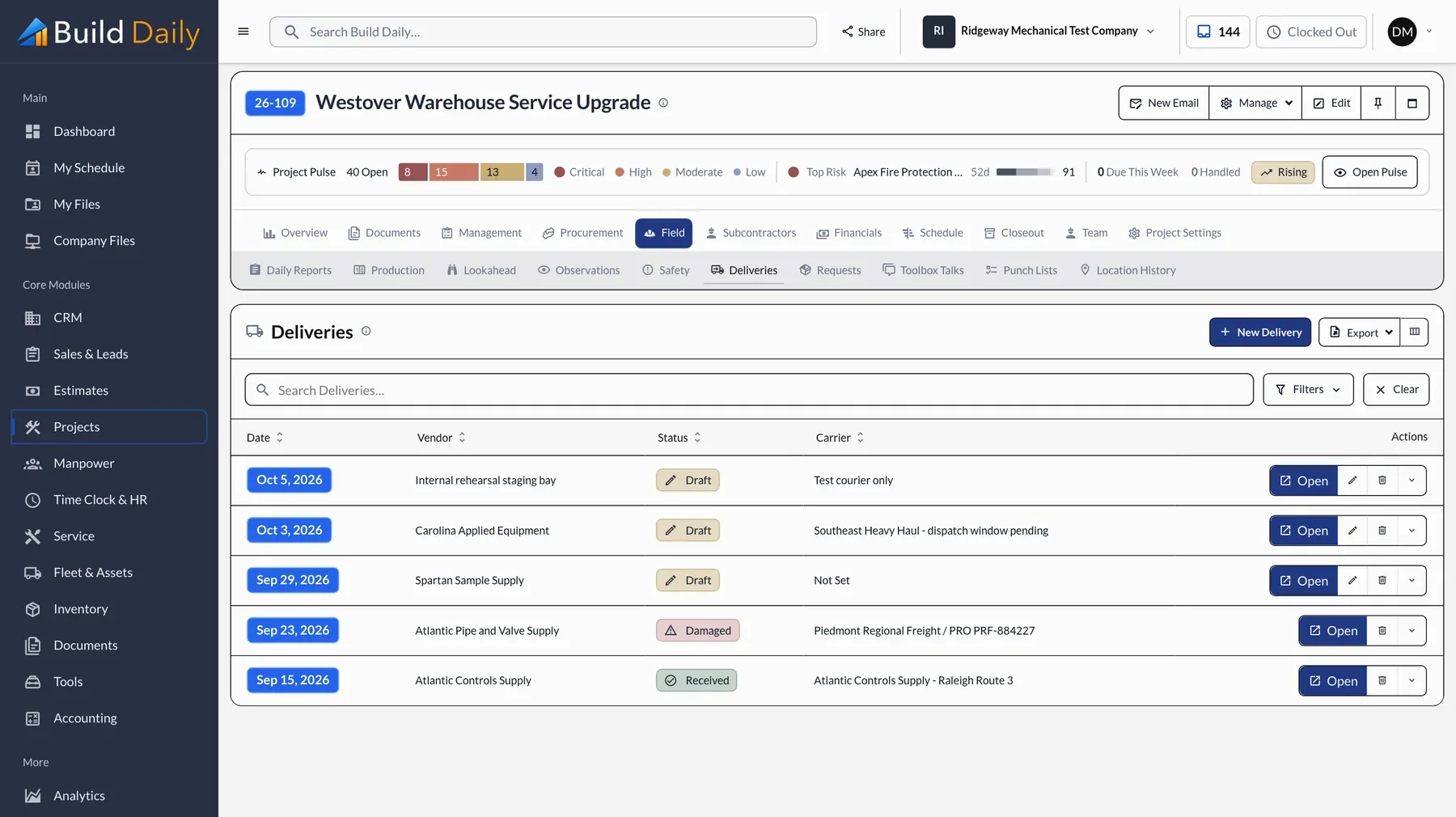
Approved isn't the same as ordered. Someone has to release it to the vendor and someone has to watch for the truck. Release it in Build Daily and the release and delivery dates stay on the same record.
See it on your own work.
Plans run from $99 to $249 a month for the whole company.